NETGEAR is aware of a growing number of phone and online scams. To learn how to stay safe click here.
Forum Discussion

mega129
Aug 17, 2019Aspirant
Error accessing admin page (the requested URL could not be retrieved)
Hello ReadyNAS experts
Unit: RN102
Firmware: 6.9.5
I've had a RN102 for several years now, been rock solid in terms of reliability and such except for the odd hiccups during a firmware upgrade or two.
Anyway, my latest issue is very puzzling. I noticed it today when I could not get into PLEX server (which is on the RN102) on any of my devices.
Troubleshooting steps I've done:
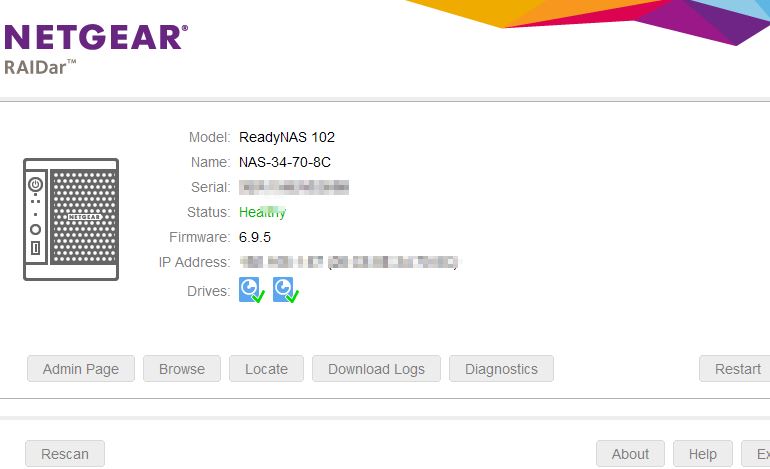
1) RAIDar (latest version) can scan and detect my NAS with no issues. System shows healthy. IP address shows correctly, no diagnostic errors, etc. However I cannot access my admin page. It times out with the generic Windows error "The requested URL could not be retrieved."
2) I can also see my NAS via my ReadyCLOUD account and all the files are there. I can also access all my NAS folders via my Windows laptop.
The only thing I cant do is get into my admin interface :( and PLEX isn't working possibly because the app must be disabled somehow?
3) I did a clean power down and reboot. System came up fine but did not fix the admin page issue.
4) I did a OS reinstall via the boot menu. Same result as 3) above.
5) I extracted system logs from RAIDar and tried to posted it here but apparently I can't attach a large zip file. So I just posted the output of the RAIDar screen after scan and detection of the NAS.
I am hoping someone can figure out what might be causing this to happen, and help me to get into the admin level again.
Thank you!!
2 Replies
Replies have been turned off for this discussion
- mega129Aspirant
Well one thing I should have done but omitted was to try to access using another browser besides Chrome and Firefox.
Using IE Explorer just a minute ago I was able to access admin level successfully.
So I guess, I need to clean out the cache in the other browsers.
All good now, thanks !
- bedlam1Prodigy
You should also consider updating your firmware to the latest version 6.10.1

Related Content
NETGEAR Academy

Boost your skills with the Netgear Academy - Get trained, certified and stay ahead with the latest Netgear technology!
Join Us!