NETGEAR is aware of a growing number of phone and online scams. To learn how to stay safe click here.
Forum Discussion

marksjsy
Aug 23, 2018Aspirant
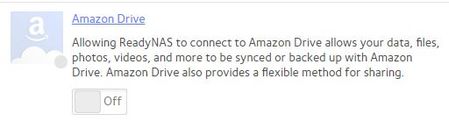
ReadyNAS Amazon Cloud Drive Not Turning On
Hi,
I have a ReadyNAS 516 running OS 6.9.3
I've been running a sync to my Amazon Cloud Drive since the feature was implemented, however, over time my Amazon drive has become very ...
marksjsy
Aug 23, 2018Aspirant
Thank you. I've emailed the logs.
Incidentally I also have a ReadyNAS 212 which I tried to perform the same actions, and exactly the same thing happened. It's running 6.9.3 too. I have attached log files from both boxes.
They are both in a production environment so would rather not perform OS reinstallations unless absolutely necessary.
Thanks

JohnCM_S
Aug 23, 2018NETGEAR Employee Retired
Hi marksjsy,
Thank you for providing the logs. I see this log message on the fvamazon.log of both NAS devices.
RN516
Aug 23 22:09:05 NAS1 fvamazon[4518]: __parse_quota: available -2147483648 is a negative number. Set it to 0. Your storage may be over quota.
Aug 23 22:09:05 NAS1 fvamazon[4518]: acd_cache_get_checkpoint: Failed to open /apps/.cloud-storage/cache/fvamazon/checkpoint for reading!
RN212
Aug 23 21:58:35 NAS4 fvamazon[17615]: __parse_quota: available -2147483648 is a negative number. Set it to 0. Your storage may be over quota.
Aug 23 21:58:35 NAS4 fvamazon[17615]: acd_cache_get_checkpoint: Failed to open /apps/.cloud-storage/cache/fvamazon/checkpoint for reading!
Can you try first disabling the volume quota on the NAS device?
Regards,
- marksjsyAug 24, 2018Aspirant
Hi John
The quota referred to in the logs is the over-quota for my Amazon Drive in the cloud. I originally subscribed to Amazon Drive when they gave unlimited storage for £55 a year, which is why the clearout because I'm over-quota. Quotas aren't enabled on either of my NAS boxes.
Thanks
Mark
- JohnCM_SAug 24, 2018NETGEAR Employee Retired
Hi marksjsy,
It looks like there is an Amazon Cloud Drive database that is corrupt. It will be best for you to contact support so L3 can assist you on this.They would probably need to wipe the Amazon Cloud Drive settings on each units and then let you reconfigure.
Regards,
- marksjsyAug 24, 2018Aspirant
Hi John
A person called Wenbu connected in to both units today and said:
"I have already found out the cause of your issue.
The issues of the two devices are the same, and they all get timed out when they request a changelist from AmazonDrive.
I did a manual test of the related API and found that AmazonDrive also returned a timeout with information as shown in the attached file, changes.html.
The backend process has been retrying the request. If the Amazon server no longer returns a timeout for this request, the synchronization can continue.
At the same time, we will also make patches as soon as possible, because if the Amazon server is always in this state, we have to resolve this issue.
Usually, after determining the solution, it takes about a few days for the patch to be ready.
We will contact you immediately if there are any updates."
Hopefully they'll come up with an update soon!
Thanks John.
Mark
- hunterbagwellAug 27, 2018Aspirant
ReadyNAS 1.20
Firmware: 6.9.3
I am having the same issue. Tried different browsers, deleted permissions in Amazon, rebooted NAS several times - still unable to turn Amazon Drive on.
Related Content
NETGEAR Academy

Boost your skills with the Netgear Academy - Get trained, certified and stay ahead with the latest Netgear technology!
Join Us!
