NETGEAR is aware of a growing number of phone and online scams. To learn how to stay safe click here.
Forum Discussion

OnlineUser
Aug 12, 2022Aspirant
ReadyNAS Ultra 6 (RNDP600U) stuck at ReadyNAS boot screen two days after OS6 (6.10) upgrade
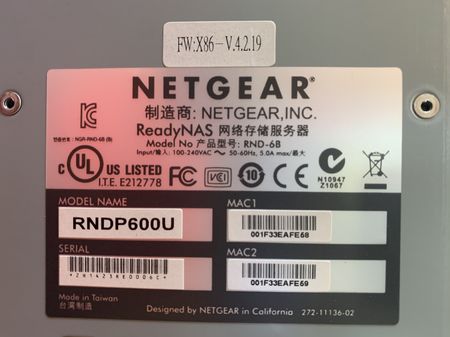
Very similar to this thread, I upgraded my ReadyNAS Ultra 6 (RNDP600U) from OS4 (v4.2.31) to OS6 (v6.9.5) only because I lost access to the ReadyNAS Admin console from modern-day internet browsers. ...

Sandshark
Aug 13, 2022Sensei
Most power supply testers do no test the supply under load and, therefore, do not provide a very comprehensive test. If you have a standard ATX12V supply, you can connect it externally as a better check of whether it's a power supply issue.
You can also run the RAM test from the reset menu.

OnlineUser
Aug 13, 2022Aspirant
Good point about power supply under load. Thank you.
As for the memory test, yes, I recall seeing this option under the Boot Menu, but I can't get to the Boot Menu. When I press and hold the reset button and either turn the power switch on or press the front panel power button, ReadyNAS does not pass by the ReadyNAS screen (see the picture I posted). I've tried this with and without all disks installed. Same thing: can't get to the Boot Menu.
Thoughts?
Related Content
NETGEAR Academy

Boost your skills with the Netgear Academy - Get trained, certified and stay ahead with the latest Netgear technology!
Join Us!
