NETGEAR is aware of a growing number of phone and online scams. To learn how to stay safe click here.
Forum Discussion

OnlineUser
Aug 12, 2022Aspirant
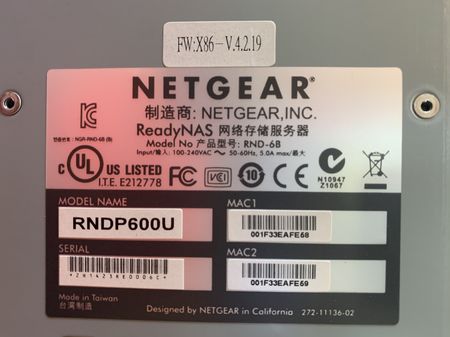
ReadyNAS Ultra 6 (RNDP600U) stuck at ReadyNAS boot screen two days after OS6 (6.10) upgrade
Very similar to this thread, I upgraded my ReadyNAS Ultra 6 (RNDP600U) from OS4 (v4.2.31) to OS6 (v6.9.5) only because I lost access to the ReadyNAS Admin console from modern-day internet browsers. ...

MoRaX
Nov 08, 2023Aspirant
HI,
I have an LCD problem on my NAS (same model)
The LCD display does not turn on. I should do factory settings but I can't.
Where can I buy another one for replacement? I've tried the cables and they seem to work
Thank you

Sandshark
Nov 08, 2023Sensei
OnlineUser , that is the symptom of a corrupt vpd file. Only Netgear can help you with that, and whether or not they will (since you've upgraded to OS6), I cannot say. When we had technically competent mods, they used to do it for those who needed it.
MoRaX , please don't "tack on" a completely unrelated issue to this one. It makes following the solution to either very difficult. Please start a new thread.
 StephenBNov 08, 2023Guru - Experienced User
Sandshark wrote:
OnlineUser , that is the symptom of a corrupt vpd file. Only Netgear can help you with that, and whether or not they will (since you've upgraded to OS6), I cannot say. When we had technically competent mods, they used to do it for those who needed it.
FWIW, that post goes back to January 2023, so if Netgear was going to help it would have happened by now.
Related Content
NETGEAR Academy

Boost your skills with the Netgear Academy - Get trained, certified and stay ahead with the latest Netgear technology!
Join Us!
