NETGEAR is aware of a growing number of phone and online scams. To learn how to stay safe click here.
Forum Discussion

ionizer5
Jan 28, 2021Aspirant
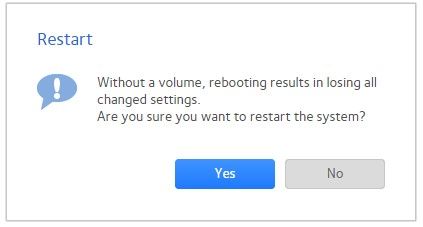
No volume after swapping drives from NAS-104 to NAS-314. I can see all the data, but I can't reboot
Hello, I had an existing NAS-104 which died (the chassis, not the hard drives) - this was confirmed by support. I managed to get a NAS-314 and I put all the drives in one-by-one in the same o...
ionizer5
Jan 28, 2021Aspirant
second image since I can only upload one per post
- mdgmJan 28, 2021Virtuoso
For some reason it's not detecting the volume properly. My first guess would be an issue with the volume label of the filesystem itself and in /etc/fstab. That sometimes needs to be manually corrected to be set for the new hostid when migrating disks to a new chassis.
- SandsharkJan 28, 2021Sensei
The proper procedure was to put all the drives in together with the power off. Upon boot, a re-sync shouldn't have been needed unless the failed NAS damaged the volume when it died. If you did put them in one at a time with power on or with power on in between each, as I read your post, then you are lucky to get where you are instead of a totally dead volume. Please confirm if you moved them all before powering on or had power on at any time before all were transferred.
- ionizer5Jan 28, 2021AspirantHi thank you for responding.
I definitely had the power off before putting any drives in.
In fact steps I specifically took were
(1) plug new 314 unit on with no drives. Configure basic setup of the unit, time, admin, etc.
(2) shut down unit.
(3) insert each drive one by one in the order they were in before....1 to 1... 2 to 2...3 to 3... 4to 4.
(4) powered on unit. This is where it began the resync automatically and I saw it happening on the led. I did think this was odd but wasn't about to mess with it
While the resync was going on, I was still able to access the files and folders either through the admin or directly via windows drive
Any other thoughts?
- ionizer5Jan 28, 2021AspirantThanks, is there a way to fix that on my own? I had paid for the support on my old unit, but once it was realized there was a hardware failure, they refunded it.
It would feel sillly to have to pay $80 just for this correction to be made


Related Content
NETGEAR Academy

Boost your skills with the Netgear Academy - Get trained, certified and stay ahead with the latest Netgear technology!
Join Us!


