NETGEAR is aware of a growing number of phone and online scams. To learn how to stay safe click here.
Forum Discussion

AmalW
Dec 06, 2020Aspirant
Ready NAS RNDP200U - Not Reading Disks
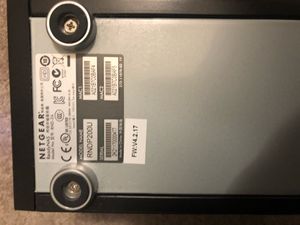
Dear All, In desperate need of some help! Setup: My ReadyNAS Model Name: RNDP200U (Model No: RND-2A) is not reading the two disks. Using Raidar 4.3.0. X-Raid2 Setup - I believe as I did no...

StephenB
Dec 06, 2020Guru - Experienced User
AmalW wrote:
1. I have ordered a similar NAS off ebay; RND2000v2. If I plug the old drives in the new NAS, will it work? Or will it erase the data?
It will not work - the nas either won't boot, or it will erase the data.
If you do need to off-load the data, you can connect one of the disks to a Windows PC (via SATA or a USB adapter/dock), and use R-linux for Windows to access the files. https://www.r-studio.com/free-linux-recovery/
AmalW wrote:
there was a odd noise (cycling) as the disks tried to spin I assume.
It could be a disk failure (one which might be hanging the SATA backplane). I suggest powering down, and testing the disks in a Windows PC with Seatools (again, they can be connected either via SATA or a USB adapter/dock).
- AmalWDec 06, 2020AspirantStephen,
Many thanks for you message.
Ok so if will be damage limitation to recover data. Disaster if I cannot!
Is Seatools from Seagate I presume? Do I do that first or the linux recovery?
Thanks again- StephenBDec 06, 2020Guru - Experienced User
AmalW wrote:
Is Seatools from Seagate I presume?Yes. https://www.seagate.com/support/downloads/seatools/
AmalW wrote:
Do I do that first or the linux recovery?I'd run the quick Seatools test first (it normally only takes 1-2 minutes). Both drives should be mirrored, so if one passes, you should be able to recover from it.
Note you will need storage to copy the files onto (for instance a USB drive). R-linux doesn't repair anything, it just gives you access to the files.
- AmalWDec 06, 2020AspirantStephen,
Thanks; I am ordering internal and external Seagate 8TB drives now, so hopefully can recover from one of the disks via my pc.
Regards
Amal
Related Content
NETGEAR Academy

Boost your skills with the Netgear Academy - Get trained, certified and stay ahead with the latest Netgear technology!
Join Us!
