NETGEAR is aware of a growing number of phone and online scams. To learn how to stay safe click here.
Forum Discussion

MCEComputers
Oct 16, 2022Apprentice
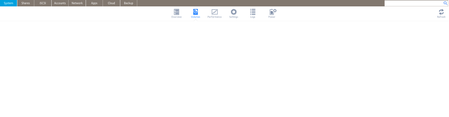
Readynas Pro 6 "volumes" screen is blank
I am having the same issue reported in this thread. I have a ReadyNAS Pro6 running 6.10.8. There are four 4tb Lenovo branded Seagate EXOS ST4000NM0035 drives installed. When I log in to the admi...

Sandshark
Oct 19, 2022Sensei
With any of the drives from your existing set installed and without a factory default, the NAS is going to use the OS from the drive(s) (it's duplicated on every drive), so I believe the problem lies there. I don't believe it has anything to do with the drive brand. I've seen odd behavior of FrontView when the OS partition is almost full, so check that.
Another cause can be when a Samba configuration file has something amuck. Do you have any apps that might have made changes in a configuration file? Maybe one is no longer compatible with the current OS version. While one would think that an OS re-install would fix this, it won't always, because that would "break" the app involved.
The easiest, but maybe not the fastest, solution would be to backup, factory default, and restore. The other would be to compare the files in your normal volume's OS partition to those in a freshly defaulted one. You need to start with /etc/samba/smb.conf and then continue with all the files that are included:
include = /etc/frontview/samba/smb.conf.defaults

include = /etc/frontview/samba/smb.conf.%a
include = /etc/frontview/samba/smb.conf.overrides
include = /etc/frontview/samba/Shares.conf
include = /etc/frontview/samba/Shares.conf.%G
include = /etc/frontview/samba/addons/addons.conf
include = /run/usb/samba/Shares.conf
But you'll have to figure out what's different because the NAS configuration is different and what is errantly different.
If you want quick proof that a factory default will fix it, and you have RAID5 or better, you could do so with just one of the Lenovo branded drives installed. The others will remain a degraded (non-redundant, but fully accessible) volume you could install if needed.

StephenB
Oct 19, 2022Guru - Experienced User
Sandshark wrote:
With any of the drives from your existing set installed and without a factory default, the NAS is going to use the OS from the drive(s) (it's duplicated on every drive), so I believe the problem lies there. I don't believe it has anything to do with the drive brand. I've seen odd behavior of FrontView when the OS partition is almost full, so check that.
There is no data on the NAS, and a factory default has already been done. Also, a single drive test install. Hard to see how the OS partition would be full immediately after a factory default, unless perhaps there was a flood of errors on one or more drives. But easy to test with ssh.
mdstat showed a normal OS partition
root@nas-EA-0C-93:~# cat /proc/mdstat
Personalities : [raid0] [raid1] [raid10] [raid6] [raid5] [raid4]
md127 : active raid5 sda3[0] sdd3[3] sdc3[2] sdb3[1]
11706506496 blocks super 1.2 level 5, 64k chunk, algorithm 2 [4/4] [UUUU]

md1 : active raid6 sda2[0] sdd2[3] sdc2[2] sdb2[1]
1047424 blocks super 1.2 level 6, 64k chunk, algorithm 2 [4/4] [UUUU]

md0 : active raid1 sda1[0] sdd1[3] sdc1[2] sdb1[1]
4190208 blocks super 1.2 [4/4] [UUUU]
ls /data showed the normal default shares on the data volume, so it is properly mounted. No evidence that the share configuration is wrong (and the repair script had no effect). It's only the volume tab that is blank. This is happening also with a different NAS (with a test factory default, not just disk migration).
Plus MCEComputers is seeing this using multiple browsers on multiple PCs, so it is not related to the browser cache.
- SandsharkNov 02, 2022Sensei
My best guess is that there is something in the SMART data that's confusing the code for the GUI, since that's the screens on which you can view that data. Does anything look odd with disk_info.log in the logs .zip?
Related Content
NETGEAR Academy

Boost your skills with the Netgear Academy - Get trained, certified and stay ahead with the latest Netgear technology!
Join Us!
