NETGEAR is aware of a growing number of phone and online scams. To learn how to stay safe click here.
Forum Discussion

wcate
Jun 15, 2015Aspirant
Upgraded to new drives, but won't boot without the old ones.
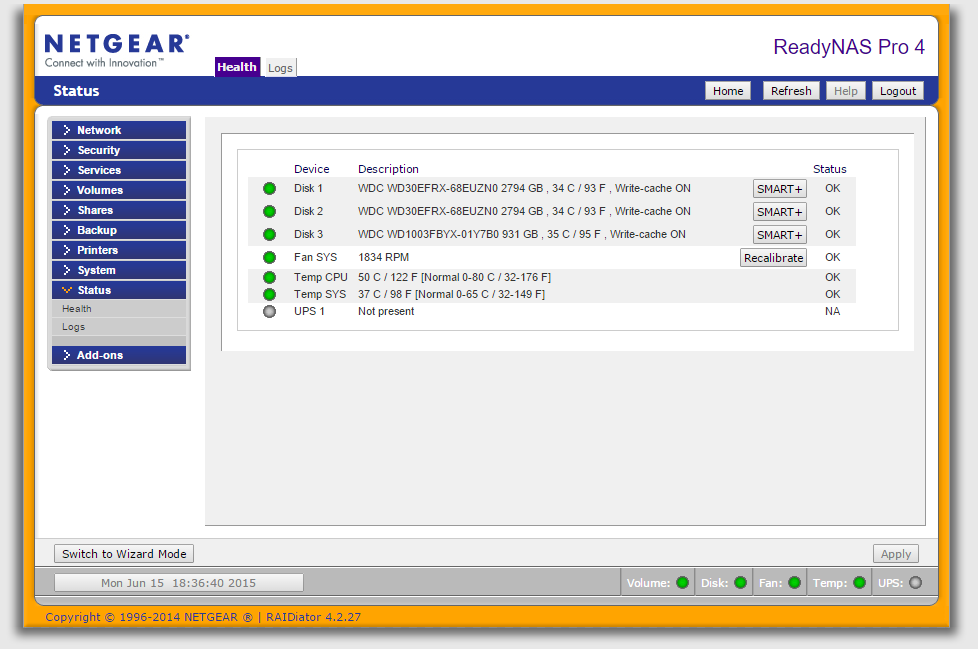
Hello. We have a ReadyNAS Pro 4 we're trying to expand by replacing the old 1TB drives with new 3TB drives. The RAID sync for both drives finished successfully after putting them both in, but now when trying to remove the old drive, upon booting, it gives me the following error:
ERR: Could not m
ount Root RAID d
which I suppose stands for 'device' or 'drive'. Booting with the old drive works, but I need to boot it without the disc to take advantage of the expanded storage space, which I have been told will happen automatically once the smaller drive is gone. Is there any way I can change the root RAID device to one of my new drives?
ERR: Could not m
ount Root RAID d
which I suppose stands for 'device' or 'drive'. Booting with the old drive works, but I need to boot it without the disc to take advantage of the expanded storage space, which I have been told will happen automatically once the smaller drive is gone. Is there any way I can change the root RAID device to one of my new drives?
3 Replies
Replies have been turned off for this discussion
- mdgm-ntgrNETGEAR Employee RetiredYou need to replace disk 3 with a 3TB disk to expand your volume.
However the NAS should still boot with the disk removed.
Can you send me your logs (see the Sending Logs link in my sig)?  wcateAspirantI have sent an email to the address indicated at the Sending Logs link with the logs attached.
EDIT: Your mail server rejected my email. I resent it with a dropbox link.- mdgm-ntgrNETGEAR Employee RetiredFixed.

Related Content
NETGEAR Academy

Boost your skills with the Netgear Academy - Get trained, certified and stay ahead with the latest Netgear technology!
Join Us!
