NETGEAR is aware of a growing number of phone and online scams. To learn how to stay safe click here.
Forum Discussion

astifidaki
Sep 25, 2024Aspirant
Nighthawk M6 PRO Wifi sleep mode from booting
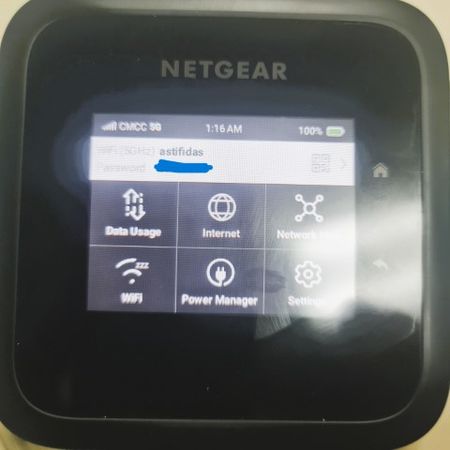
When I boot up my M6 pro (MR6500 - 1TLAUS) wifi icon appears with "zzz" and no wifi network name appears although i have on both 2.4GHz and 5GHz and the wifi standby is set to never. Tried to do fact...
rcpax
Oct 12, 2024Luminary
it takes time for the Wifi network to get ready after a bootup, so it is normal to see a "ZZZ" symbol on your wifi after a bootup. Give it a few minutes to initialize.
astifidaki
Oct 21, 2024Aspirant
Thank you for your reply.
I have been waiting even for 6 hours without result. The wifi does not wake up.
Even after factory reset stays sleeping. I tried also to set internet options to Wifi + Cellular but still same.
- rcpaxOct 21, 2024Luminary
can you do a screenshot of your wifi settings in the web UI?
- astifidakiOct 24, 2024Aspirant
Attached below all screenshots. I hope this can help
- rcpaxJan 05, 2025Luminary
In the first screenshot, set it to connect via Cellular only. The WiFi + Cellular means you are trying to offload data usage to WiFi at certain times, and i don't know if that's what you want. Regular usage I would only set this to cellular connection. see if that helps. When you set it to cellular, you can still use wifi to get connectivity from your mobile router via the router's wifi SSID that you have set.