NETGEAR is aware of a growing number of phone and online scams. To learn how to stay safe click here.
Forum Discussion

JimmyW
Jan 21, 2021Luminary
Choosing a channel and band for streaming TV
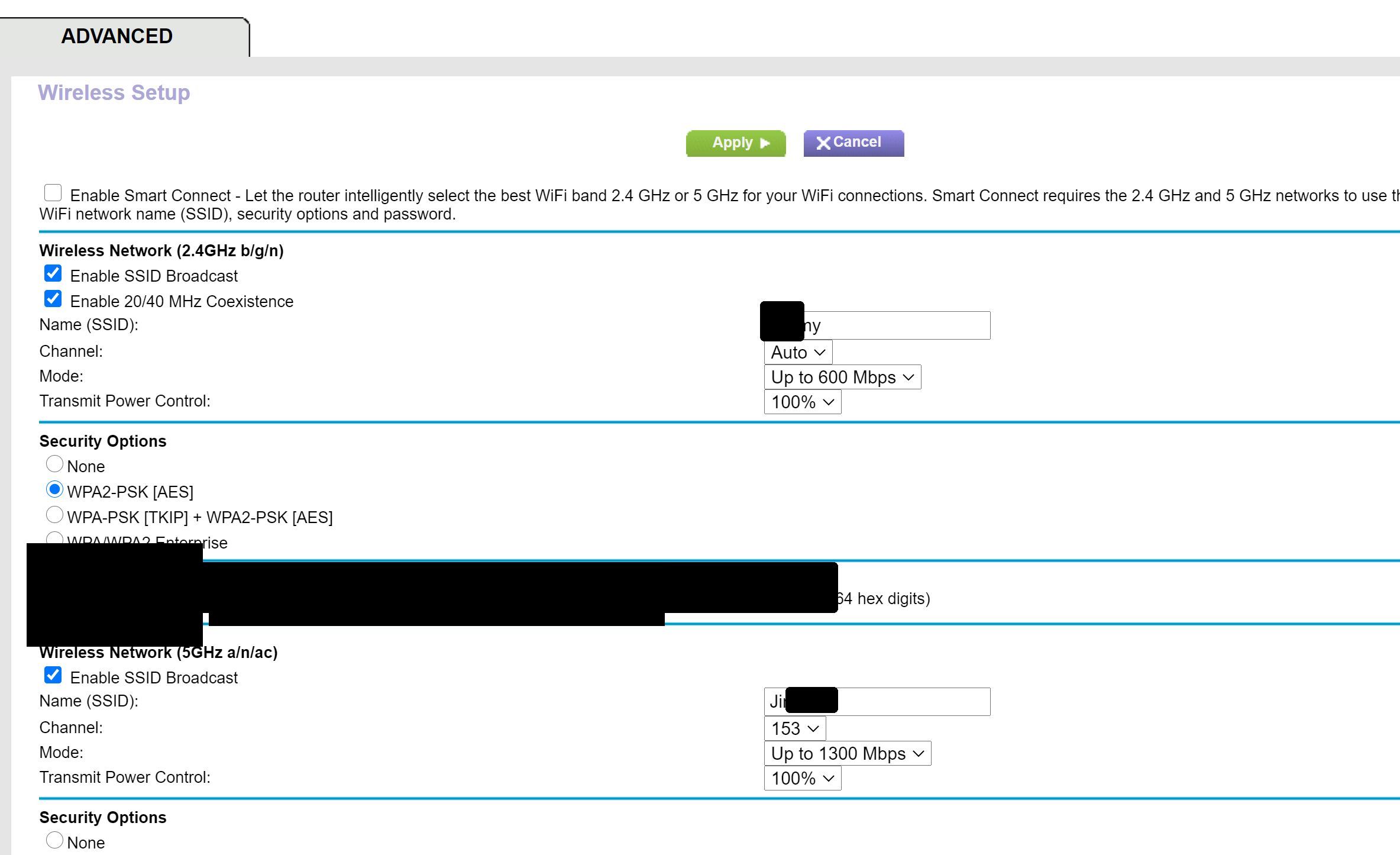
I'm using the R7000 router with Spectrum's streaming service on my Samsung smart TV. I connect to the router through a powerline adapter, and I use the 5GH band. The channel is set to 153, which I ...
- Jan 22, 2021
The reason they recommend it is because most tier 1 techs from spectrum/comcast/cox are just regular people with some basic training/troubleshooting. I know some pretty techologically smart people who don't know much about networking/wireless. the more you learn, the more you find out you don't know about networking. Half the time, I feel like a dumb*** compared to many of the members on here.

plemans
Jan 22, 2021Guru - Experienced User
The reason they recommend it is because most tier 1 techs from spectrum/comcast/cox are just regular people with some basic training/troubleshooting. I know some pretty techologically smart people who don't know much about networking/wireless. the more you learn, the more you find out you don't know about networking. Half the time, I feel like a dumb*** compared to many of the members on here.
johngraziadei
Feb 17, 2021Aspirant
show me how to change channel to 11 and 2.5 ghb on my r7000 netgear router
- antinodeFeb 17, 2021Guru
> show me [...]
Already been done. Perhaps one of us should try this:
https://en.wikipedia.org/wiki/RTFM
I vote for you.
Visit http://netgear.com/support , put in your model number, and look
for Documentation. Get the User Manual. Read. Look for "Specify Basic
WiFi Settings" and "channel". It's not complicated.