NETGEAR is aware of a growing number of phone and online scams. To learn how to stay safe click here.
Forum Discussion

FURRYe38
Apr 01, 2022Guru - Experienced User
New - R8000 Firmware Version 1.0.4.84 Released
Security Fixes: 3/30/22
Fixes security vulnerabilities. (Don't know if this resolves the DNS issues seen on v.76 version.)
For more information about security vulnerabilities, visit https://www.n...

FURRYe38
Oct 04, 2022Guru - Experienced User
What kind of troubles are you having with the router?
How do you have advanced wifi configured?
Is Smart Connect enabled?
Is the modem in router mode or modem mode? If router mode, besure to put the R8000 IP address it gets from the modem into the modems DMZ.
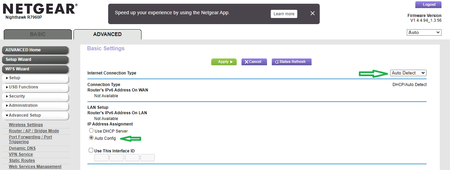
Also you may need to enable IPv6 AUTO on the router as well as there is know DNS issues that IPv6 helps with.
I have SC enabled. I use channels 1 and 40 and 149. 40Mhz only on 2.4Ghz. Beamforming and MIMO enabled. I found that Armor, Circle and Traffic Meter seems to cause speed problems so a factory reset and setup from scratch solved that with not enabling those. I my R8000 from Amazon as well a few months ago.

bitwave
Oct 09, 2022Guide
Thanks for trying to help out but I'm done with Netgear firmware. I tried Tomatoe that bricked the router after recovering from that Im now running DD-WRT 10-03-2022-r50313 and have a lot less headaches and havent looked back. I've run DD-WRT in production environments in the past and for opensource they are constantly improving and have stable firmware as long as you read their wiki and installation recommendation. Netgear has totally lost my respect its pathetic they produce and release such garbage firmware for a router of this level.
- FURRYe38Oct 09, 2022Guru - Experienced User
Glad that works better for you.
You'll need to refer to the DD-WRT forums for there support with there FW.
Good Luck.