NETGEAR is aware of a growing number of phone and online scams. To learn how to stay safe click here.
Forum Discussion

drew_s
Jul 24, 2018Aspirant
Nighthawk R6700v2 - No internet from modem - Gets IP for a few seconds then WAN link goes down
Hello everyone, I've read every(!) post about the R6700 and no internet connection. I've tried all the suggestions with no avail. So hopefully someone can help me with my specific setup.
TL;DR...
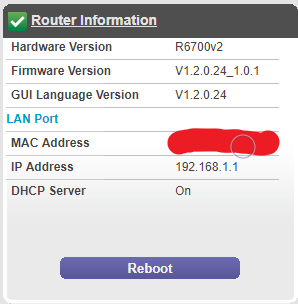
- Jul 25, 2018
If your older router works fine, Probably your R6700 is bad. I would go to a local store with NG routers and a good refund policy and check out out for a few days.
Also need to check your network adapter card as well. Make sure it's able to connect to a router, modem and a switch at 1000mb and not 100Mb.
drew_s
Jul 24, 2018Aspirant
> You didn't get a chance to have him hook up the R6700 to the modem router combo did you?
Yes, we tried this and I believe it didn't work. It seemed like their router/modem combo didn't like having another router plugged into.
> Seems like if you have tried the R6700 and a other older router and both don't work, possible that the 6183 maybe bad on it's WAN port...
Well wouldn't the fact that I get internet when going directly from PC to the modem rule this out? We also tried three different modems (the modem only model). He did say these modems were acting up and he's replaced a lot of them. But it seems unlikely three are bad? Although I'm just now remembering that the router/modem combo was brand new and all three modem-only's were refurbs.
> To confirm that your other routers are working, you could take these routers to a friend, nieghbor or families place to see if they work at a different location
Good idea.
> Or go get a different modem and test with your NG router...
Yeah I can try the NG again with the latest modem and see what happens.
Thanks for the help!

FURRYe38
Jul 24, 2018Guru - Experienced User
Ya, seems like something either between the 6183 and your R6700 just isn't working right. If you can test the R6700 at a different location and see if the problem follows, this should let you know.
You might do this, download last FW update or maybe go back to initial shipping FW for the R6700, load it. After it loads, factory reset the R6700, connect it to the modem then walk thru the setup wizard and see if it gets connected and remains connected...
Let us know how it goes...
- drew_sJul 24, 2018Aspirant
I just saw these questions from a few posts up
> When connecting your PC directly to the 6183, is your network adapter card connecting at 100Mb or 1000Mb? Disable any PC security software and browser add-ons temporarily...
PC connected directly to the 6183 I'm getting 100mb.
> You might do this, download last FW update or maybe go back to initial shipping FW for the R6700, load it. After it loads, factory reset the R6700, connect it to the modem then walk thru the setup wizard and see if it gets connected and remains connected...
I think this has a shot of working. Not sure how I didn't realize to try this before. I know I updated my firmware soon after getting it setup, but can't remember exactly if it was ever working on the latest firmware.
Another good idea! I think I've been searching inthe "R6000 Series AC WiFi Routers" board instead of the Nighthawk board.
I'll give these a try when I get home from work in abour 4 hours. Thanks!
- FURRYe38Jul 24, 2018Guru - Experienced User
What is the mfr and model# of your PCs network adapter card? Does it support 100Mb max or 1000Mb max?
- drew_sJul 24, 2018Aspirant
> What is the mfr and model# of your PCs network adapter card? Does it support 100Mb max or 1000Mb max?
I have a very old BIOSTAR TH67+ LGA 1155 Intel H67. Yes, it's max is 1000mb/s. Also, I was recieving ~400mb/s before all this trouble started. Good thought.
- FURRYe38Jul 24, 2018Guru - Experienced User
So when this PC is connected to the modem directly, your only seeing 100Mb? Happen to have another PC to test this with?
Possible that the WAN port on the modem isn't giving 1000mb speeds.
- drew_sJul 24, 2018Aspirant
> So when this PC is connected to the modem directly, your only seeing 100Mb?
Correct.
> Happen to have another PC to test this with?
Yes I have a MacBook Pro I can* test with. I'll do that as well when I get home.
> Possible that the WAN port on the modem isn't giving 1000mb speeds.
I know with at least two of the modems (a modem-only, and a modem/router comb) I was only getting 100mb which leads me to believe there is something wrong on my PC. Also, the modem/router combo was putting out 400mb/s through the WiFi, but my computer was only getting 100mb/s.
Edit: cant to can