NETGEAR is aware of a growing number of phone and online scams. To learn how to stay safe click here.
Forum Discussion

millerre1959
Apr 26, 2016Star
R7000 USB ports not working properly
I decided to use small form factor USB 3.0 and USB 2.0 flash drives for my ReadyCLOUD account on my Netgear R7000. Here is the outcome of my installation: -- USB 2.0 drive works in both USB ports ...
- May 06, 2016
The beta firmware fixed the problem. Many thanks!
roorats
Aug 01, 2016Tutor
Were you able to solve this issue? I am experiencing the same thing..
roorats
Aug 01, 2016Tutor
I really need help with this issue, its driving me nuts. It worked initially but my USB 3.0 drive just keeps DISSAPEARING / connectivitiy issue?
I recently just purchased a SECOND brand new R7000 (yet to be installed) because I was experiencing crazy packetloss when my laptop would connect to WiFi (still don't know what happened there) but it kind of fixed it self / I changed some MTU settings on my Mac (no idea if that was the culprit, I can't seem to find real answers on this issue anywhere). I have not pulled it out of the box just yet but I am considering going "Office Space" on my current R7000 because of this USB 3.0 issue!!
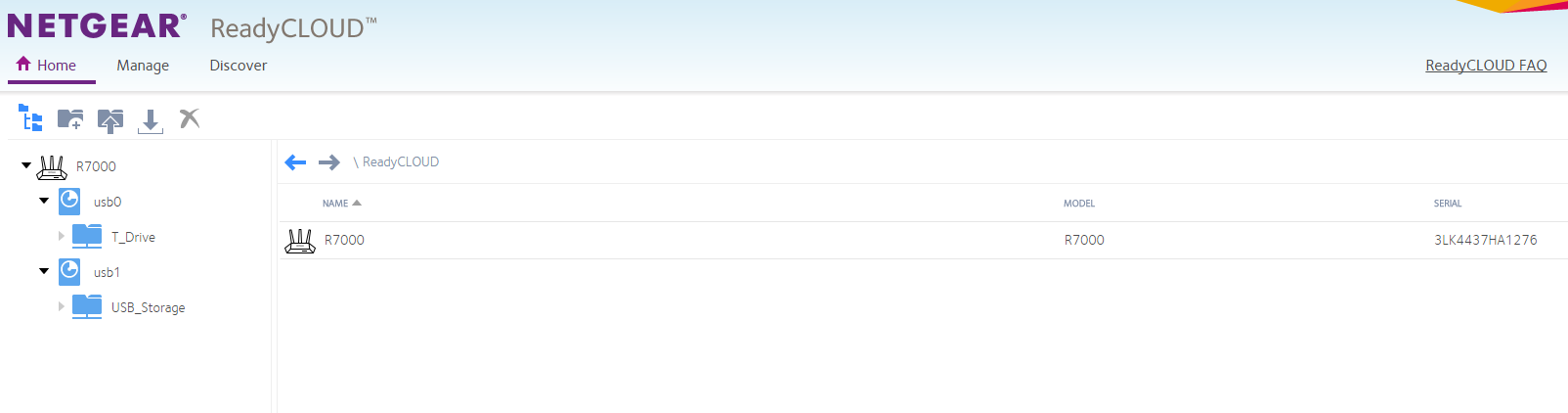
So I've finally decided to set up READYSHARE and READYCLOUD. I have it linked to my USB 3.0 WD 5 TB External HDD. When I initally set it up, I logged into the website and it was perfect, I could see my network drive. I even instaleld the silly desktop app (horrible). Then fastfoward 12 hours, I log in and it is gone. The weird thing is I can see all my folders fine on my mobile iOS device app. I can also clearly see the drive on my wired PC and WiFi connected macbook. But once I login to the ReadyCloud, it just dissapears and SOMETIMES would reconnect and show itself! (But mostly stay DISSAPEARED) What is going on?!!!! I even went into router login to see advance settings and clicked the links leading to parent directories which display a map of all my folders in network drive just fine.
Further, I connected a USB 2.0 External HDD to the USB 2.0 port and I get absolutely NO ISSUES. It shows on the ReadyCloud unlike the USB 3.0. Now here is the kicker, I have trouble transferring files on this USB 3.0 port as well. Sometimes the files are transfered INCOMPLETE or I get Error 0x8007045D while copying files from computer to external hdd. However, when I copy the same set of files to my OLDER 2.0 HDD, I get no issues, well except for slow 2.0 speeds but hey trying to make the best lemonde on earth here. Please keep in mind I am trying to move large data approx 50GB at a time.
What I would like to know, is this a HARDWARE ISSUE? Because if my NEW r7000 will have the same USB 3.0 Issue then it is better for me to return it before my time expires. And YES I have "Power Cycled" more times than Lance Armstrong also hard resetting. Please, any assistance would be greatly appreciated.
Firmware Version
V1.0.5.70_1.1.91
 JamesGLAug 04, 2016NETGEAR Employee Retired
Hi roorats,
Texxen's issue was a hardware issue. The new unit he has has been working. You mentioned that this is the 2nd unit you have, was the 1st unit working with USB 3.0?
JamesGL
Community Team