NETGEAR is aware of a growing number of phone and online scams. To learn how to stay safe click here.
Forum Discussion

argo2d
Aug 14, 2022Tutor
problem with Netgear NightHawk R7000 AC1900 WiFi Router tripping every time i try to use ethernet
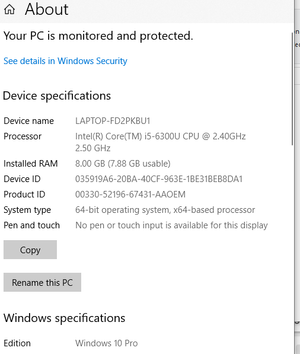
i had to start using an old lenovo as a stop gap until i get a new laptop. the laptop triggers my router (which i also got secondhand) to disconnect but it did not cause my even older previous route...

FURRYe38
Aug 15, 2022Guru - Experienced User
What CAT# lan cables are you using between the modem and router and your PC? CAT6 is recommended.
Might also update FW as well. Your behind in FW:
argo2d
Aug 16, 2022Tutor
i can't update the firmware, the app keeps telling me i'm up to date every time i ask it to check for updates!
i still don't understand how this could be the cable though. why would that cause the entire router (wifi and ethernet) to suddenly stop functioning until i reboot?
- michaelkenwardAug 16, 2022Guru - Experienced User
argo2d wrote:
i can't update the firmware, the app keeps telling me i'm up to date every time i ask it to check for updates!
The onboard update check is not reliable.
Your version (V1.0.9.88) is old. There have been nine updates since then. Sometimes there are just too many steps for the automated process to work.
This is the recommended way of updating tour device:
How do I manually upgrade firmware to my NETGEAR router? | Answer | NETGEAR Support
i still don't understand how this could be the cable though. why would that cause the entire router (wifi and ethernet) to suddenly stop functioning until i reboot?
I agree. It is just one of those rote questions that get thrown in. Cables are rarely the issue and usually come down to old ones that have broken connections. It is, though, worth checking if only to rule it out.
- argo2dAug 19, 2022Tutor
so latest update, i tried a few more cables and it still failed. i finally just gave up on ethernet and switch everything to wifi and now the issue doesn't occur anymore. so now i'm a little confused as to what the cause of this could be. i'm going to at some point try another laptop with the ethernet and see if it's the laptop causing this?
- michaelkenwardAug 19, 2022Guru - Experienced User
argo2d wrote:
so latest update, i tried a few more cables and it still failed. i finally just gave up on ethernet and switch everything to wifi and now the issue doesn't occur anymore.
This sort of points the finger at something that I mentioned before.
"If this happens only when this laptop enters into the picture, then that's probably where the problem lies."
When that happens the first place to look is Windows.
i'm going to at some point try another laptop with the ethernet and see if it's the laptop causing this?Good idea.
The thing to look out for is Windows security. The latest Network Troubleshooter in Windows is a lot better than the original.
Windows likes to protect us from new networks that might be evil. In reality, it often shuts us out of safe networks.
One thought is that you could tell Windows that you are on a "private network".
- Network and Internet settings
- Network Status
- Change Connection Properties
- Network Profile
- Private
I'm told that this is rubbish advice. But it has worked for me and others in the same boat.
Ensuring that you have the latest drivers for your PC's LAN chips is also worth investigating.
Having said that, it is hard to see how the PC can bring everything else on the network to its knees.
