NETGEAR is aware of a growing number of phone and online scams. To learn how to stay safe click here.
Forum Discussion

togatoga
May 22, 2018Guide
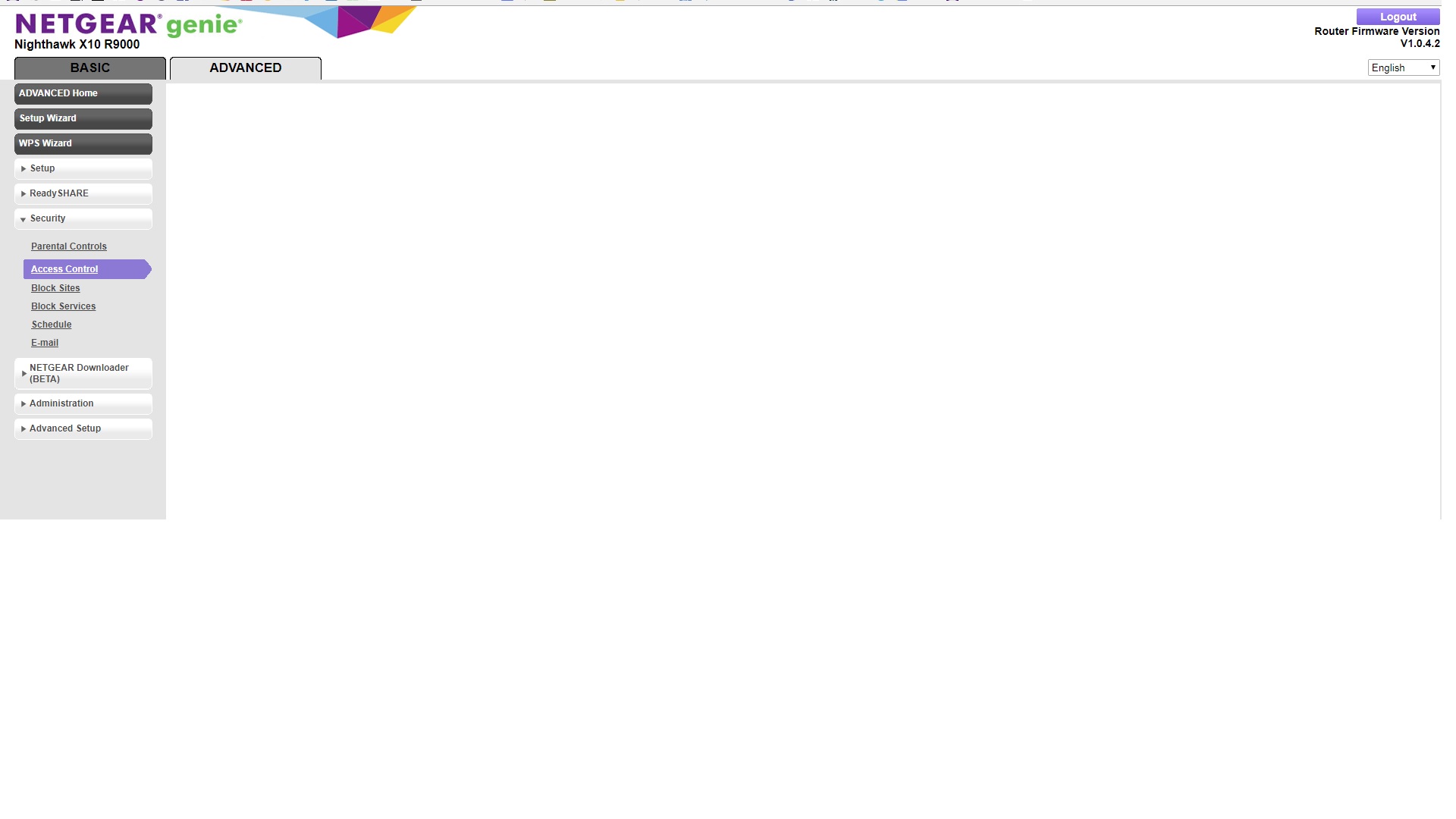
"Attached devices" and "Access Control" not working on Nighthawk X10
Hoping someone can help before I give up and send this router back. Router setup was routine. I do not protect my home network with a password; rather I use a MAC access list, which worked with my ...
 Aug 07, 2018
ChristineT DarrenM I was able to change names and status from allowed to block and remove (null) devices.
Some of the devices had proper description as long as they were offine, as soon as they were connected to router the name was replaced with "n/a". In some cases I was able to fix the name in Access Control. In couple cases the name change was not being saved. In those cases I've used Connected Devices and the name was accepted.
Also changing device type in Connected Devices works. The Genie App still doesn't recognize the proper types of some devices. For example my iPhone type is set to iPhone and in Genie App is shown as Arlo.
That's it basically, both Access Control and Connected Devices are accessible again and working as intendet. Thanks.
Smuttyfox
Jul 31, 2018Aspirant
I managed to get access control to work if I manually reloaded the config. I have a list of approx 50 MAC addresses to load. Best I could get in was about 6. After which I couldn't view the list again, let alone edit it.
Only solution, get a device from another vendor
- bbaraniecAug 01, 2018Luminary
Let's just forget about restoring config from backup but fresh config with old firmware should work right?
Another day and there is no support from Netgear.
 IrvSpAug 01, 2018Master
bbaraniec, this is a Community Forum. It is not manned by trained NG support people but it is monitored with NG Moderator's (those with the NG icon after the name). Those moderators try to help, but they may not have the same capabilities and information as the Support team does.
If you need/want true support help you have to contact them be Support and My Support links. Depending where you live the ability to do that could be as low as 90 days after purchase.
Other than that all you can get here is help from other users like yourself and the NG Moderators... Something new or unusual, the harder it is to help. Insufficient information also hurts the chance of getting a solution. A true firmware bug, you'll have to wait for NG to fix it, but if it hasn't been reported to them, who knows when it will get fixed.
Just trying to set the right expectations here.
- bbaraniecAug 01, 2018Luminary
IrvSp I know what community forum means and that why I was asking for Netgear opinion on this matter.
ChristineT has been mentioned first time in this topic on 23rd of May. For the next month still nothing from NG but ChibiKev posts info about RC firmware. So at this point NG is aware of the issue and may have/may be working on solution.
I'm finding this topic another month later, there is still no information from NG, there is no official firmware either, there is no clear solution to this matter. ChristineT gets mentioned again and we wait.
You see we are in the dark here. We don't know even if they were able to find the bug, yet to fix it.
I've contacted L3 engineer but he is on vacation so all what I'm left with is contacting standard L1 support, going through all the steps explaining what's wrong, when we have already 50 posts describing the issue but no one from NG wont comment here.
- schumakuAug 01, 2018Guru - Experienced UserThis issue with the empty or non-loading Attached Devicces view is nothing new. It happen more or less randomly, on the R9000, and several more newer Nighthawk routers. Conditions could be simply at run time, while DHCP new or refresh, while editing MAC/device access being in Web based Genie, but more often while or after using the Genie App, potentially also the Nighthawk App. Paired with the repeated hint to reset to factory defaults, with some outdated code like dnsmasq (updated but still not new enough e.g. on the R9000), these are making a large amount of issues and reports. Netgear does sit on an almost golden egg with the community feedback, but rarely makes anything out of the information. Until earlier this year, I had regular contact and updates from Netgear ref. the R9000. However - yes, I can be a pain in the back - for a while my related emails are no longer replied to. Complete unserious how Netgear does behave here.
And that was the key reason to bring ChristineT I to the loop
Regards
-Kurt - bbaraniecAug 01, 2018Luminary
I have been using Netgear App and Genie App from time to time and never before I had problems with AC not loading. First after ugrading to latest firmware and changing device name **bleep** hit the fan.
- IrvSpAug 01, 2018Master
bbaraniec, at least you have an active problem being worked. I've got one on SMB 1 since 3/31 of this year... every response back to me says it is a Windows 10 problem and I must use SMB 1 to see the network shares. Well over 1 year ago MS declared the use of SMB 1 to be dangerous and END USER H/W needed to make changes to not use it. Over a YEAR ago a NG Moderator said Support was aware of it and working it. STILL nothing although some routers do seem to have moved up to SMB 3 and even allow selection of SMB 2 or 3. However on the R7000 and R8000 I have even though this has been enabled they have done a half a**** job as it isn't exposed. One STILL needs SMB 1 to make shares be used like it should be, NETBIOS names are NOT resolved without it. Yet I still get the same answer, it is a Windows problem.
Very frustrating to say the least.
- bbaraniecAug 02, 2018Luminary
IrvSp Windows is using WSDD now and Linux has no support yet for that.
SMB1 is dangerous and you should not use it, unfortunately is pain in ass without Network Discovery for some. There is a workaround for Linux written in python: https://github.com/christgau/wsdd
- IrvSpAug 02, 2018Master
bbaraniec, I am well aware of that fact. So it seems are the moderators here. Support, doesn't seem like it?
I actually is WSD, https://docs.microsoft.com/en-us/windows/desktop/WsdApi/wsd-portal, it seems that most routers do NOT support this. Enabling SMB 3 on the R7000 and R8000 which HAS been done, isn't enough.
Just run NET VIEW on a Windows PC that is NOT running SMB 1. You get a 1231 error I recall? Even if the PC is running SMB 1 (such as W8.x or older) when a W10 PC without SMB 1 (a fresh install or an updated V1709 or later Windows PC that doesn't use SMB 1 and 30 days later W10 turns it off) no machine will work with that command. Computer Browser and Master Browser function breaks it.
There is a long thread here about this. Any time you see a thread about one can't see a share, the cause is this problem, and there are many here. One I was in over SMB1 and even used WireShark to see what was going on, https://community.netgear.com/t5/Nighthawk-WiFi-Routers/Problem-with-NET-VIEW-W10-R7000-most-recent-firmware-including/td-p/1473063 if you are interested.
Even on MS site are instructions to turn on SMB 1 for sharing, and this one is quite complete and more has to do with W10 V1803 (Spring Creator Update) turning off/Deleting HOMEGROUPS, https://answers.microsoft.com/en-us/windows/forum/windows_10-networking/connecting-pcs-and-users-for-sharing/fb92e439-5dbc-4367-9857-1ef360e9ffdf.
If you think this is only a Netgear router, thing again, I've seen reports of ASUS routers with this problem too.
Still, I feel the onus is on NG to make NET VIEW work properly with their routers. It works with SMB1 but doesn't without it... and it appears that just enabling SMB 3 and dropping SMB 1 in the router isn't enough.
- schumakuAug 02, 2018Guru - Experienced User
bbaraniec wrote:
Windows is using WSDD now and Linux has no support yet for that.
Well, we should not have to care on how Netgear's ODM does implement WSD - it's not the Open Source community which must supply "free" code for everything. Correct, most vendors with SAMBA storage appliances implement that Python code.
bbaraniec wrote:
SMB1 is dangerous and you should not use it, unfortunately is pain in ass without Network Discovery for some.
SMB 1.0 server code was vulnerable for decades - no matter if it was on Windows or on SAMBA. All these vulnerabilities had been fixed a long time ago - unclear if these fixes ever made it to all NTGR devices with SAMBA on board as part of the regular maintenance. At that time SMB 1.0 was declared "evil" - as most had the higher SMB protocol versions available, simply disabling SMB 1.0 was the catch-22. Of course the higher SMB versions have several advanced capabilities (encryption, signing, large frame support, frame size optimisations for VPN just to mention a few).
However, we're far off topic here now - discussed and explained many times in this (and other) communities before.
- bbaraniecAug 03, 2018Luminary
I've tried to contact support yesterday. Gave up after 30 minutes of wait.
ChristineT anything from your end?
- bbaraniecAug 06, 2018Luminary
ChristineT still nothing? Wow the support is just amazing. Meanwhile my router with RC3 started dropping connections on random LAN ports. Went back ot V1.0.3.16 but AC still broken. I have an old backup, I will try to restore later this week. I don't know if anyone still follows this topic, surerly Netgear gave up on us.
 ChristineTAug 06, 2018NETGEAR Employee Retired
Good afternoon bbaraniec,
Thank you for pinging me! I am still working on getting an update for you. I promise I have not forgotten or given up on this issue.Best Regards,
ChristineT- ChristineTAug 06, 2018NETGEAR Employee Retired
Hello (again) bbaraniec,
Can you confirm if you've received a private message from DarrenM that contained instructions on how to download a beta firmware that should address this issue? If so, have you been able to install it and check to see if the problem still remains? If not, please let me know and we'll get it to you shortly.
You're welcome to send me a PM with your contact information and I can reach out to you promptly.
I look forward to your feedback!
Best Regards,
ChristineT
- bbaraniecAug 06, 2018Luminary
ChristineT thank you for response. Yes, I've got PM with link. Downloaded and uploaded the firmware, no factory, no reset.
Access Control and Connected Devices are working again. I have two devices under AC showing as blocked but they have access to internet (must be some displaying bug) and 3 devices shown as null (please see attached screenshot).
I will try to fix those errors, do some changes and report back.
DarrenM FYI
- bbaraniecAug 07, 2018Luminary
ChristineT DarrenM I was able to change names and status from allowed to block and remove (null) devices.
Some of the devices had proper description as long as they were offine, as soon as they were connected to router the name was replaced with "n/a". In some cases I was able to fix the name in Access Control. In couple cases the name change was not being saved. In those cases I've used Connected Devices and the name was accepted.
Also changing device type in Connected Devices works. The Genie App still doesn't recognize the proper types of some devices. For example my iPhone type is set to iPhone and in Genie App is shown as Arlo.
That's it basically, both Access Control and Connected Devices are accessible again and working as intendet. Thanks.
- ChristineTAug 07, 2018NETGEAR Employee Retired
Good morning bbaraniec,
This is great news! Thank you so much for providing a very detailed updated! This will greatly assist any other community member that may be facing this same issue.
Best Regards,
ChristineT
- BiggzAug 08, 2018Initiate
Same issue...
Can someone point me in the right direction towards solving this issue. Please and Thank you!
- bbaraniecAug 08, 2018Luminary
Biggz This firmware worked out for me: https://1drv.ms/u/s!AthXuzV6pOxpibRyy6-Z7PMXEoujVw
- bbaraniecAug 10, 2018Luminary
Question to moderators. Who and why removed my last post? This and previous post have same number...
- schumakuAug 12, 2018Guru - Experienced User
wireframeX wrote:
I am going back 36 to see if it works ....
This is a data corruption issue - nothing that happens just on the current firmware - appearing randomly.
- markpower77Aug 28, 2018Aspirant
Its unacceptable for Netgear! Ive had a D8500 from December 2017 and still no access. Have to keep resetting the router which is not an ideal situation for a £300 router. Not happy
- bbaraniecAug 30, 2018Luminary
Lurking here two weeks later, still nothing from Netgear. This is support at its finest.
- redeliamSep 08, 2018Aspirant
ChristineT I am having the same issues as bbaraniec . I cannot see any devices on the Attached Devices page. I also cannot see anything on the Access Control Page. Any Update on when a true fix may be released?