NETGEAR is aware of a growing number of phone and online scams. To learn how to stay safe click here.
Forum Discussion

vegemitetoastie
Apr 10, 2025Aspirant
How to add MK72s mesh system to AX3000 4-Stream WiFi 6 RAX36S
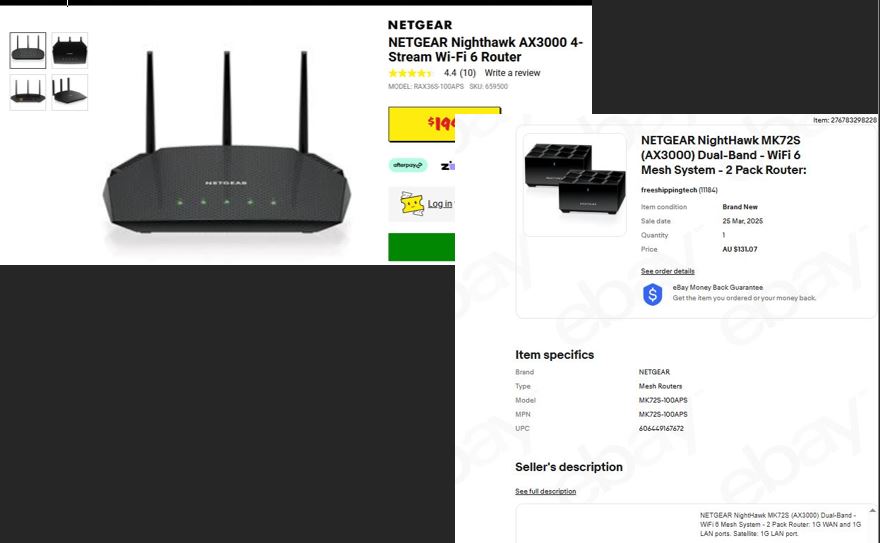
Hello, I purchased a Netgear Nighthawk AX3000 4-Stream WiFi 6 RAX36S Router from JB Hi-Fi. I then also bought a Netgear Nighthawk MK72S (AX3000) Dual-Band WiFi 6 Mesh System (2-pack: Router + Sate...
vegemitetoastie
Apr 18, 2025Aspirant
Cheers for the replies mates! I really appreciate it.
I've had some difficulty setting up the Billion BiPAC 8900X R3 in bridge mode and getting the Nighthawk MK70 Router to connect successfully to my Mate (Australia) NBN. For now, I've opted to connect the Billion BiPAC 8900X R3 directly to the internet instead of using full bridge mode.
I'd like to ask if there are any disadvantages to running it this way. Also, is there a way to configure the Billion BiPAC 8900X R3 strictly as a modem, disabling its routing functions, and then use my Nighthawk MK70 (plus its satellite) as the primary network router? I plan to connect the RAX36S to the MK70 via ethernet to extend wireless coverage across my property.
michaelkenward plemans

michaelkenward
Apr 18, 2025Guru - Experienced User
vegemitetoastie wrote:
I've had some difficulty setting up the Billion BiPAC 8900X R3 in bridge mode and getting the Nighthawk MK70 Router to connect successfully to my Mate (Australia) NBN. For now, I've opted to connect the Billion BiPAC 8900X R3 directly to the internet instead of using full bridge mode.I'd like to ask if there are any disadvantages to running it this way.
If the BiPAC is in modem/router mode, the MK70 can have problems.
When you set up the MR70 afresh, it will try to avoid using an IP address that clashes with the BiPAC.
It looks like the BiPAC goes for 192.168.1.254 as its IP address. That would clash with Netgear's preferred 192.168.1.1. On setup, the MR70 could spot this and go for something like 10.0.0.1 as its IP address.
If all works well, great. But you might want to turn off the wifi on the BiPAC to prevent clashes with the Mesh network.
A lot depends on what you want to do with the devices on your network. If you want to use fancy things like Netgear's Armor or Anywhere Access on a mobile device, just keep your fingers crossed that the BiPAC won't get in the way.
Then there are things that you can do on the BiPAC. With luck they will still work with the MR70 on the network.
Also, is there a way to configure the Billion BiPAC 8900X R3 strictly as a modem, disabling its routing functions, and then use my Nighthawk MK70 (plus its satellite) as the primary network router?
You'll have to ask BiPAC for help in putting the 8900X R3 in bridge (modem only) mode.
For “BiPAC 8900X R3 bridge” - Search - Whirlpool Forums
I plan to connect the RAX36S to the MK70 via ethernet to extend wireless coverage across my property.
For that to work, the RAX36S is best put into AP mode.
But I am a bit confused about using the RAX36S to extend he wifi network. You already have an MS70 doing that. Throwing in another wifi source could create a messy wifi environment. You certainly won't be able to use these three wifi sources as a Mesh.
Disclaimer: Just another user with time on their hands.