NETGEAR is aware of a growing number of phone and online scams. To learn how to stay safe click here.
Forum Discussion

derekcannady
Dec 23, 2021Guide
RAX120 V2 Constant Random Reboots
The router reboots frequently sometimes every 30 minutes. I have noticed that the router reboots under heavy system load of +50% on the processor. The only way I have been able to drastically lesse...
- Jun 11, 2022Installed beta firmware 1.2.3.33 on it and then turn fan on in debug.htm. Just check mark it , don’t click on apply.
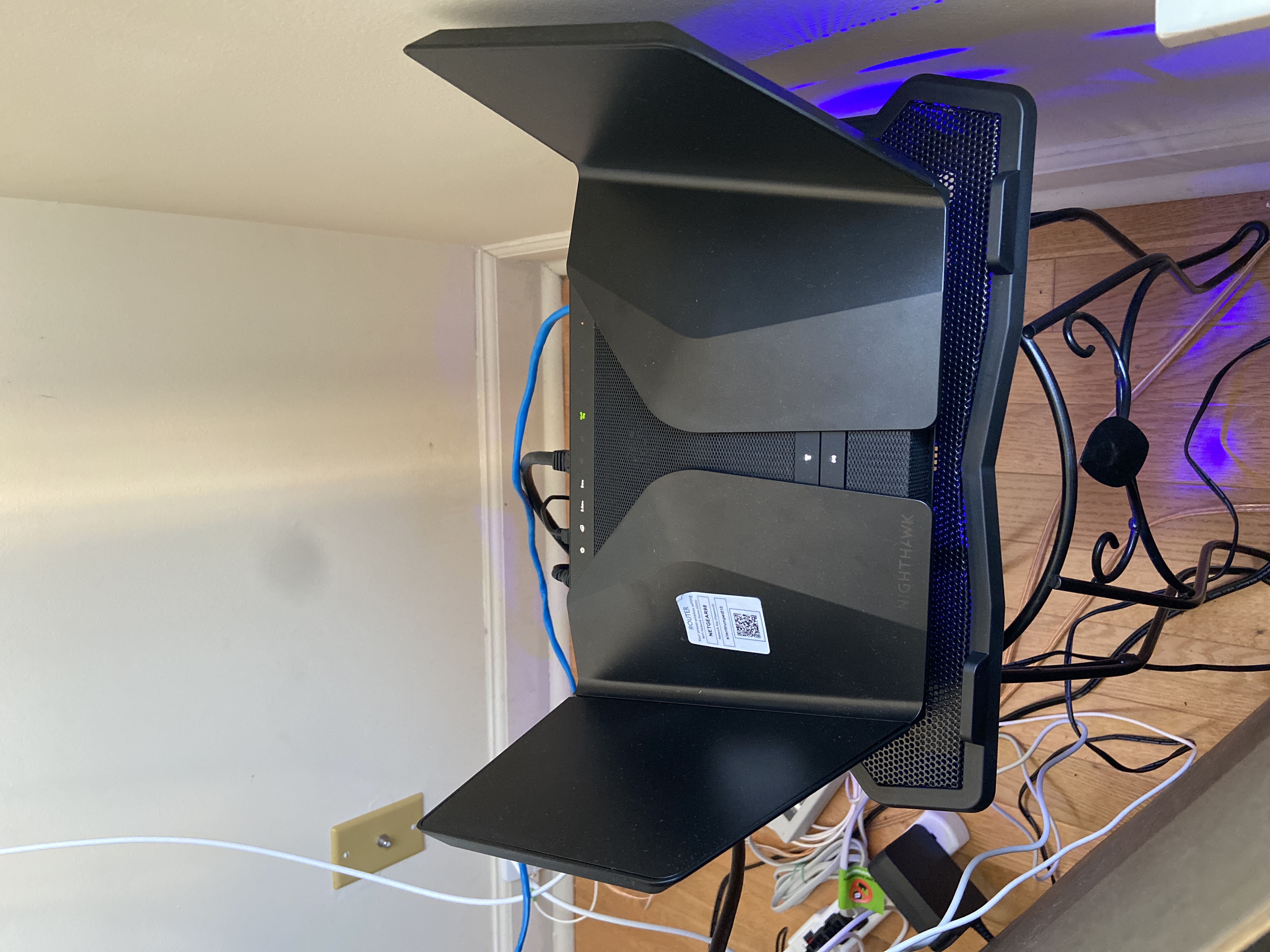
And bought a cool pad from amazon $10 . 4 days in a row no restart and router works perfect.
Laptop Cooling Pad,ESGAMING Laptop Cooling Stand Laptop Cooler 10-15.6 Inch 2 USB Ports 2 Fans with Blue LEDs https://a.co/d/dXVVnxw
dude8370
Sep 19, 2022Star
To whomever is trying to figure this router out, I had a minute to use this router, and for fun, re-loaded the new firmware, factory reset the router, original power brick. Router was up and running. Then as I kept adding devices, still good. It was when for lack of a better term started to "Kick the routers butt" in load. I hooked up my NAS and just started transferring files to load the CPU. It started the magic reboots we're all trying to figure out. For my v2 unit, loading the thing hard causes it to reboot. The LOGs are reset too when this happens. So, i'm at a loss. this close to opening it up and checking internals (solder joints, thermals etc.)

beachmiles
Sep 20, 2022Apprentice
The new firmware did not fix my reboots either, got 4 good days in a row followed by 2 random reboots within a span of a out 30 minutes while streaming the rings of power. I then isolated a very insane bug while developing an asynchronous web server on a esp32 Arduino board connecting to the 2.4ghz wifi. The web server only partially worked on this Netgear routers 2.4ghz connection only serving about 25% of the elements on a multi tabbed script ed web page. I swapped back to my old Netgear AC router and the web page worked flawlessly. I had disabled all AX settings on the 2.4ghz wifi and even dropped it's capability down to 54Mpbs mode on the RAX120v2 but that didn't help. So I officially have thrown in the towel on this POS, the worst and most expensive router I've ever purchased. Don't think I will be buying another Netgear product anytime soon.
Here is the esp32 GUI library that I used that had problems working with the RAX120v2. Since many smart home devices use the esp32 chip or once like it I'm guessing having a lot of smart devices with a similar connection issue for this yet to fixed bug in the 2.4ghz wifi connection on the rax120 could be a cause for the reboots. Netgear, please update your regression and stress testing on your products before releasing them. Routers should be able to run without a random reboot for months not 20 minutes or a 48 hours.