NETGEAR is aware of a growing number of phone and online scams. To learn how to stay safe click here.
Forum Discussion

clifflau1120
Oct 21, 2021Aspirant
[Orbi RBK852] Throttling Wi-Fi speed for individual devices
The throttling happens a few minutes after I start watching video streamings, torrenting, web scraping, etc. The drag in Wi-Fi speed only happens on the device who initiates high-bandwidth activitie...


FURRYe38
Oct 21, 2021Guru - Experienced User
What Firmware version is currently loaded?
What is the Mfr and model# of the Internet Service Providers modem/ONT the NG router is connected too?
What is the size of your home? Sq Ft?
What is the distance between the router and 📡 satellite(s)? 30 feet or more is recommended in between RBR and RBS📡 to begin with depending upon building materials when wirelessly connected.
https://kb.netgear.com/31029/Where-should-I-place-my-Orbi-satellite 📡
What channels are you using? Auto? Try setting manual channel 1, 6 or 11 on 2.4Ghz and 40 to 48 channel on 5Ghz.
Any Wifi Neighbors near by? If so, how many?
Is Armor or Smart Parental Controls enabled?
Set CTS to 2347. Save settings and reboot the router and satellite(s). Under Advanced Tab/Advanced Settings/Wireless Settings
- clifflau1120Oct 21, 2021Aspirant
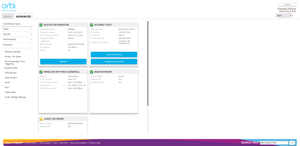
I have attached a photo with all these details, but I'm not sure why it does not show up.
The firmware version is V4.6.3.16_2.0.51.
There is no specific information printed on my modem, but it is just a regular modem without wireless capabilities.
The throttling does not happen when I directly connect my PC to the modem, so I'm pretty sure Orbi is the root cause.
The distance between the router and the satellite is exactly about 30 feets, with a door blocking in between.
I did perform a detailed Wi-Fi scan so that I could select a channel that no one is using, but that did not help.
Also disabled Armor and Parental Control for sure, CTS had no effect as well, no collisions are shown in the logs.
- FURRYe38Oct 21, 2021Guru - Experienced User
Has a factory reset and setup from scratch been performed since last FW update? A complete pull of the power adapters for a period of time after the factory reset then walk thru the setup wizard and setup from scratch.
I would power OFF the ISP modem for 1 minute. Factory reset the Orbi router and power it off. Power ON the ISP modem and let it sync. Then power ON the Orbi router and walk thru the setup wizard again using a wired PC and a web browser.Please do not post information showing MAC addresses or router serial numbers in public forums.
- clifflau1120Oct 23, 2021Aspirant
Had a factory reset just now, but it is the same