NETGEAR is aware of a growing number of phone and online scams. To learn how to stay safe click here.
Forum Discussion

jefferis
Jan 10, 2024Guide
Orbi 54 RBR50 AC3000 Blocking Websites as insecure
I am having issues with my laptop and then my phone using wifi to browse. The problem is intermittent and not at the same time on all devices. Suddenly my mac laptop will start blocking all website...

CrimpOn
Jan 10, 2024Guru - Experienced User
Is the desktop computer also an Apple product?
Apple has been aggressive in activating a WiFi mode to randomize the device MAC address, rather than using the actual hardware MAC address. Many people find that going into Settings and disabling this feature when at home makes use of Apple product more reliable.
Also, that WARNING Notice is accurate, but irrelevant.
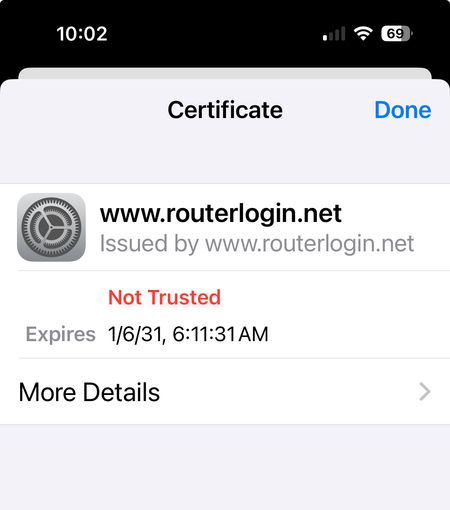
- The http version of the Orbi web interface is (by definition) "insecure" because it is not encrypted.
- The https version of the Orbi web interface is encrypted, but the SSL certificate is "self-signed", which web browsers also complain about.
Click on the "More Details" link and then tell the browser, "Go there anyway" and it will quit complaining.
- schumakuJan 10, 2024Guru - Experienced User
CrimpOn wrote:
Click on the "More Details" link and then tell the browser, "Go there anyway" and it will quit complaining.
Does this work? Would be interesting to see subsequent messages - if any.
Permitting the router is not configured to block unknown MAC addresses, and the DHCP has enough spare slots in the DHCP pool, the randomized address will simply request yet another available LAN IP address - and the travel continues. Leaving it unclear what is -really- the cause.
Unfortunately, some admins (and some OS/browser makers) are hunting for security at each price, leaving big costs to the users, without being helpful for the users.
- jefferisJan 10, 2024Guide
Go there anyway created a loop back to the same message.
