NETGEAR is aware of a growing number of phone and online scams. To learn how to stay safe click here.
Forum Discussion

Dustin_V
May 09, 2018NETGEAR Employee Retired
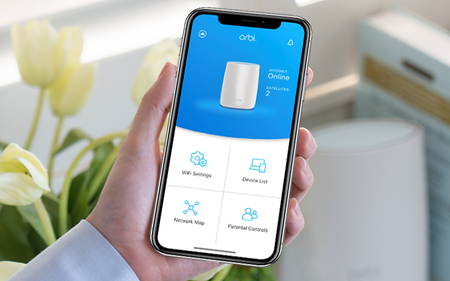
Orbi App 2.2 is Coming Soon!
We’re always working to improve your Orbi experience. This next release has all the Orbi App features you love and more. Along with performance improvements and bug fixes, of course, we’ve added ...
- Jun 15, 2018
Orbi App 2.2 is now available! Please visit the following thread to join the conversation.
https://community.netgear.com/t5/Orbi/New-Orbi-App-Now-Available/m-p/1591498#M33775

DarrenM
Jun 04, 2018Sr. NETGEAR Moderator
Hello Bouttime
are you able to provide me a screenshot of this? so I can show the engineers.
DarrenM
BoutTime
Jun 08, 2018Aspirant
After exiting App and re-openingNormal or after killing process in recent apps and re-opening
- rivetsJun 11, 2018Apprentice
And the app is back to being weid again..... It is once again no longer showing which orbi the devices are connected to - just saying RBR50 for all of them. It did this before, and then started working correctly and now has stopped again, all without anything changing. Is it the app or is it the orbi? Who knows.....
- rivetsJun 11, 2018Apprentice
But I have to say I like the traffic meter option which does not seem to be available when you connect to the router. (if you havent swiped up on the main page then you may not have seen this option!)
- DavidUnboxedJun 11, 2018Star
The history on that speed test in the app, is a nice touch.
 mith_itJun 11, 2018LuminaryI’ve had Orbi only for a few weeks. I have had similar issues from the beginning, but it seems a temporary issue. Sometimes 5 minutes later it works again, other times I killed the app, restarted and it worked. The good news is that it’s mostly a way to read data and when you don’t see anything listed it doesn’t mean your router and network are broken