NETGEAR is aware of a growing number of phone and online scams. To learn how to stay safe click here.
Forum Discussion

Ph0t0bug
Mar 06, 2021Tutor
Orbi RBR50 and Spectrum - having strange issues.
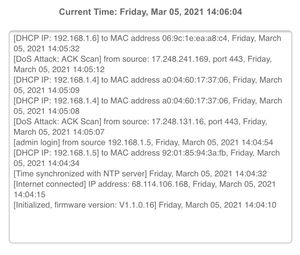
To start here is the setup: Orbi -RBR50 w/1-sat. Updated to the latest Firmware Spectrum Device: E31N2V1 modem only updated to the latest Firmware (VOIP in modem but not used and the light does not...

Ph0t0bug
Apr 23, 2021Tutor
Ok looking at it I think this is what you are saying:
First Sat. Update to 2.0.0.74. Then Router to 2.0.0.74. After that bring both to 2.1.1.12 doing the Sat. First. After that go up the chain. I saw on a post that updates are cumulative accept for the "one offs"...

FURRYe38
Apr 23, 2021Guru - Experienced User
yes, once you get v212 loaded on the RBS and RBR you can go directly to the latest version if you like.
- Ph0t0bugApr 23, 2021Tutor
Thanks again.. you truly are the Guru that your badge says. I think this is going to solve a lot of issues I was having with the unit. I made the assumption that the "Automatic" updates would work. Lol.
- FURRYe38Apr 23, 2021Guru - Experienced User
If your system was on old FW, then auto updates wouldn't have worked. Those have to be manually updated to get past and updated. Then autoupdates should be working and let you know if there is a new update. You may start to see them if you get to say v16, You can do a quick check and the RBR may show something. Otherwise, update manuallly and you'll be fine.
If you seem to run into problems on newer FW, I recommend disbling Traffic Meter and or Circle if they were enabled. I would first run the system with out TM, Armor or Circle enabled first off. Ensure DST if enabled is set to correct time zone.
- FURRYe38Apr 23, 2021Guru - Experienced User
You'll need to contact NG support for help and information regarding that then.
Good Luck.