NETGEAR is aware of a growing number of phone and online scams. To learn how to stay safe click here.
Forum Discussion

train_wreck
Dec 15, 2016Luminary
One more time.... RemoteAccess IPsec XAuth w/certificates on FVS336Gv3 <-> Android 6.0.1
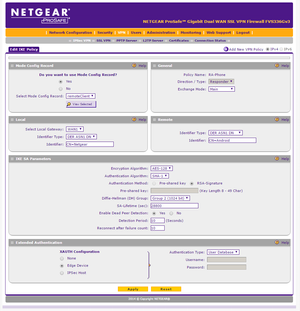
Gonna ask this one more time........ Trying to setup a certificate-based remote access VPN between the FVS336Gv3 and an Galaxy S7 running Android 6.0.1. EVERY other VPN router I have used support...

train_wreck
Dec 25, 2016Luminary
So, radio silence for over a week on this.
Is a RemoteAccess cert-based VPN just not possible on this unit? If so, I'd like at least an admission from Netgear on this, so that I can move on to a different product. The issue manifests itself on every VPN client I have tried (Android ith the builting VPN client AND the app "NCP VPN client", iOS on an iPad, Shrewsoft on Windows, )
train_wreck
Jan 15, 2017Luminary
Bump.
I'm after an answer here, folks.......
 lightknightrrJan 17, 2017Tutor
Personal experience? When I receive those kinds of messages, it's because the client is too simplistic to handle to create a tunnel with NetGear's stuff.
Windows, Android...they try to automate / guess a lot of stuff, and they get it wrong; you try to specify the right values, but there aren't any tabs for them...
You might want to try the NCP VPN client for Android. I use that (for a pre-shared key configuration, not RSA); your configuration isn't too dissimilular to my own.
Of course, my pre-shared key config also works with ShrewSoft (Linux and Windows, tested it), so if you're not tied to the RSA way of doing things, maybe give it a shot. The tutorial I wrote is somewhere around here. Or you could try cannibalizing it to get your current config to work...
- train_wreckJan 18, 2017Luminary
Not too sure I buy the whole "client is too simplistic" thing. I have made the Windows & Android built-in clients connect using RSA certs to the following devices:
-Cisco RV320, ISR 890, ISR 891, ISR 1921, ASR 3845, ASA 5505, ASA 5506-X
-Ubiquiti Edgerouter Lite, Edgerouter Pro, Edgerouter ER-X
-Mikrotik RB2011 (all variants)
-D-Link DSR-250
-StrongSWAN running on a Linux PC
-Windows Server 2008/2012 (RAS and DirectAccess)
All with no issue. It's only the Netgears that have problems. Yes, the clients are simplistic (don't expose options for phase1/phase2 settings, etc.) but they absolutely follow the standards.
And yeah, I use NCP and Shrewsoft already to connect to the Netgear with PSK, but they both give errors identical to the one shown above when trying to use RSA. The problem is that for certain environments (healthcare, banking, gov.) RSA is either mandated or very heavily favored (read: we get insurance benefits for using it. Seriously). I have literally not found a single client that will connect, and I've tried nearly every one out there.
Would like at least a cursory response from Netgear on this: is it even possible to connect via RemoteAccess (mode config) to an FVS router using certificates?
- train_wreckFeb 05, 2017Luminary
train_wreck wrote:Would like at least a cursory response from Netgear on this: is it even possible to connect via RemoteAccess (mode config) to an FVS router using certificates?
Related Content
NETGEAR Academy

Boost your skills with the Netgear Academy - Get trained, certified and stay ahead with the latest Netgear technology!
Join Us!
