NETGEAR is aware of a growing number of phone and online scams. To learn how to stay safe click here.
Forum Discussion

ddcc001122
Nov 01, 2020Aspirant
Newly bought RBK50 constantly lose internet, after setting up "Block services", "Schedule"
Hi all,
I have bought a RBK50 set few days ago.
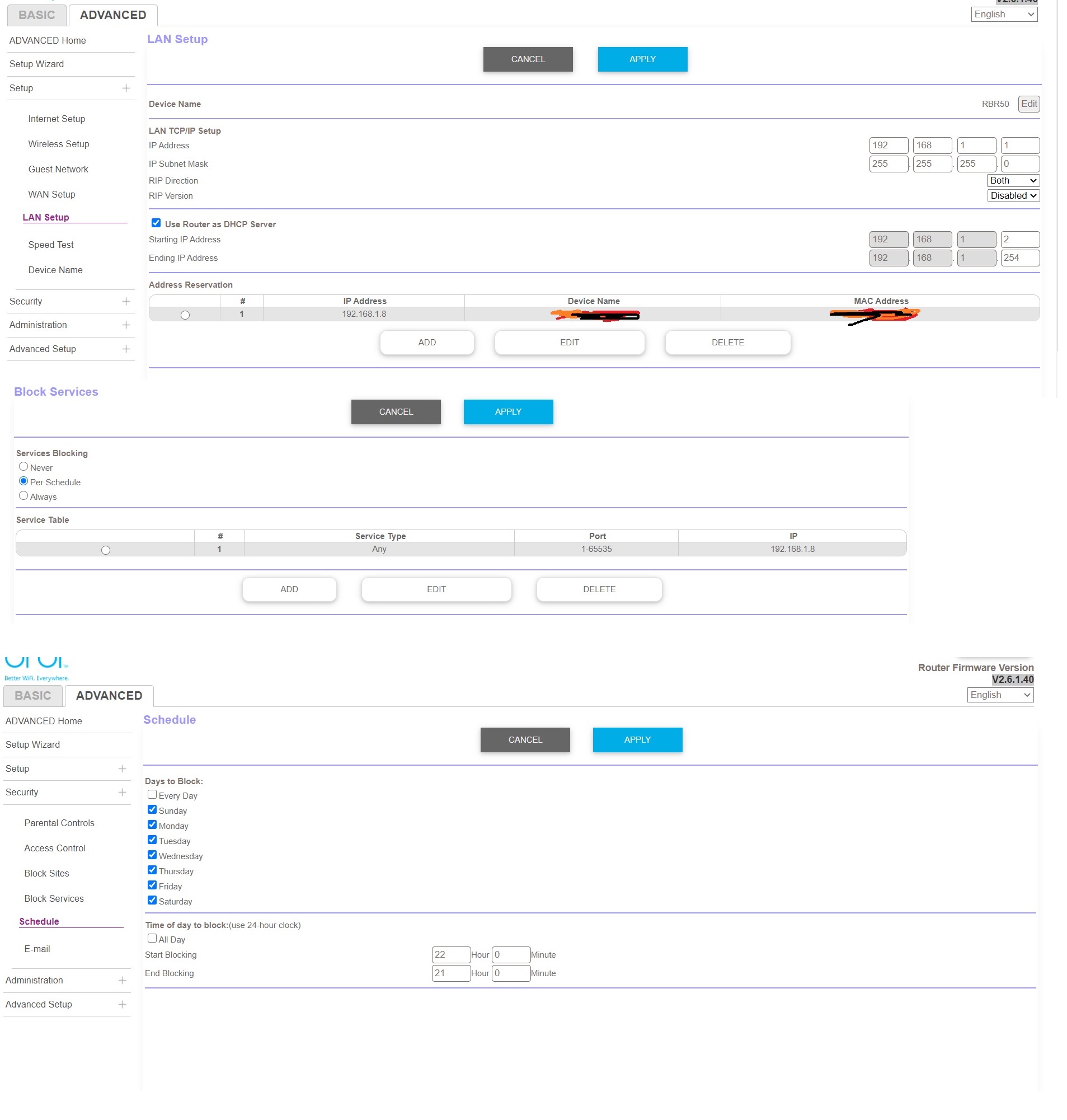
I have set time limit access on one of the device in the network (My kid's), by the following steps:
1. Under the advance setting, I assigned a specific IP for the device. (192.168.1.8 for the device MAC address xx:xx:xx:xx:xx:xx), under "LAN Setup"
2. Under "Security", "Block Services", I added this IP address 192.168.1.8, block service type: "Any"
3. Under "Schedule", I set every day, from 22:00 to 21:00
I would expect every day between 22:00 to 21:00, the internet for this specific device would be blocked, and this device could access to internet between 21:00 to 22:00. However, every day all the devices within the network all lost internet connection at 22:00. The internet connection of other devices only resume, after i pressed "Apply" in the page "Block Services" and "Schedule"
Is there any solution? Does anyone have any similar experience?
Many thanks.
6 Replies
- FURRYe38Guru - Experienced User
What Firmware version is currently loaded?
What is the Mfr and model# of the Internet Service Providers modem/ONT the NG router is connected too?- ddcc001122Aspirant
- ddcc001122Aspirant
so every night 10pm, all the devices are still connected to the Orbi wifi network, but all lose internet connection.
10pm is the start of the "block services" for that particular 192.168.1.8 device only in advance setting
thanks.