NETGEAR is aware of a growing number of phone and online scams. To learn how to stay safe click here.
Forum Discussion

Inkytog
Dec 30, 2021Aspirant
Orbi setup with router that can’t be modem only
Please explain in plain (non-tech) language! Following a lot of research I've come to have the following questions. This is hopefully answerable generally rather than knowing about the...

CrimpOn
Dec 30, 2021Guru - Experienced User
AP mode removes all 'router functions', which are a bunch:
https://kb.netgear.com/000061277/Disabled-Features-on-the-Orbi-when-set-to-AP-Mode
If the ee box does not seem to have a method of assigning or reserving IP's for specific devices, you could use the option on the Orbi internet page to "Use a Static IP Address" and put in the value that the ee already gave the Orbi.
Orbi will continue to offer both the primary and Guest WiFi networks, but they will not be 'separated' from each other in AP mode.
(Some users want to quarantine their guests. Others just want to give their guests an easy password to enter to get WiFi.)
Inkytog
Dec 30, 2021Aspirant
Thanks so much - I think I get it.
Ideally I'd want to be using the Orbi for as much as possible but it's sounding like a bit of a work around to get it to do so.
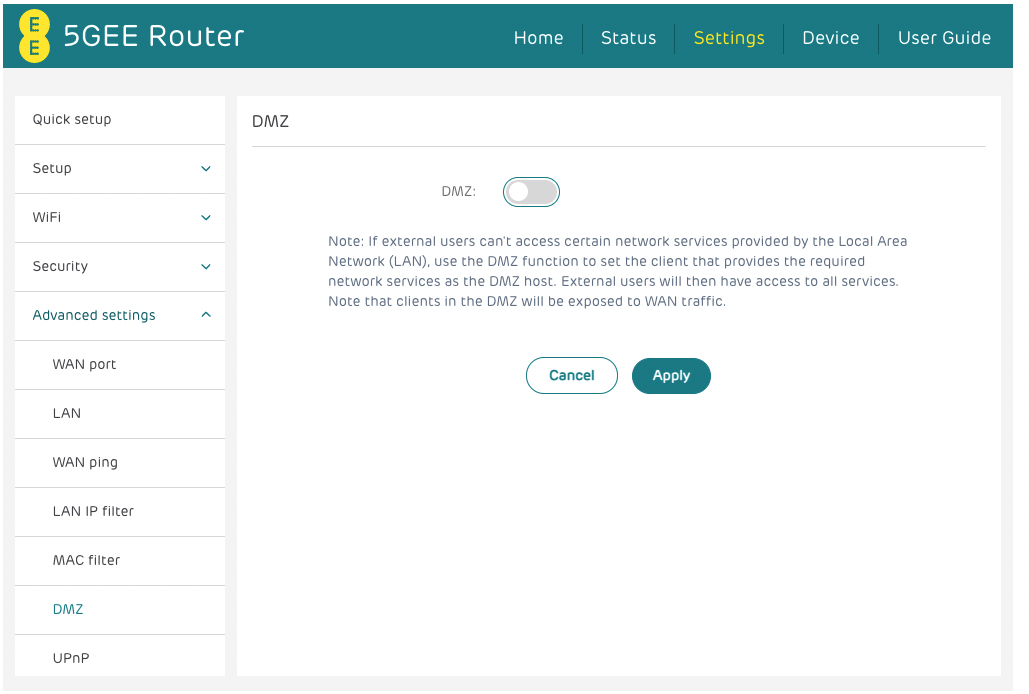
If i go down the DMZ route .. Will any of these settings help or hinder this? I'm looking at the Double NAT situation!

- CrimpOnDec 30, 2021Guru - Experienced User
When the Orbi is in the DMZ and in router mode, it will be the only device connected to the ee router. All other devices will connect to the Orbi and get their IP addresses from the Orbi DHCP.
Just personally, I would reset the ee DHCP parameters to be:
Gateway 192.168.0.1
DHCP Range 192.168.0.2 to 192.168.0.253
If the Orbi gets an IP address of 192.168.1.x on its WAN port, it will switch its own DHCP server to hand out IP's in the 10.0.0.1 subnet.
There is nothing 'wrong' with this, but it will tend to confuse people when you report the 10 addresses (if you ever have occasion to).
Please report what happens.
- InkytogDec 31, 2021Aspirant
This is a small home office network - no one will care about what the subnet is :)
So.. with your suggestion..
Do I still 'enable' nat on my modem/router or switch it to off but leave DHCP set on?- CrimpOnDec 31, 2021Guru - Experienced User
I believe the NAT setting is irrelevant. The only device that could be NATted (a word?) is the Orbi router, and it bypasses the ISP router through the DMZ.