NETGEAR is aware of a growing number of phone and online scams. To learn how to stay safe click here.
Forum Discussion

LoboTommy
Dec 25, 2018Luminary
Orbi wired and wireless backhaul
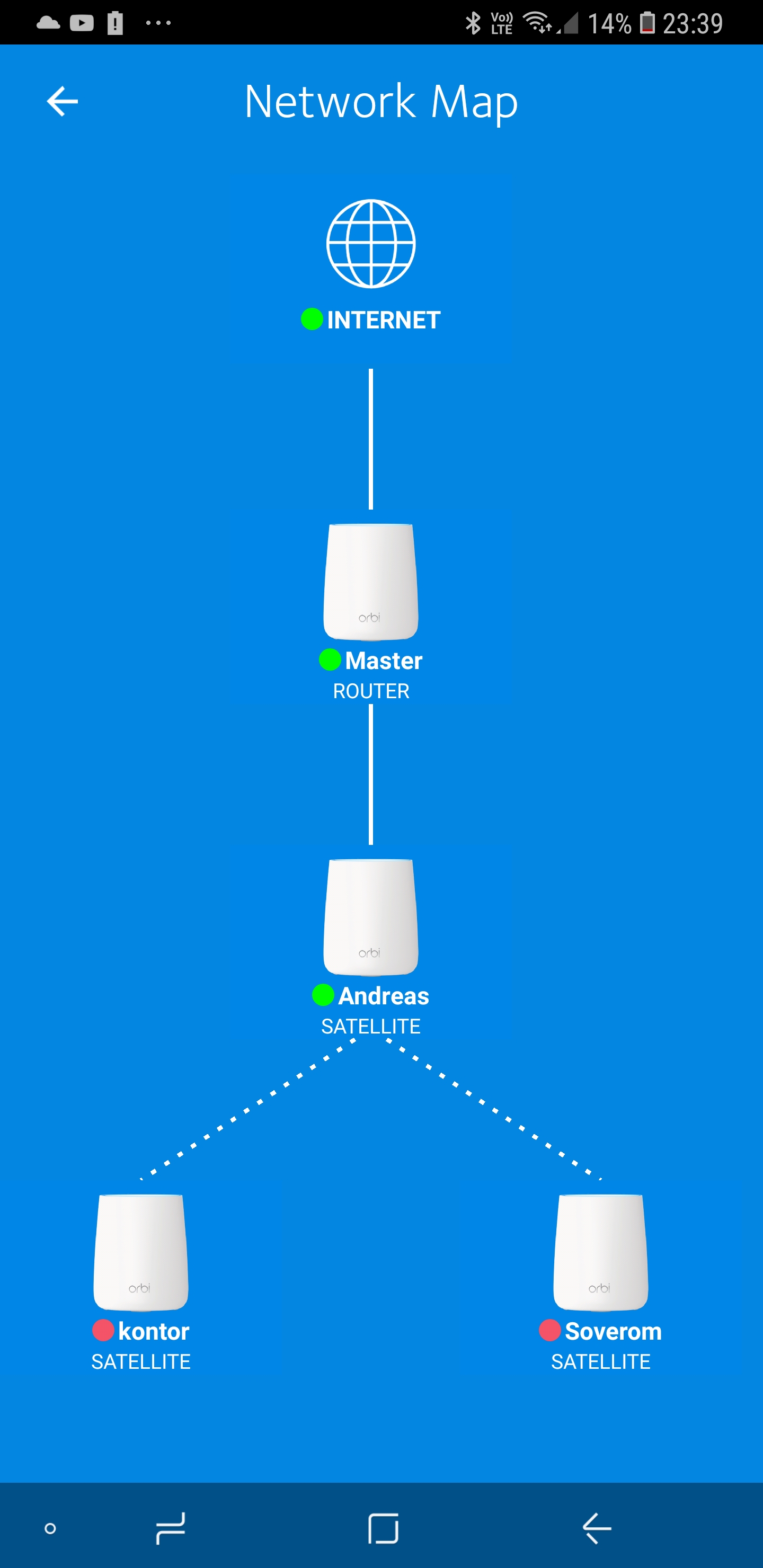
Actually RBK20 with 3x RBS20. So, today i wired up one satellite. Since then, the two wireless satelites has gone offline. I tried to sync, tried to set it up from scratch, but nothing I can not...
- Dec 25, 2018
LoboTommy wrote:
What the heck is daisy chain, and how do I disable it?Daisy Chain allows a Satellite to connect to another Satellite in a “Daisy Chain” topology instead of a “Star” topology where all Satellites can only connect to the Router (your RBR20).
You can find this setting when connected to Orbi’s GUI with a browser. Browse to orbilogin.com.
The setting is found under >> ADVANCED >> Advansed Setup >> Wireless Settings.
The choice to enable or disable Daisy Chain depends on your setup and how close your Satellites to your Router or other Satellites.

ekhalil
Dec 25, 2018Master
FURRYe38 wrote:
.......
Try disabling the following and see:
..., Daisy Chain, ....
LoboTommy I see that you ARE using Daisy Chain in the network diagram that you attached. Do you mean to connect the 2 Satellites by Daisy Chain to the wired Satellite? Are these 2 Satellites closer to the Router or to the wired Satellite?

LoboTommy
Dec 25, 2018Luminary
What the heck is daisy chain, and how do I disable it?
- LoboTommyDec 25, 2018LuminaryThe satelites jumps around in the network diagram. Sometimes they all go to the router directly, sometimes they connect to the wired one, sometimes the two wireless hangs in a line on each other.
All satelites are approx the same distance to each other. I use mesh not because of my home size, but because of the mix of house from 1880 and 1970. Wi-Fi dies crossing in to the old part of the house. - ekhalilDec 25, 2018Master
LoboTommy wrote:
What the heck is daisy chain, and how do I disable it?Daisy Chain allows a Satellite to connect to another Satellite in a “Daisy Chain” topology instead of a “Star” topology where all Satellites can only connect to the Router (your RBR20).
You can find this setting when connected to Orbi’s GUI with a browser. Browse to orbilogin.com.
The setting is found under >> ADVANCED >> Advansed Setup >> Wireless Settings.
The choice to enable or disable Daisy Chain depends on your setup and how close your Satellites to your Router or other Satellites.
- LoboTommyDec 25, 2018LuminaryFound it, turned it off, and voila! All satelites came back online. Hopefully stable this time.