NETGEAR is aware of a growing number of phone and online scams. To learn how to stay safe click here.
Forum Discussion

presidentskroob
Jul 18, 2018Tutor
RBR50 experiencing slow wired connection and frequent router reboots
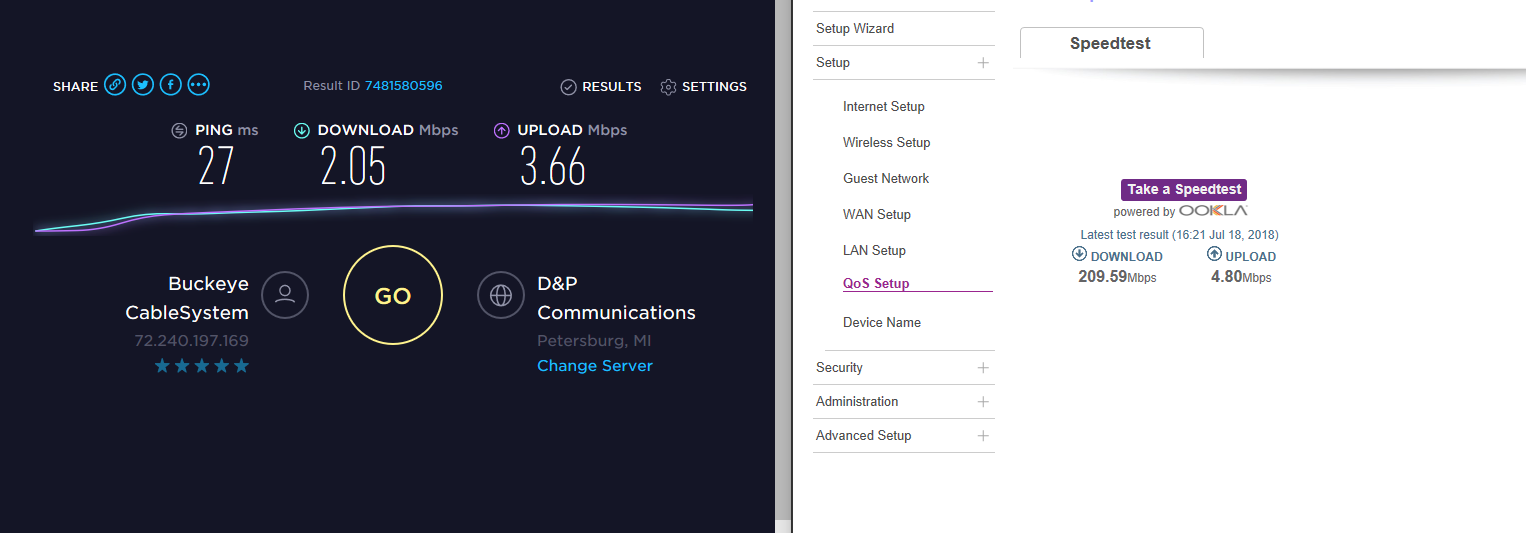
I purchased the RBR50 some months ago, and I've recently begun to see two significant issues, one that I think people have quite a bit of experience with (frequent router reboots, even on the latest ...

FURRYe38
Jul 19, 2018Guru - Experienced User
Whats the Mfr and model# of the ISP modem the Orbi is connected too?
I would do a Factory erase and set up from scratch. I would first set up the router, dont' enable the speedtest app on the router. Just set it up and run a couple of tests from the PCs first...
presidentskroob
Oct 20, 2018Tutor
I had been putting off the factory reset for a while, but the router somehow reset itself two nights ago and I had to set it up from scratch. The issue still persists. The router periodically reboots for no apparent reason, and that seems to coincide with torpedoing the network speeds on my wired machines. I restart the wired machines and they get their normal speed again.
- FURRYe38Oct 20, 2018Guru - Experienced User
What is the Mfr and model# of the ISP modem the NG router is connected too?
Last resort you should try this:
- presidentskroobOct 20, 2018TutorThe current modem is a Technicolor CGM4231 operating in bridge mode. I don't recall what the previous one was before I swapped it for this one. Actually, now that I think about it we have had a total of three modems over the life of this issue, as the one I was using when I opened it died and I picked up this latest one from the ISP. I have already updated the firmware on the router. It's the latest 2.2.1.210 as noted in that release item.
- FURRYe38Oct 20, 2018Guru - Experienced User
Possible any ISP issues with the modems or ISP services?
I understand that you udpated. If you updated via auto update, I recommend downloading the FW files to your PC and applying them manually as the suggestion by the linked user said that his system worked better after applying them manually and setting up from scratch.
You might contact your ISP to make sure your signal on the cable line is to spec and good. The router and modem depend on this.