NETGEAR is aware of a growing number of phone and online scams. To learn how to stay safe click here.
Forum Discussion

Jeremy_1208
Mar 10, 2019Aspirant
Fail to rename orbi satellite
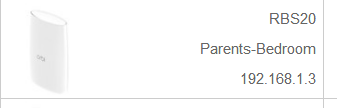
Recently I have purchased rbk20 and a rbk 40 for a better wifi coverage. Everthing works fine before this issue exists, I tried to rename the rbs 20 to ''parents-bedroom''.
However, in the m...
- Mar 11, 2019
Jeremy_1208 wrote:
Tried and it shows my devices were connected to the main router(Rbr20). After that, I unplug the lan cable and it shows ''orbi satellite'' again.:manfrustrated:
- So when you had the Ethernet Backhaul the devices showed as wired to the Router? What type of devices do you have: wired or wireless, any difference between wired and wireless devices' behavior?
- I guess you're still on Orbi SW 2.2.1.210. Can you please upgrade to next SW (2.3.0.28) and see if this will make improvement.

JoeCymru
Mar 10, 2019Virtuoso
How are trying to rename them? Normally I would go to the web based gui and under attached devies click on the satellite, get the edit screen, rename, hit apply and all it good.
- Jeremy_1208Mar 10, 2019Aspirant
I tried what you have done, however, nothing change. Also, I factory reset my whoe wifi system but nothing change. Feeling sad about it.
- ekhalilMar 10, 2019Master
I can't see the pictures that you posted. Can you please post them as attached files instead.
I had no problem to rename my satellite to "parents-bedroom". Do you happen to use the paranthesis with the name?
Is the link to the satellite working well which doing the change?
- Jeremy_1208Mar 10, 2019Aspirant
Thanks for your reply, here is the image file. Sorry for using the chinese version of the GUI. The link to satellite works fine in the renaming process. Althoughit it shows that I have renamed the orbi satellite, it show that my devices was connected to ''orbi satellite'' instead of ''Parents-Bedroom''
