NETGEAR is aware of a growing number of phone and online scams. To learn how to stay safe click here.
Forum Discussion

emilyd1994
Jan 14, 2023Aspirant
M1 disconnects 4G dozens of times a day. needs factory reset to reconnect
I have a Netgear nighthawk M1, MR1100 (Telstra), that drops the connection upwards of 50 times a day. there is no fix I know of, no way to tell it to reconnect. the device has to be factory reset, th...
JohnPeng
Jan 19, 2023NETGEAR Expert
emilyd1994 wrote:
I have a Netgear nighthawk M1, MR1100 (Telstra), that drops the connection upwards of 50 times a day. there is no fix I know of, no way to tell it to reconnect. the device has to be factory reset, then the apns added again, and the device will only then reconnect. this device has been fine for 2 years. a week ago it started having this issue. if rebooted, it locks up. forcing me to press the reset pin.
is there some way I can force it to reconnect? is there anything I can do about this? its still connected to the network and still gets text messages but the data is disconnected. i see that on other models you just press the reconnect button but the M1 lacks that option entirely. forcing a reset. since a reboot for some reason locks the device up entirely in some weird state with a blank purple screen
wifi is set to never sleep. tethering and eth too. those were the official suggested fixes to this. but they do not help. the only other thing that was suggested was setting the wifi range to long and that did not fix it.
You mean even rebooting the device will not make the data connection set up again? Did you try to pull the battery and put it back in again?
Thanks
emilyd1994
Jan 25, 2023Aspirant
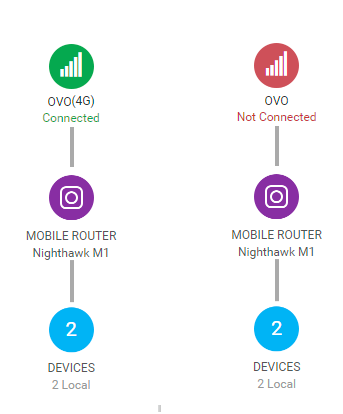
No it won't. the device after a battery out battery in reboot boots up to " no data connection" with a blank purple screen but if I access 192.168.1.1 it has 5 bars of 4g and stays in that state no matter how many times you remove the battery and stick it back in and allow it to reboot. Only a hard wipe works. Because it's decided for some reason to disconnect the network. As the rep made clear this isn't fixable. Every netgear device is unable to reconnect. Because they never actually programmed a reconnect button in. The device remains in the last state because it's waiting for user input.
Once the device disconnects it waits to be told to reconnect.
However it's not possible to tell it to reconnect. As these modems don't have code for that.
Leaving it locked in a broken state till it's wiped.
I even got a new plan and new sim and the same problem. My new provider has agreed with netgear on this being a common netgear flaw. One they have had extensive issues with across the aircard line. In fact the ac800s they sent new from the box was not even on for 5 minutes and dropped into the locked state.
I also have a note 10 and if it's disconnected for some reason it gives me the "reconnect to mobile data" yes/no prompt. For whatever reason netgear devices have upwards of 10 disconnects a day. Sometimes 30. Phones peak at one maybe 2 a year.
Once the device disconnects it waits to be told to reconnect.
However it's not possible to tell it to reconnect. As these modems don't have code for that.
Leaving it locked in a broken state till it's wiped.
I even got a new plan and new sim and the same problem. My new provider has agreed with netgear on this being a common netgear flaw. One they have had extensive issues with across the aircard line. In fact the ac800s they sent new from the box was not even on for 5 minutes and dropped into the locked state.
I also have a note 10 and if it's disconnected for some reason it gives me the "reconnect to mobile data" yes/no prompt. For whatever reason netgear devices have upwards of 10 disconnects a day. Sometimes 30. Phones peak at one maybe 2 a year.