NETGEAR is aware of a growing number of phone and online scams. To learn how to stay safe click here.
Forum Discussion

KarmusDK
May 09, 2018Apprentice
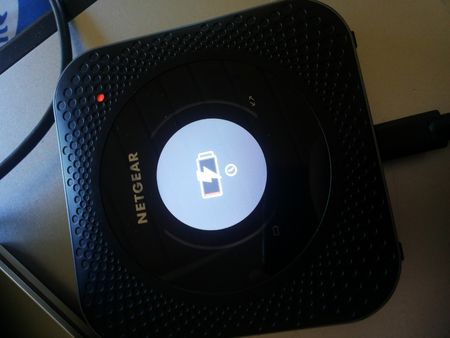
Nighthawk M1 post-tether charging problems
Have anyone of you tried tethering the USB-C-connection to a computer while draining the battery down to zero and experiencing charging problems afterwards? I removed the SIM card and the SD card and...
KarmusDK
May 09, 2018Apprentice
UPDATE: I let it rest at the NETGEAR logo for 12 or 18 hours today, and when I rebooted the unit, it started with the low battery/clock charge screen as usual, but after booting into the firmware, the battery was suddenly full! So just let it sit and charge, even though the charging process is not visible.
- JasonNMay 15, 2018NETGEAR Employee Retired
Hi KarmusDK,
Thank for replying with your update. I'm glad the issue has been fixed. :]
- Jason N
 n3tMay 18, 2018Apprentice
Get yourself an USB-C power meter! Such a device really helps diagnosing problems like yours.
E.g. this one here from Plugable is what I use: https://plugable.com/products/usbc-vameter/
I just found that my M1 does not charge anymore when only slightly warm, i.e. when 43°C is displayed on the status page http://192.168.1.1/index.html#settings/status — cooling it down with ice "helps" in this case.
See https://community.netgear.com/t5/Mobile-Routers-Hotspots-Modems/netgeart-m1-battery-problem/m-p/1572960/highlight/true#M6149 for my findings.