NETGEAR is aware of a growing number of phone and online scams. To learn how to stay safe click here.
Forum Discussion

DonD
Jan 30, 2016Guide
WN203 doesn't get proper IP allocation from router when using VLAN 1 wireless connection
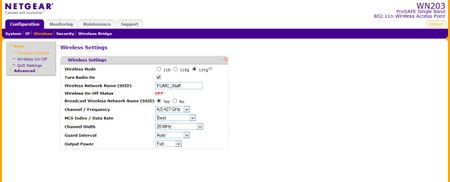
Using an FVS318N router and WN203 access point, I'm setting up a church network to support church staff on VLAN 1 and wireless guest connections on VLAN 2. When I connect wirelessly to the access po...
- Feb 01, 2016
Hi DonD,
Kindly try the following:
a. Update the firmware of your GS108Ev3 from v2.00.05 to v2.00.07. Make sure to perform a factory reset on the GS108Ev3 after a successful firmware upgrade then reconfigure it from scratch. You may download the latest firmware v2.00.07 here.
b. If ever the firmware of the WN203 is not the latest version, kindly update it as well to v2.0.11 then perform a factory reset on it after a successful firmware upgrade and reconfigure it from scratch. You may download the the latest firmware v2.0.11 here.
c. Since you mentioned that you have other WN203, then kindly try to set it up to further isolate the problem.
If ever the same problem occurs after doing the steps above, kindly open an online case with NETGEAR Support for assistance. Let them know your goal and the troubleshooting steps we have done so far.
Regards,
DaneA
NETGEAR Community Team

DonD
Jan 30, 2016Guide
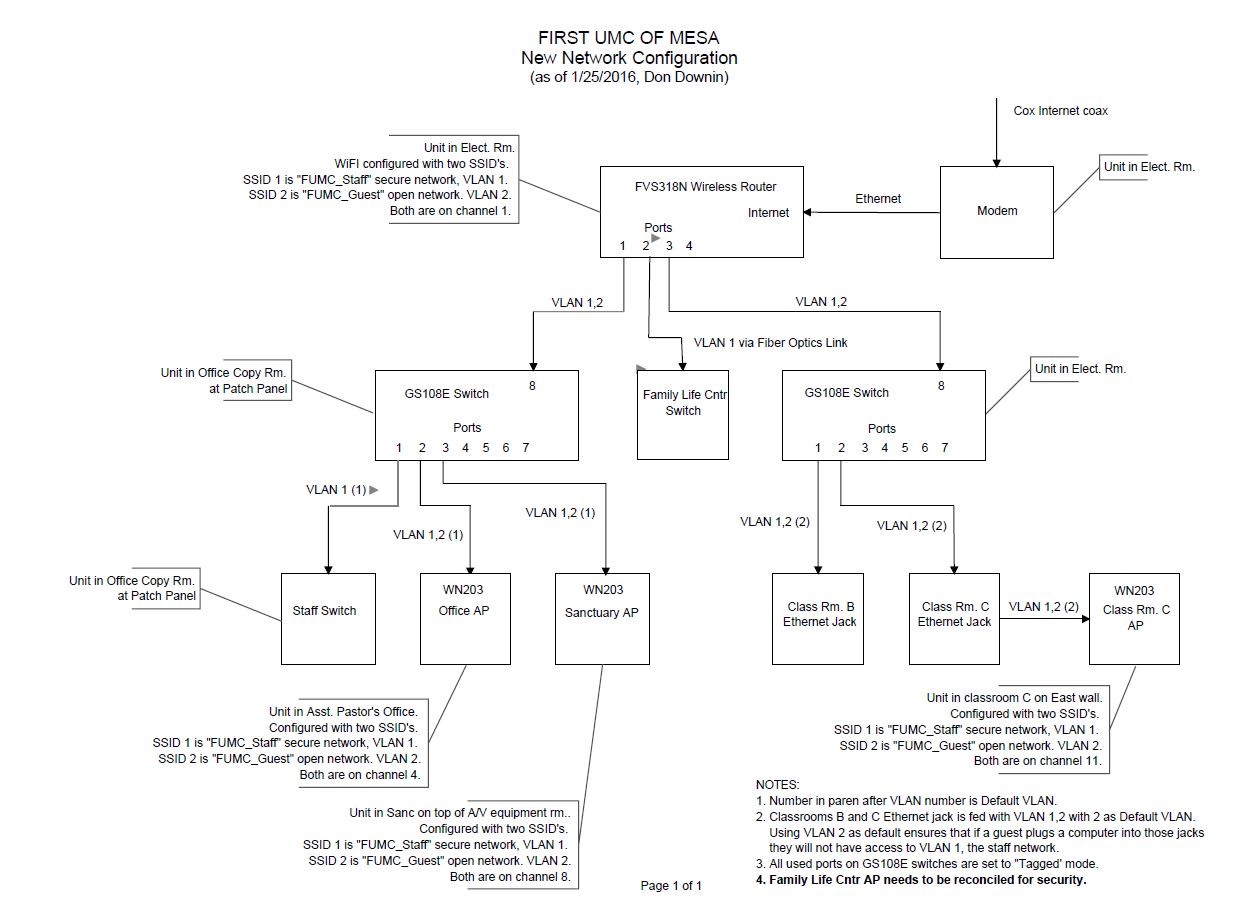
Oh, by the way, the WN203 access point is plugged into port 1 of the router, which is setup to connect to VLAN 1 and VLAN 2.
Don
- DaneAJan 31, 2016NETGEAR Employee Retired
Hi DonD,
I think you need to have a smart switch in between the FVS318N and WN203 that would handle VLAN tags. There is no option to "tag" port 1 of the FVS318N and this is possible if there is a smart switch in between the FVS318N and WN203. I recommend you the GS108Tv2. Kindly access this link for more information about GS108Tv2.
Regards,
DaneA
NETGEAR Community Team
- DonDJan 31, 2016Guide
Hi DaneA,
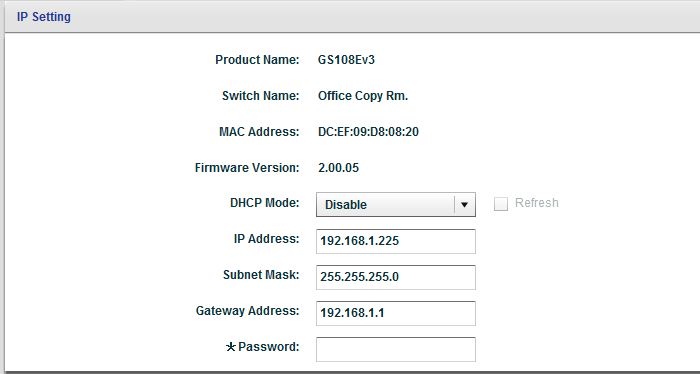
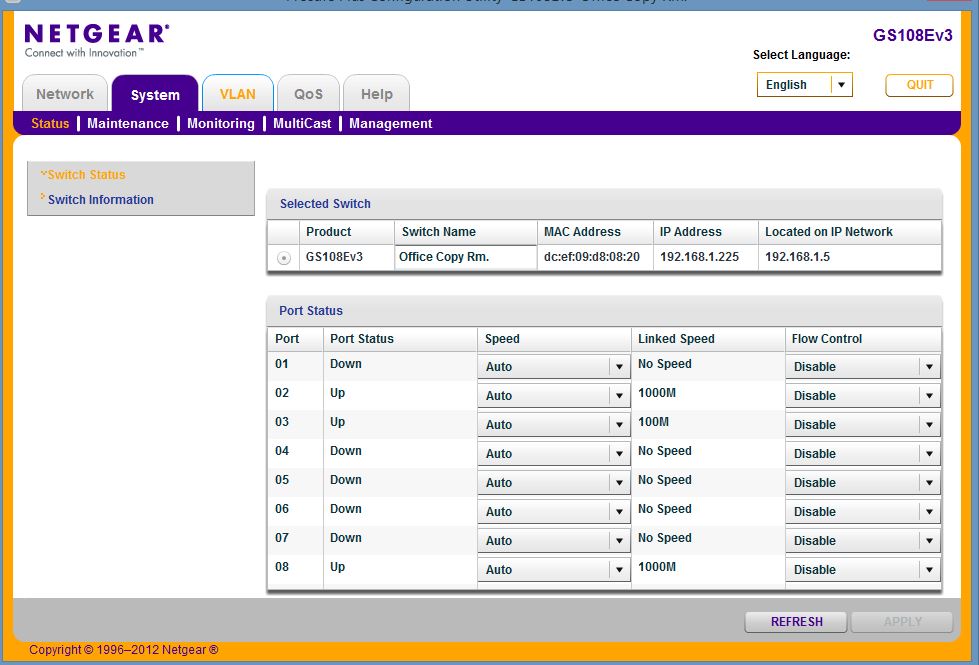
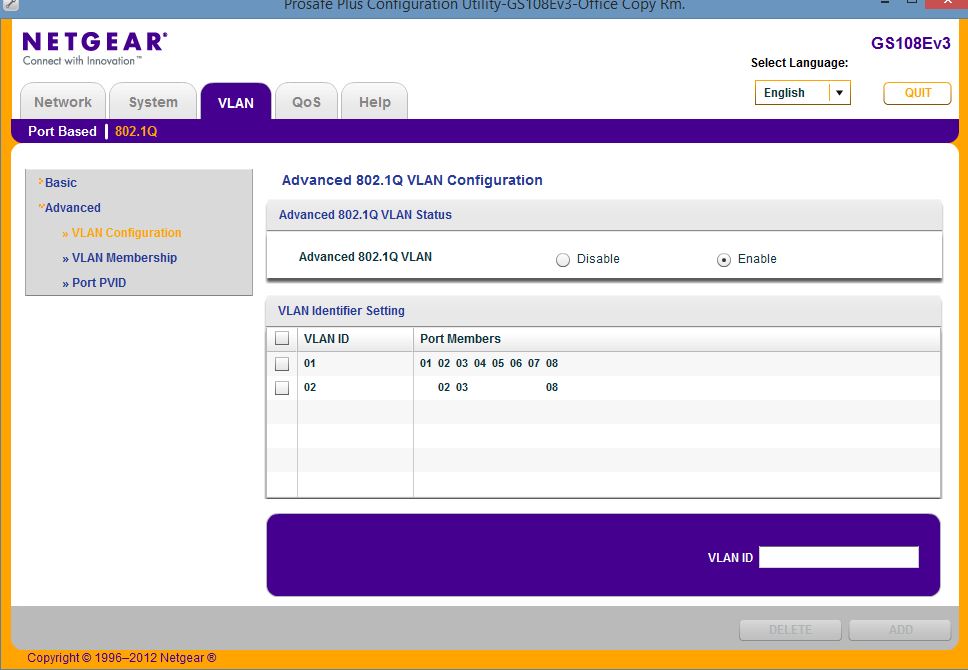
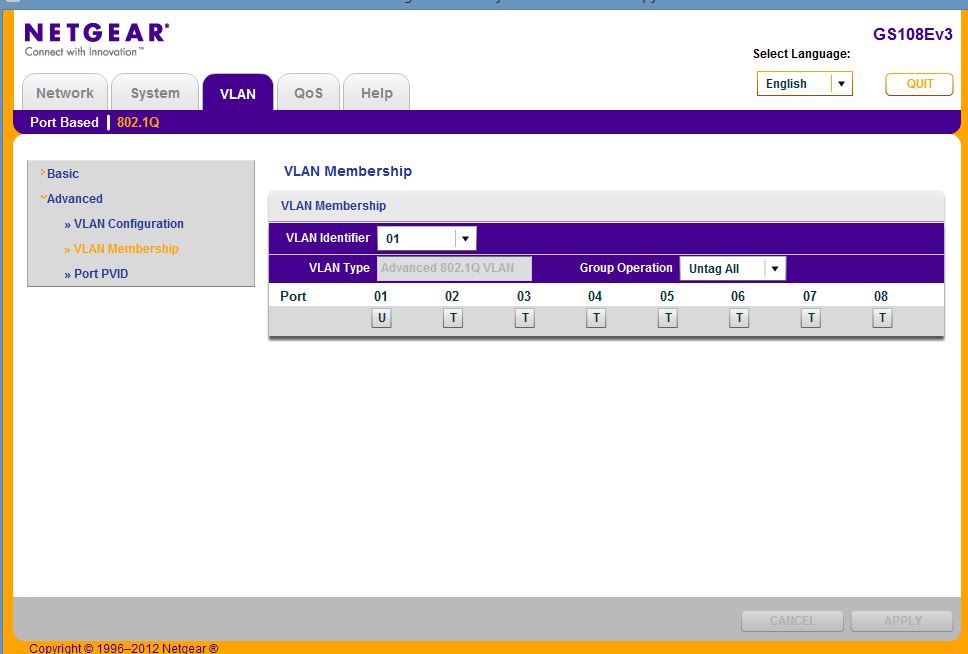
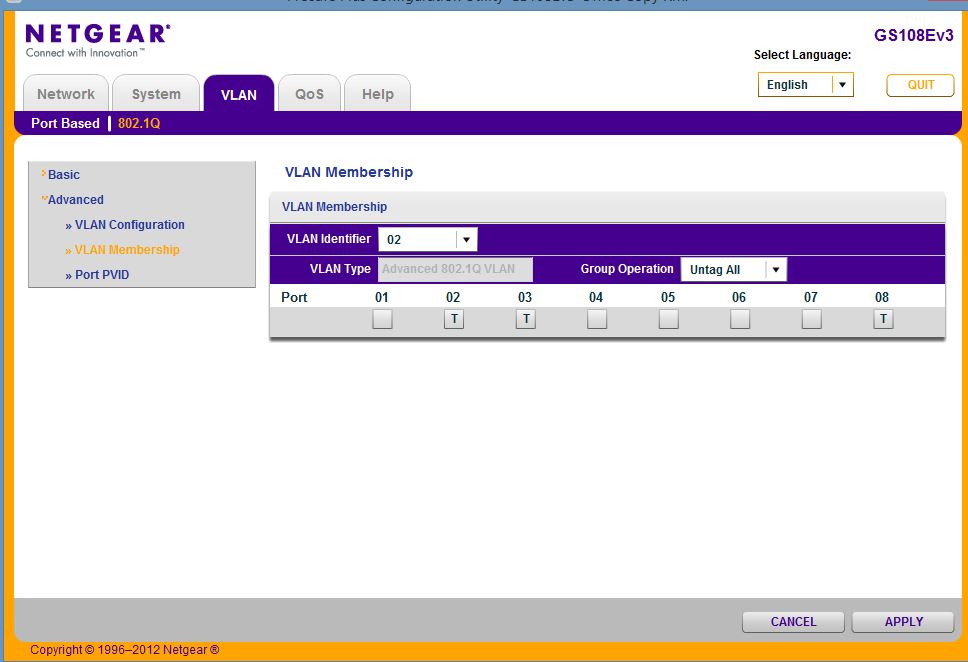
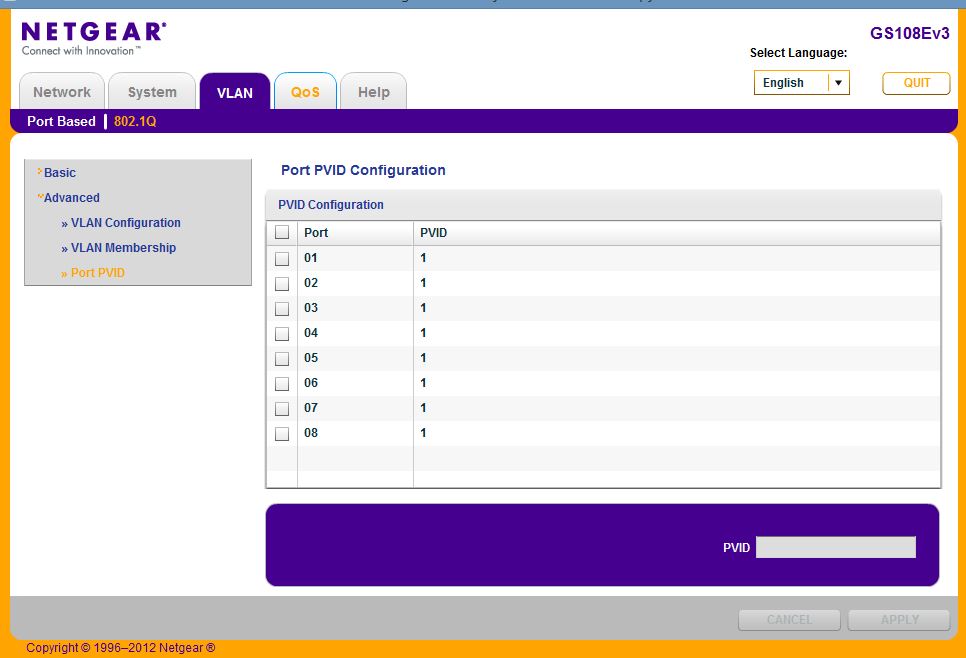
Actually, the network I'm putting in the church does use a GS108E with VLAN management. I experienced the same problem when using that switch as I described in the beginning of this discussiion. For management of the network I'm using a laptop plugged into port 1 of the GS108E at the left of the config in place of the "Staff Switch". The WN203 I'm using is plugged into port 2 of the GS108E at the left of the config. The rest of the network is not built out yet. Now just using the FVS318N at the left of the config, the GS108E at the left, and the WN203 at the left as described. No modem connected yet. When testing the wireless capability of the WN203 VLAN's 1 and 2 got the ipconfig's I included in the start of this discussion. VLAN 2 worked fine, see the ipconfig. But, VLAN 1 didn't get a valid IP from the router, see the ipconfig. Here are screen shots of the GS108E setup, and also a network configuration diagram. This really has me puzzled. Any ideas? Thanks for your help DaneA. -- Don
- DaneAFeb 01, 2016NETGEAR Employee Retired
Hi DonD,
Let us isolate the problem. Based from your screenshots, port 1 is untagged on VLAN 1 configured on the GS108Ev3. Kindly connect a PC/laptop directly to port 1 of the GS108Ev3 then check if it will get a valid IP address from VLAN 1. If it gets a valid IP address, open command prompt and check if you will be able to get replies when you ping the default gateway which 192.168.1.1.
If ever the PC/laptop does not get a valid IP address, try to set a static IP address of 192.168.1.x (x can be any number from 2 to 49). Then, open command prompt and check if you will be able to get replies when you ping the default gateway which 192.168.1.1.
Regards,
DaneA
NETGEAR Community Team
Related Content
NETGEAR Academy

Boost your skills with the Netgear Academy - Get trained, certified and stay ahead with the latest Netgear technology!
Join Us!
