NETGEAR is aware of a growing number of phone and online scams. To learn how to stay safe click here.
Forum Discussion

DonD
Jan 30, 2016Guide
WN203 doesn't get proper IP allocation from router when using VLAN 1 wireless connection
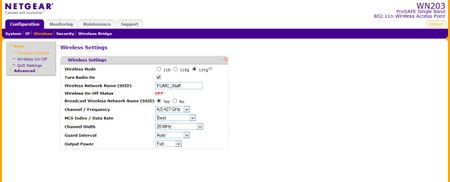
Using an FVS318N router and WN203 access point, I'm setting up a church network to support church staff on VLAN 1 and wireless guest connections on VLAN 2. When I connect wirelessly to the access po...
- Feb 01, 2016
Hi DonD,
Kindly try the following:
a. Update the firmware of your GS108Ev3 from v2.00.05 to v2.00.07. Make sure to perform a factory reset on the GS108Ev3 after a successful firmware upgrade then reconfigure it from scratch. You may download the latest firmware v2.00.07 here.
b. If ever the firmware of the WN203 is not the latest version, kindly update it as well to v2.0.11 then perform a factory reset on it after a successful firmware upgrade and reconfigure it from scratch. You may download the the latest firmware v2.0.11 here.
c. Since you mentioned that you have other WN203, then kindly try to set it up to further isolate the problem.
If ever the same problem occurs after doing the steps above, kindly open an online case with NETGEAR Support for assistance. Let them know your goal and the troubleshooting steps we have done so far.
Regards,
DaneA
NETGEAR Community Team
DonD
Feb 01, 2016Guide
DaneA,
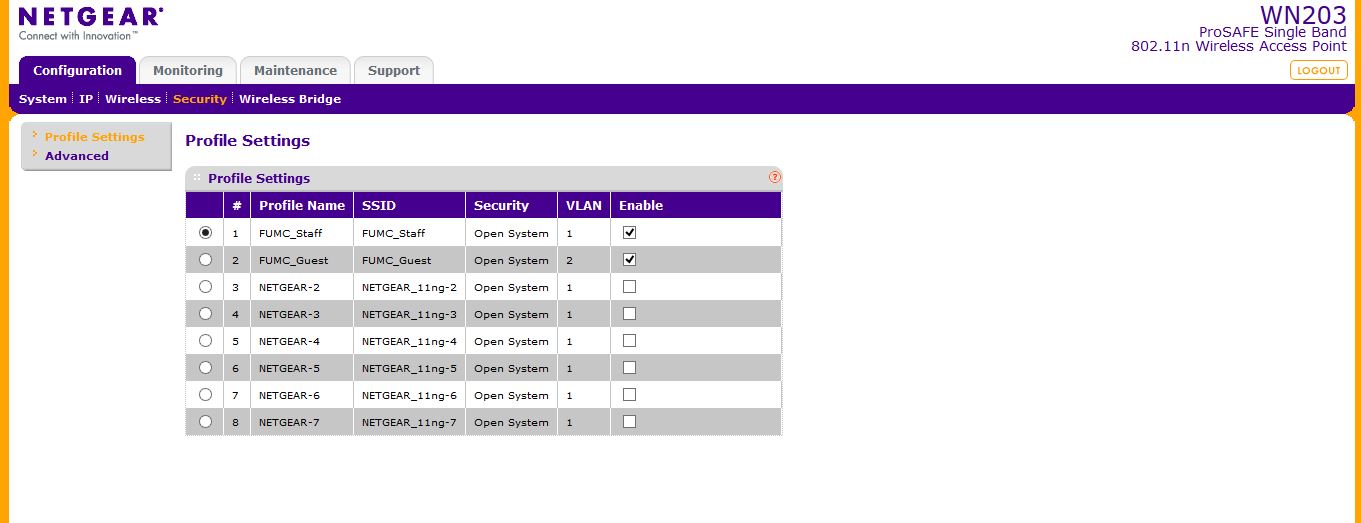
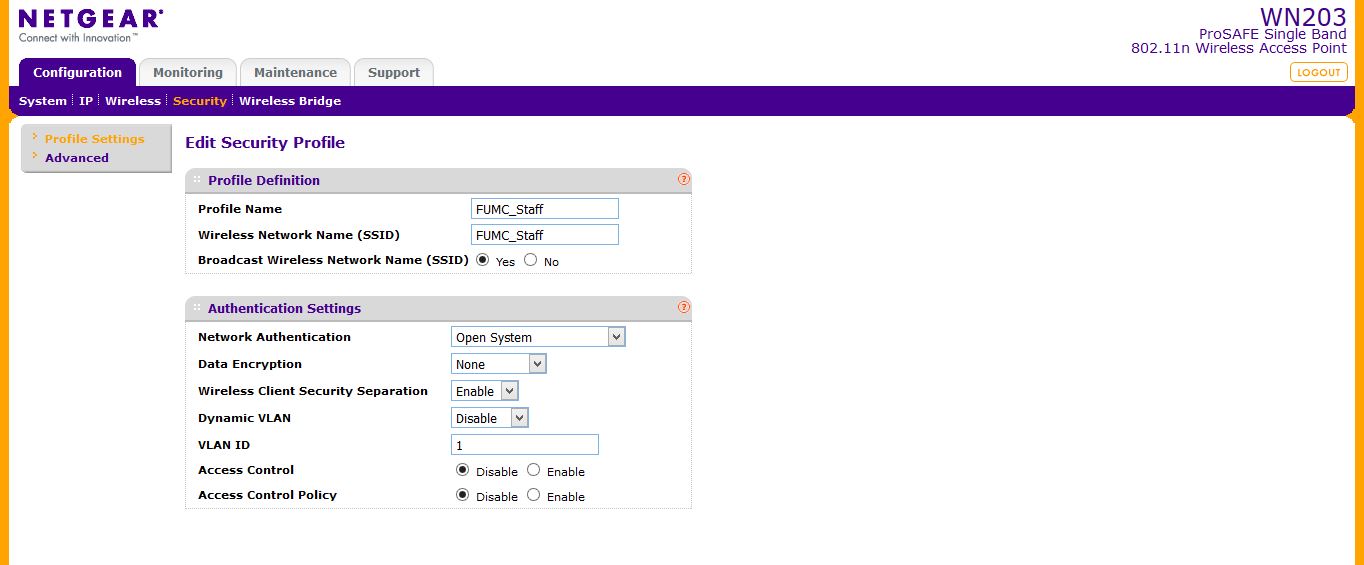
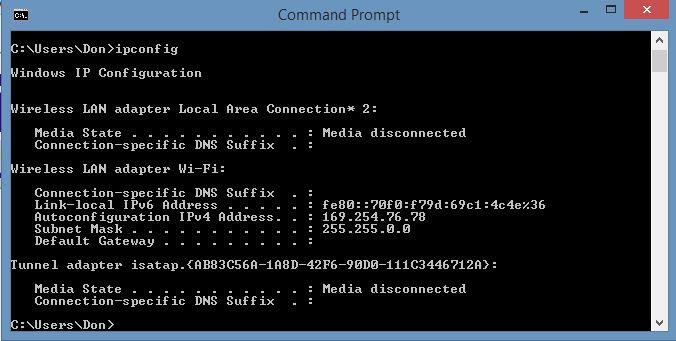
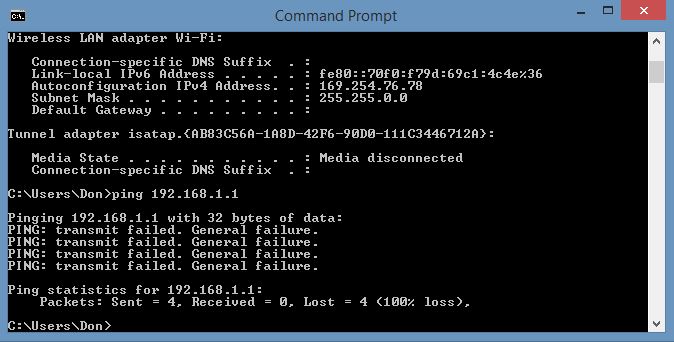
I changed wireless SSID "FUMC_Staff" to "open", then wirelessly connected laptop to it and got the following screenshots:

DaneA
Feb 01, 2016NETGEAR Employee Retired
Hi DonD,
Kindly try the following:
a. Update the firmware of your GS108Ev3 from v2.00.05 to v2.00.07. Make sure to perform a factory reset on the GS108Ev3 after a successful firmware upgrade then reconfigure it from scratch. You may download the latest firmware v2.00.07 here.
b. If ever the firmware of the WN203 is not the latest version, kindly update it as well to v2.0.11 then perform a factory reset on it after a successful firmware upgrade and reconfigure it from scratch. You may download the the latest firmware v2.0.11 here.
c. Since you mentioned that you have other WN203, then kindly try to set it up to further isolate the problem.
If ever the same problem occurs after doing the steps above, kindly open an online case with NETGEAR Support for assistance. Let them know your goal and the troubleshooting steps we have done so far.
Regards,
DaneA
NETGEAR Community Team
- DonDFeb 02, 2016Guide
DaneA,
I got sidetracked with an automobile problem that I had to fix right away. I'll do what you recommended and report back.
Thanks,
DonD
- DonDFeb 02, 2016Guide
Hi DaneA!
Well, guess what...after doing exactly what you outlined in your previous note, everything works great now. Must have been a bad update install I'm guessing. Anyway, thank you so much for all of your help! It's nice to know there are individuals like yourself here on the forum with so much great knowledge about Netgear products, and that they are willing to help others. This is a great forum!
Thanks again!
Best Regards!
DonD
- DaneAFeb 03, 2016NETGEAR Employee Retired
Hi DonD,
You are welcome! :) I am happy to know that everything is now working fine! :)
Feel free to post your future concerns here in the community.
Cheers,
DaneA
NETGEAR Community Team
Related Content
NETGEAR Academy

Boost your skills with the Netgear Academy - Get trained, certified and stay ahead with the latest Netgear technology!
Join Us!
