NETGEAR is aware of a growing number of phone and online scams. To learn how to stay safe click here.
Forum Discussion

Pfiltz
Apr 05, 2017Star
Cannot ping my router
I'm trying to setup Remote Desktop capabilities for the Plant Manager so when he's on the road, he can access the server. For the life of me, I can't get any access to my server from outside our net...
 Apr 05, 2017
I found the problem. It was the actual Firewall on the server. Took me a while to figure out if it was the DOMAIN, PUBLIC, or PRIVATE firewall setttings.
Pfiltz
Apr 05, 2017Star
One other note. I took a PC and hung it off the Cable Modem from Charter, assigned it a static IP from a 5 pack that we have. I drove to our sister plant, pulled up Remote Desktop, and put that IP addy in. I connected and logged into the PC. So now I know it's a setting somehwere within the router, but not sure where to look.
Thoughts?

DaneA
Apr 05, 2017NETGEAR Employee Retired
Hi Pfiltz,
Kindly try to configure an Inbound rule on the FVS336Gv3 to open port 3389 (RDP port) pointing to the LAN IP address of the server. Afterwards, double-check if port 3389 is really opened on the FVS336Gv3 by using an online port scanner here.
Kindly read pages 231-233 of the FVS336Gv3 reference manual here about adding an IPv4 LAN WAN Inbound Rule.
Regards,
DaneA
NETGEAR Community Team
- PfiltzApr 05, 2017Star
Thanks for the reply. I actually have all inbound rules turned off, and your port scanner fails at port 80, 3389, etc...
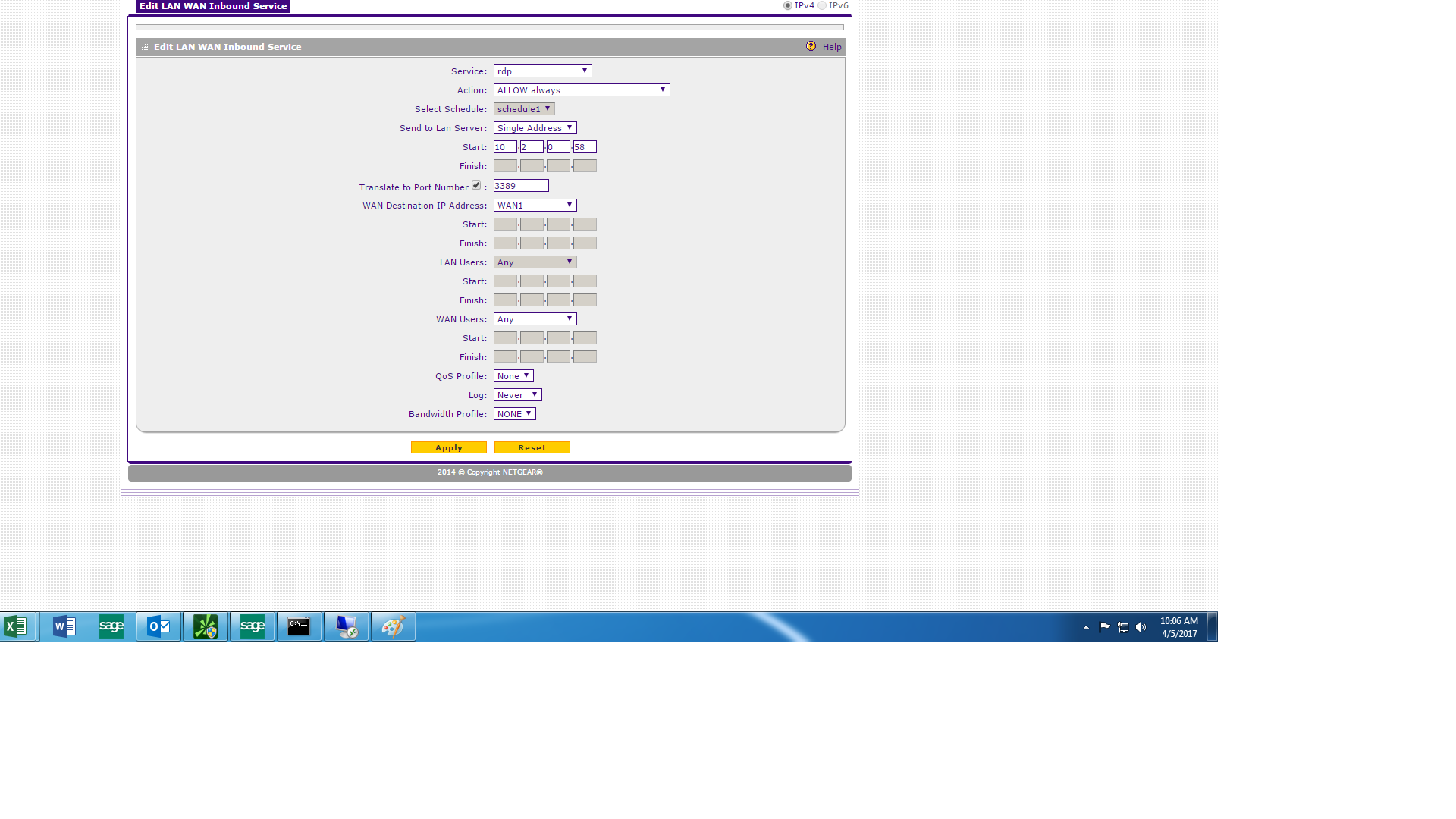
Here is what I have configured on the Rule for 3389.... Do you see anything there, that is incorrect?
- DaneAApr 05, 2017NETGEAR Employee Retired
Kindly uncheck the box that says "Translate to Port Number" then click Apply. Double-check again using the online port scanner.
Regards,
DaneA
NETGEAR Community Team
- PfiltzApr 05, 2017Star
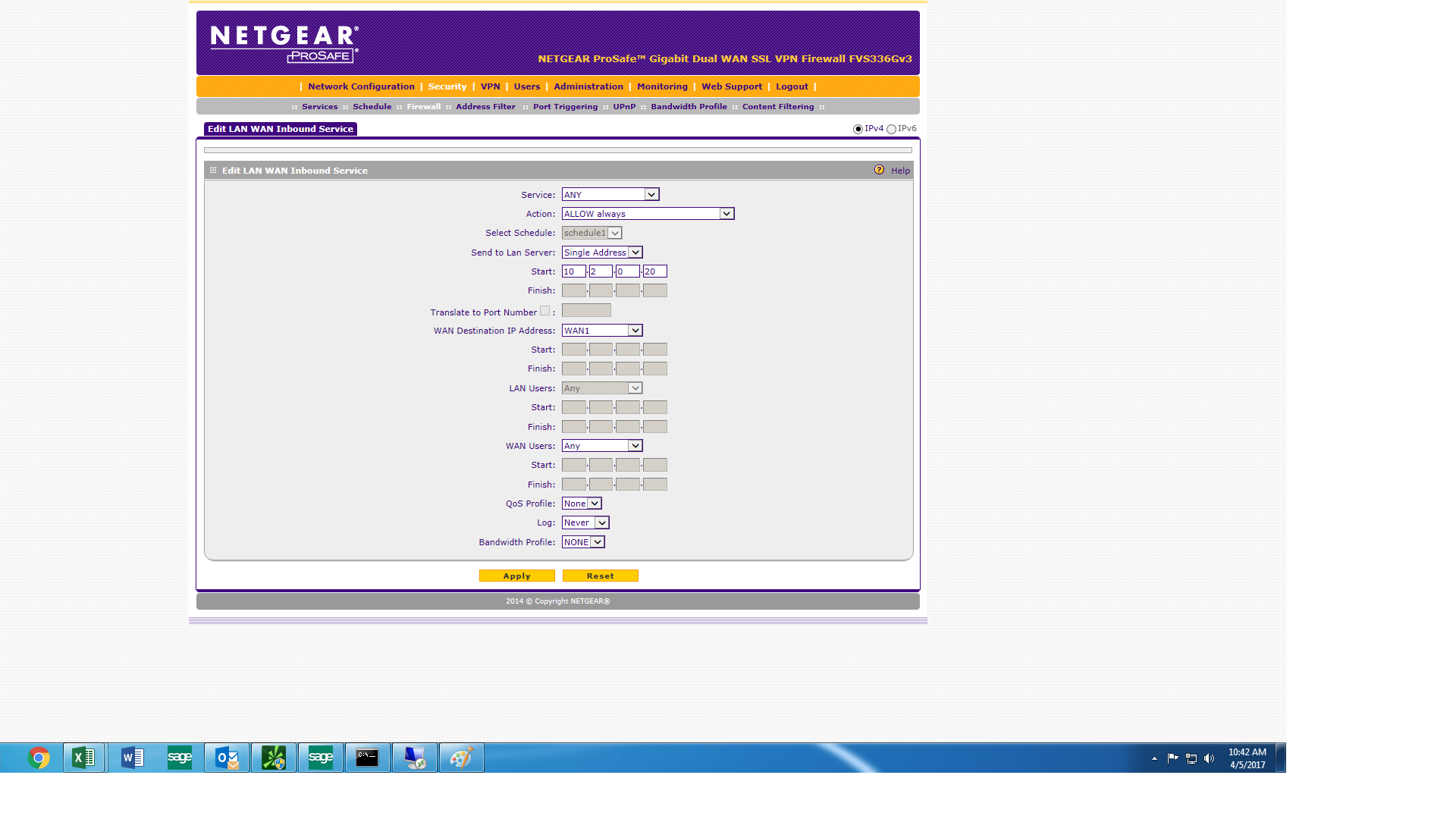
Right now for testing, I have one inbound rule. It set to allow everything, and still the port scanner fails.
Should the LAN SERVER IP address be the local IP of the router? Should it be the WAN IP address? I'm not sure on that matter.
- PfiltzApr 05, 2017Star
Hold up on this. Let me remove (1) of our 2 routers from the scenario...
Related Content
NETGEAR Academy

Boost your skills with the Netgear Academy - Get trained, certified and stay ahead with the latest Netgear technology!
Join Us!
