NETGEAR is aware of a growing number of phone and online scams. To learn how to stay safe click here.
Forum Discussion

RobyOneKenoby
Aug 30, 2018Aspirant
VPN Firewall FVS336Gv3 routing IP inside the VPN
Hello,
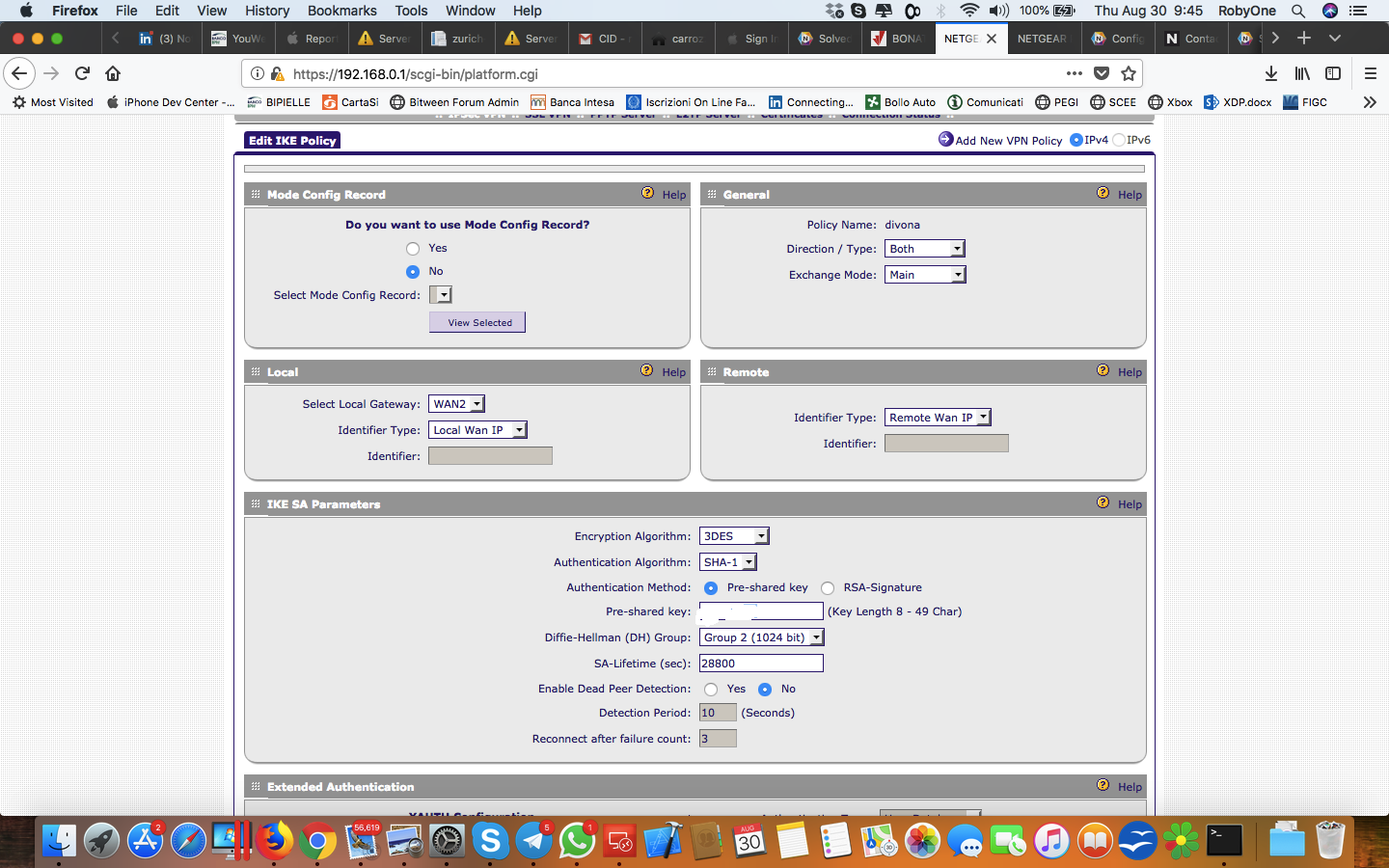
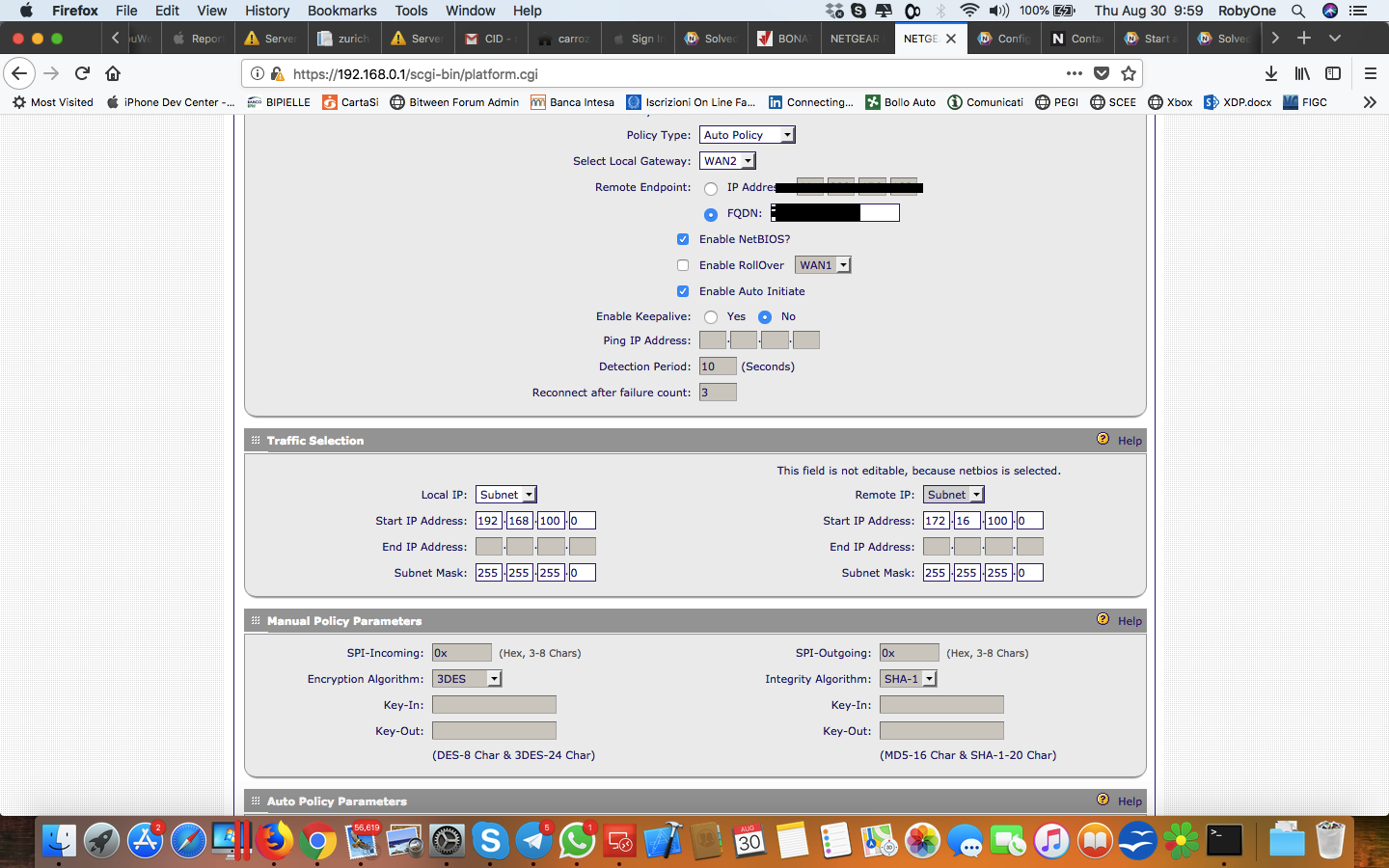
we setup a VPN between our Netgear and ther Cisco on the other side , connection established perfeclty so the policy should match perfectly , now we have a subnet of 192.168.100.0 and on...
RobyOneKenoby
Aug 30, 2018Aspirant
Here is the other configuration
- JohnC_VAug 31, 2018NETGEAR Employee Retired
Hi RobyOneKenoby,
Welcome to our community! :)
As per checking, the firewall is receiving a private IP from WAN. We cannot work on it as the firewall is only looking for the IP in the network of the modem. So if the Cisco is also behind the same modem where the FVS336Gv3 is located, then it will work. If not, I suggest you to set the modem to bridge mode so that it will automatically look for the Cisco in the WAN or you can setup a port forwarding from the modem pointing to the firewall so that it will just pass-through the VPN.
If ever your concern has been addressed or resolved, I encourage you to mark the appropriate reply as the “Accepted Solution” so others can be confident in benefiting from the solution. The NETGEAR Community looks forward to hearing from you and being a helpful resource in the future!
Regards,
- RobyOneKenobyAug 31, 2018AspirantWell,
we have another vpn who works well in this configuration because I forward all the porta using the DMZ so formally let’s assume the modem LAN IP is 192.168.30.1 and my router want is configured as 192.168.30.2 and gateway 192.168.30.1 and the modme DMZ is set as 192.168.30.2 so all the port are used ass pass through in fact VPN perfectly connect (I can see the connection made) the problem is that I cannot ping the other side of the network (Cisco have a public IP instead) so I don’t understand why one VPN works and the other nope even if they stay in the same VPN FVs338 behind the modme let me know thanks Roberto- JohnC_VAug 31, 2018NETGEAR Employee Retired
When it comes to having a ping request, most likely the issue is within the LAN network and not on the VPN side. May you please share us the VPN logs?
Regards,

Related Content
NETGEAR Academy

Boost your skills with the Netgear Academy - Get trained, certified and stay ahead with the latest Netgear technology!
Join Us!