NETGEAR is aware of a growing number of phone and online scams. To learn how to stay safe click here.
Forum Discussion

JonHendrix
Apr 11, 2021Tutor
Port forwarding not working - RDP works on LAN
Hi everyone, I've found many similar discussions about this topic, but none of them offered a working solution or didn't apply to my network situation. So I will try again with this thread, hopin...
- Apr 11, 2021
tl;dr; Found it. Fixed it. Updated the DMZ configuration in the bridged-modem.
The Modem I got from the ISP (as mentioned in the first post) is very, very, very old. Any resources about putting this in Bridged mode are from 2009-2015 and are note all inclusive.
I tried reading it all again, from scratch. Also read this post by a guy named Frank. Then I noticed the ip address in the DMZ configuration was not the same as my new Orbi Router. Changed that and it worked immediately.
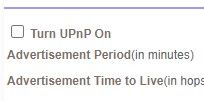
Print-screen from the configuration value I've updated:
JonHendrix
Apr 11, 2021Tutor
Update: I've also re-added a HTTP webserver that worked on the previous TP-Link router, currenlty works internally, but is not available through port forwarding. So this topic isn't isloted to just RDP port.
JonHendrix
Apr 11, 2021Tutor
tl;dr; Found it. Fixed it. Updated the DMZ configuration in the bridged-modem.
The Modem I got from the ISP (as mentioned in the first post) is very, very, very old. Any resources about putting this in Bridged mode are from 2009-2015 and are note all inclusive.
I tried reading it all again, from scratch. Also read this post by a guy named Frank. Then I noticed the ip address in the DMZ configuration was not the same as my new Orbi Router. Changed that and it worked immediately.
Print-screen from the configuration value I've updated:
Related Content
NETGEAR Academy

Boost your skills with the Netgear Academy - Get trained, certified and stay ahead with the latest Netgear technology!
Join Us!
