NETGEAR is aware of a growing number of phone and online scams. To learn how to stay safe click here.
Forum Discussion

Marv-K
Aug 05, 2021Guide
Settings XR500
Hallo , ich habe eine Frage. Ich habe mit meiner Fritzbox 7590 eine Internetgeschwindigkeit von 156 mbits download / 20 mbit upload.
Ich habe mir den Nighthawk XR500 router geholt um hauptsächlich den Hybrid VPN zu nutzen . Ich benutze dafür aber Open VPN (no lag vpn)
Ich habe auf meinem Nighthawk modem aber nur eine Bandbreitgeschwindigkeit von 70mbts download . Warum? Ich möchte gerne die volle internet auslastung auf meinem nighthawk router. Gibt es hierbei eine spezielle einstellung bei meiner fritzbox oder beim gaming modem? bitte dringend um hilfe!!
Hello, I have a question. I have an internet speed of 156 mbits download / 20 mbit upload with my Fritzbox 7590.
I got the Nighthawk XR500 router to mainly use the Hybrid VPN. I use Open VPN for this (no lag vpn)
I only have a bandwidth of 70mbts download on my Nighthawk modem. Why? I would like to have full internet utilization on my nighthawk router. Is there a special setting in my Fritzbox or in the gaming modem? please urgently help!
Ich habe mir den Nighthawk XR500 router geholt um hauptsächlich den Hybrid VPN zu nutzen . Ich benutze dafür aber Open VPN (no lag vpn)
Ich habe auf meinem Nighthawk modem aber nur eine Bandbreitgeschwindigkeit von 70mbts download . Warum? Ich möchte gerne die volle internet auslastung auf meinem nighthawk router. Gibt es hierbei eine spezielle einstellung bei meiner fritzbox oder beim gaming modem? bitte dringend um hilfe!!
Hello, I have a question. I have an internet speed of 156 mbits download / 20 mbit upload with my Fritzbox 7590.
I got the Nighthawk XR500 router to mainly use the Hybrid VPN. I use Open VPN for this (no lag vpn)
I only have a bandwidth of 70mbts download on my Nighthawk modem. Why? I would like to have full internet utilization on my nighthawk router. Is there a special setting in my Fritzbox or in the gaming modem? please urgently help!
Looks like the issue is as Fraser suggested.
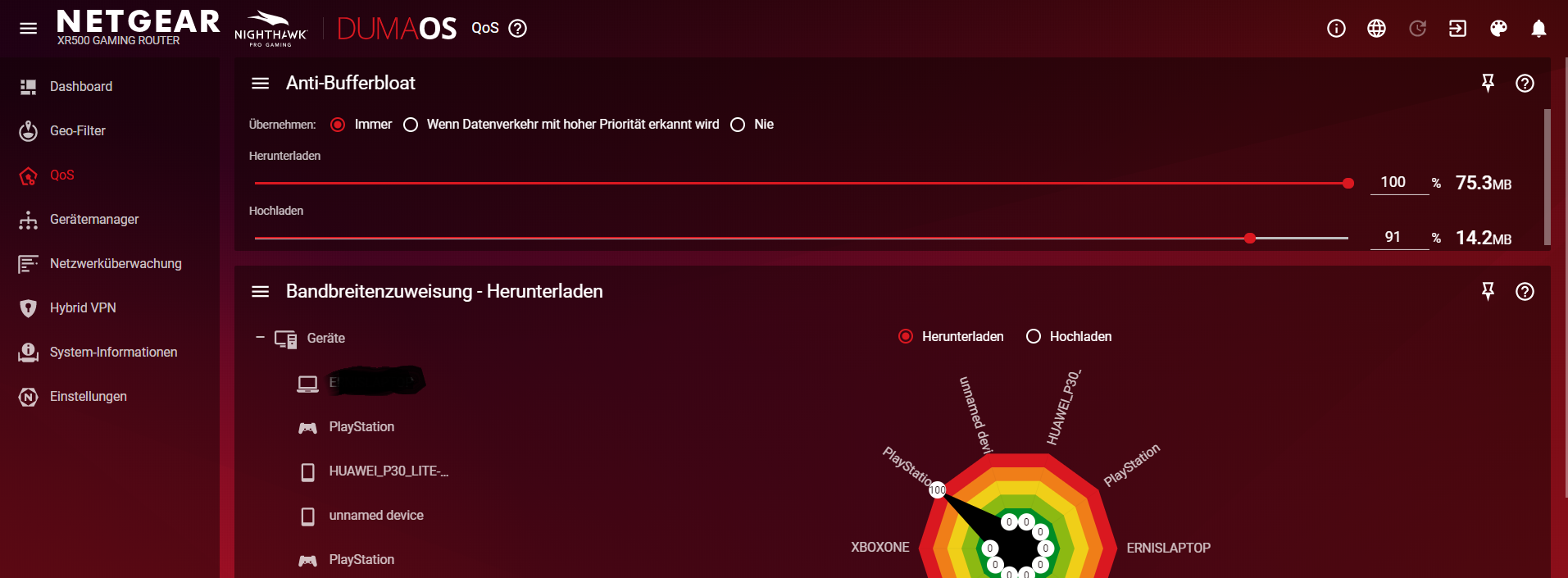
Please go to the three-line menu in Anti-Bufferbloat and select "Set Bandwidth Speeds". Enter here what you expect to get from the ISP and retest.
7 Replies
- plemansGuru - Experienced User
If you're not using the vpn, do you get full speeds?
- Marv-KGuideNo , the maximum speed is 75 mbits. Without VPN.
- Netduma-FraserNetDuma PartnerAlso have you entered the speeds you expect in bandwidth settings? Check the table view for the Device Manager, are any of the ports limited to 100Mbits?
- Marv-KGuide
- Netduma-LiamNetDuma Partner
Looks like the issue is as Fraser suggested.
Please go to the three-line menu in Anti-Bufferbloat and select "Set Bandwidth Speeds". Enter here what you expect to get from the ISP and retest.