NETGEAR is aware of a growing number of phone and online scams. To learn how to stay safe click here.
Forum Discussion

hennings
Jul 03, 2026Aspirant
New iPhone, no more Orbi access
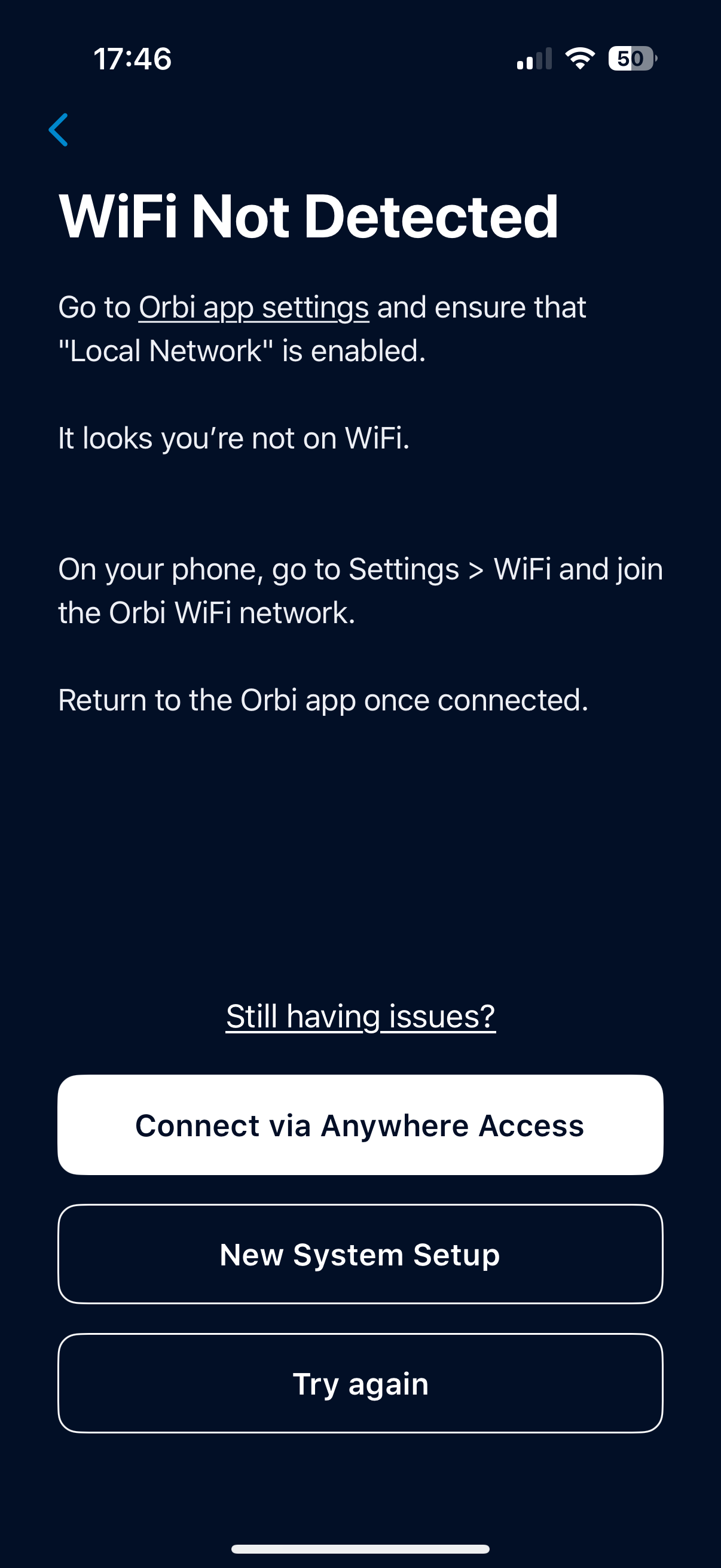
I bought a new iPhone 17 pro, and can now no longer access the Orbi app capabilities. I’m connected to the WiFi, but when I access the app it states: “WiFi not detected, go to orbi app setting and ensure that “connect to local WiFi” is selected””.
Screen grab attached, can anyone help please?
3 Replies
 StephenBGuru - Experienced User
hennings wrote:
go to orbi app setting and ensure that “connect to local WiFi” is selected
Did you do that? It is possible that the app settings on your new phone don't allow it to use wifi.
- henningsAspirant
I’m connected to the wifi that the Orbi is providing. I think it might be some kind of an admin setting that the new phone isn’t recognised
- StephenBGuru - Experienced User
hennings wrote:
I think it might be some kind of an admin setting that the new phone isn’t recognised
- Open Apple Settings
- Scroll down to "apps" at the bottom and select it.
- Scroll down to Orbi and select it.
- Make sure that "Local Network" is turned on.