NETGEAR is aware of a growing number of phone and online scams. To learn how to stay safe click here.
Forum Discussion

Dannytype1
Apr 09, 2024Aspirant
Cannot Get Support
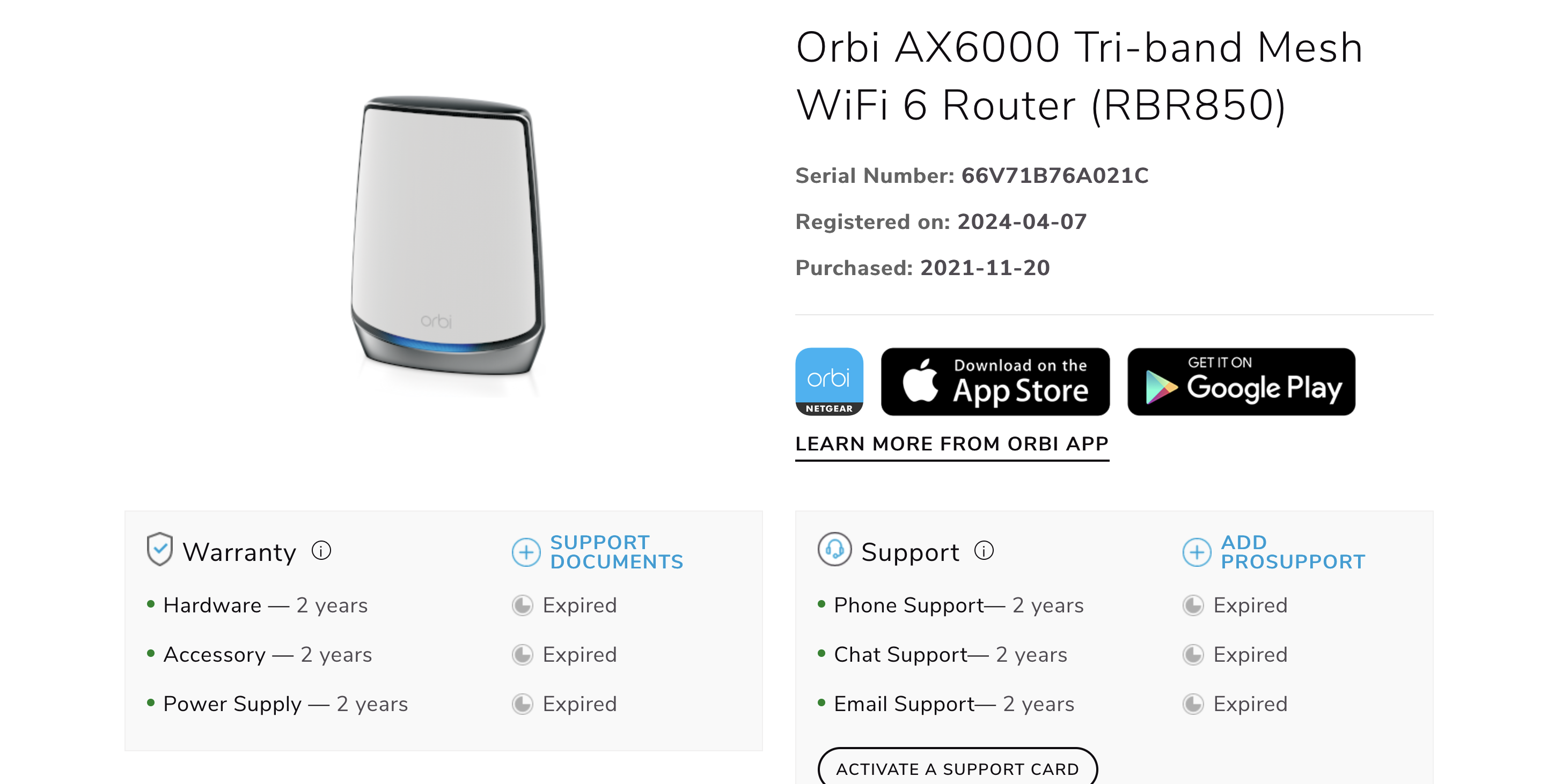
Hi I have been having lots of issues with updating firmware but before that. I purchased the product on the 7th of April and Netgears systems say it was purchased in 2020 which is completely inco...
Dannytype1
Apr 10, 2024Aspirant
Hi
I cannot update the firmware on my satellites either manually or automatically. The manual doesnt open the page to choose the correct firmware and i get service unreachable / update failed. There isnt a firmware number for the satellites either so i have no idea where they are are. I have tried everything from the forums that i could find no joy. I have out of sync and they have never synced. Surley its not that difficult to update firmwares but from everthying i have read it is.
Thanks
Danny
Dannytype1
Apr 10, 2024Aspirant
I have added a automatic screenshot as well.
Thanks
Danny
- FURRYe38Apr 10, 2024Guru - Experienced User
What is the Mfr and model# of the Internet Service Providers modem/ONT the NG router is connected too?
Be sure your using a good quality LAN cable between the modem and router. CAT6A STP is recommended.The RBS wouldn't have been already updated to v7 FW first would they?
Can try this to see if you can get the RBS and RBR updated manually -
Have the RBS and RBR FW files already downloaded to your wired PC:
I recommend that you factory reset the RBS and RBR and let the RBS auto connect to the RBR soon after the RBR is waiting at the setup wizard screen as seen here:
Bring them to the same room as the RBR or near the RBR. 20 feet is good. If they auto sync to the RBR which they should, after you press the reset button on the RBS then on the RBR, or user the ERASE button, give about 5 minutes for them to sync to the RBR. The front LED should turn BLUE in front. When that happens, being to walk thru the setup routine as detailed in the PDF. Skip the portion of where it checks for FW updates. And don't change the WiFi SSID name or password, we'll do this later. Just get to the home screen.
Follow this process to update the FW on the RBS using the RBS web pages by accessing them with the IP address given to them by the RBR:
Follow this process to get each RBS updated first, then update the RBR lastly.
- Dannytype1Apr 10, 2024Aspirant
Hi
Thanks for all the information having wasted an hour speaking to someone in support i am not nearer sorting out my issue.
I bough a new cat 6 cable and a brand new ethernet adapter all things i shouldnt have to do when i have spent will over $1000 dollars on the router.
I can get the ethernet cable working as it should when wired to the router. However, the satellite only shows 5 ghz wireless events when wired. I kept getting asked what firmware the satellites are on, and as I keep saying, it doesn't tell me anywhere that information. Even if it did, I wouldn't be able to update it. I am on a death loop with no way out.
I hope that other pre-customers read these posts and many others on the forum to see how bad the situation is and how all you get is people on the other end of a phone reading scripts and copying and pasting messages on the forum.
Thanks
Danny- CrimpOnApr 10, 2024Guru - Experienced User
Most of those authorized resellers have generous return policies. What about returning the Orbi package and starting over with something else?
If the units cannot be returned, another possibility is to "flash" the firmware directly to each satellite. This depends on which platform is available (Windows, Apple, Linux) The concept is to
- connect the satellite and computer with an Ethernet cable
- with both the satellite and computer not connected to anything else
- set the computer to a static IP address or 192.168.1.x (not "1" or "250", anything else)
- have firmware for the satellite "unzipped" and ready on the computer
- have TFTP (or mnrpflash for Windows) open and ready on the computer
- set TFTP to send to 192.168.1.250
- power up the satellite
- wait a second or two and 'send' the firmware file to the satellite.
- after the firmware file is sent, the satellite will reboot with the new firmware
This is a really tricky process. I have done it twice with older Orbi models (not an RBS850). Both times it was really frustrating. I once tried failed five times in a row and was getting out my trusty hammer to beat the satellite into tiny pieces and then thought, "what else do I have to do right now? maybe I can try again." and the sixth time..... it worked!
The 'nerd' in me enjoyed the adventure. The 'normal' person in me was frustrated, annoyed, and angrier by the minute.