NETGEAR is aware of a growing number of phone and online scams. To learn how to stay safe click here.
Forum Discussion

donawalt
Feb 04, 2021Hero - Experienced User
Is this a good topology?
I am setting up a network in a large house - 4 floors. I added a 3rd satellite so each floow has a router or satellite, well spaced. Everything looks fine regarding speed, errors, issues etc.
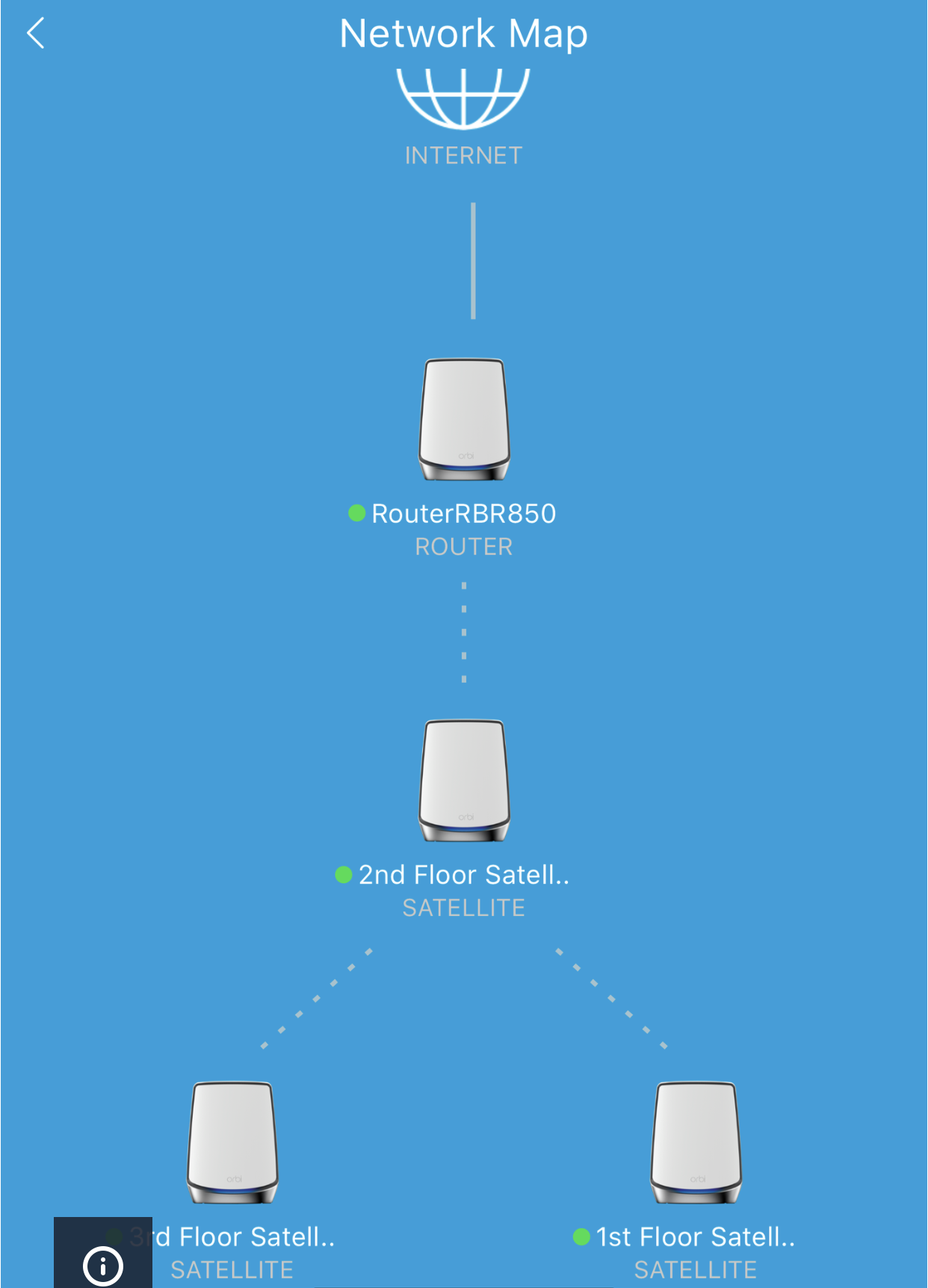
I saw in the mobile Orbi app a topology of how it's set up. This was new to me, does this look reasonable, and if not what should I do about it!
If the picture is not approved for display, it shows the Internet globe with a line to the router (which is in the basement as that's where the comcast line is), with has a line to the 2nd floor satellite, which has two lines from it - one to the 3rd floor satellite and one to the first floor satellite.
Thanks!
9 Replies
- FURRYe38Guru - Experienced User
Try using the Choose File and attached the picture file to your post. We have to wait for a moderator to approve inline photos. :smileyembarrassed:
- donawaltHero - Experienced User
- FURRYe38Guru - Experienced User
I guess that works too though the one RBS will be handling lots of traffic since it's the only one connected to the RBR. If it seems to work for you then why not.
- donawaltHero - Experienced User
I didn't set it up that way, I just added the Satellites one by one per the setup documentation. Is there a way I can influence/change the topology? Should I turn off the Floor 2 satellite, let the other 2 connect directly to the RBR, then turn it back on for example? Or just leave it be?
- FURRYe38Guru - Experienced User
Ya try to power the remote or farther RBS on first before the closer one.