NETGEAR is aware of a growing number of phone and online scams. To learn how to stay safe click here.
Forum Discussion

Dustin_V
Jan 09, 2019NETGEAR Employee Retired
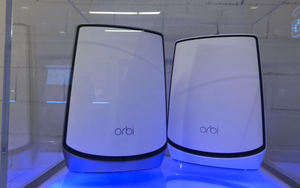
Orbi Mesh Wi-Fi with Wi-Fi 6 For The Gigabit Internet Home - #NETGEARCES2019
Orbi Whole Home WiFi just got even faster! NETGEAR is continuing to lead the new era of Wi-Fi. To kick off CES 2019, we announced plans to pair award-winning Orbi Wi-Fi with the latest Wi-Fi s...

Chuck_M
Feb 17, 2019Mentor
You can add more satellites -- I dont know what the upper limit is, but the capacity is for sure more than you will require.
Is there any opportunity for you to hard wire any satellites you have? I have a mixture of hard wired and wireless backhaul and it works great and maximizes bandwidth.
Would be good to know a couple of things to optimize your setup and perhaps gain back that bandwidth netflix says it needs.
1. What version of firmware are you running?
2. Are you in a hub-and-spoke configuration with your router at the hub (direct comms to each satellite) or are you in a daisy chain setup (a satellite is playing the middle man between router and farthest satellite)?
3. In the Orbi GUI under ADVANCED | ADVANCED SETUP | WIRELESS SETTINGS, what are the settings you currently have for
| Enable Daisy-Chain Topology | |
| Enable Implicit BEAMFORMING - Boosts WiFi speed, reliability, & range for all mobile devices | |
| Enable MU-MIMO | |
| Enable Fast Roaming |
nedjel
Feb 18, 2019Guide
Im running .12 firmware, its set to auto update.
I have 2 ethernet cable running to different rooms and can connect it to each stattelite. Is it better for a sattelite to be higher up or lower to the floor ?
My config is a HUB. Each satellite connects to the Router.
My Advanced Settings are
Enable Daisy-Chain Topology - Checked
The the rest are Unchecked
| Backhaul Topology | |
| Enable Daisy-Chain Topology | |
| Backhaul Password | |
| Orbi can generate a new hidden password to improve security for its backhaul connection. | |
| WARNING: Generating a new password might cause the Orbi satellite to lose connection from the Orbi router. To reconnect, use the Sync button. | |
| Enable Implicit BEAMFORMING - Boosts WiFi speed, reliability, & range for all mobile devices | |
| Enable MU-MIMO | |
| Enable Fast Roaming |
- nedjelFeb 18, 2019Guide
Sorry this is the Firmware V2.2.1.210
- Chuck_MFeb 18, 2019Mentor
nedjel wrote:
Im running .12 firmware, its set to auto update.
I have 2 ethernet cable running to different rooms and can connect it to each stattelite. Is it better for a sattelite to be higher up or lower to the floor ?
My config is a HUB. Each satellite connects to the Router.
My Advanced Settings are
Enable Daisy-Chain Topology - Checked
The the rest are Unchecked
Backhaul Topology Enable Daisy-Chain Topology Backhaul Password Orbi can generate a new hidden password to improve security for its backhaul connection. WARNING: Generating a new password might cause the Orbi satellite to lose connection from the Orbi router. To reconnect, use the Sync button. Enable Implicit BEAMFORMING - Boosts WiFi speed, reliability, & range for all mobile devices Enable MU-MIMO Enable Fast Roaming UNcheck Daisy chain
Recommend CHECKING beamforming, MU-MIMO and Fast Roaming.
Doesnt really matter height in the room; whatever looks best :)Please change these, reboot router and give a report of how it works.
- nedjelFeb 18, 2019Guide
I read on here that this FW ver V2.2.1.210 if you Uncheck DaisyChain it actaully Checks the Daisy-Chain ON, some kind of a bug. So confusing. Unchecking<Checks it. Checking it, Uncheks it. Has this been confirmed by Netgear as true ?
- nedjelFeb 18, 2019Guide1st Report
15 min after I checked th below 3 options, my wifi went down. No internet. So I had to power cycle the Router and everything came back up. So will see how long it lasts. I have never lost compelete internet connectivity before. Daisy Chaim remained Checked.