NETGEAR is aware of a growing number of phone and online scams. To learn how to stay safe click here.
Forum Discussion

ryuva
Dec 12, 2025Aspirant
Port forwarding not working on Orbi Router RBR350
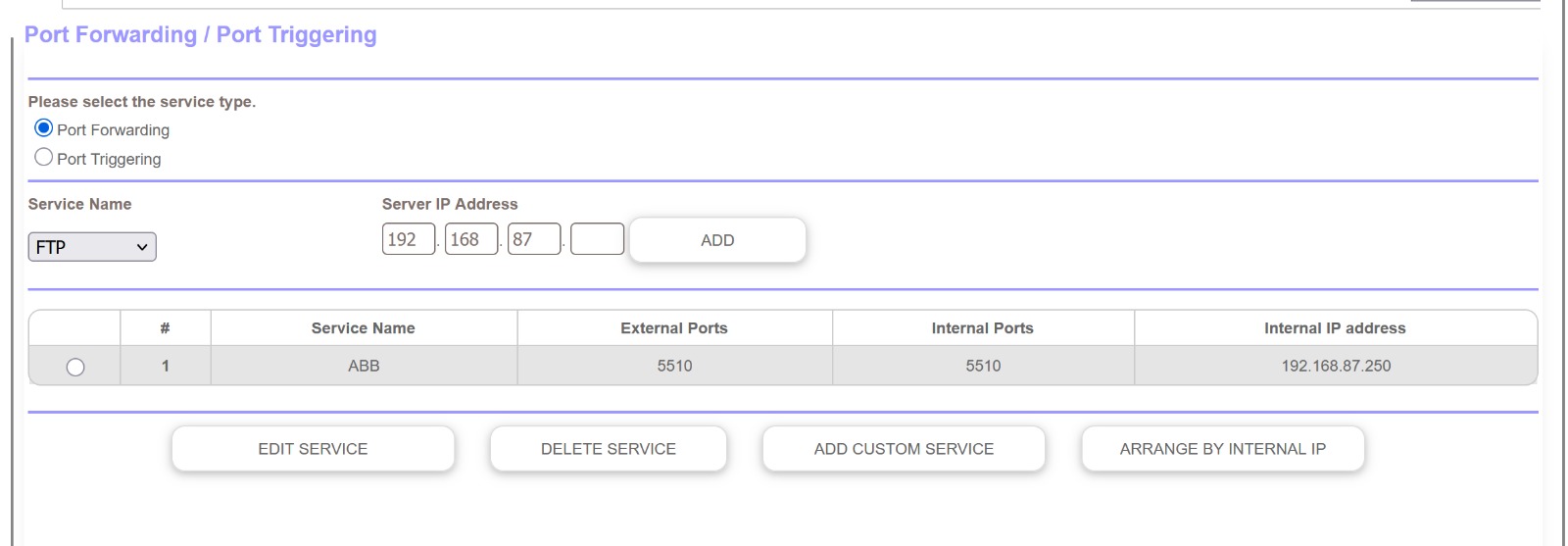
Hi all, i have an RBR350 router at home, only router, which is connected to the ONT of the ISP. i have tried setting up the port forwarding 5510 for my NAS, on the router. Settings have been sav...

StephenB
Dec 12, 2025Guru - Experienced User
ryuva wrote:But when i check the port status, it is still closed.
How did you check the port status? Try https://canyouseeme.org/ ?
Also check the WAN address of the Orbi. Get this from the Orbi web ui.
Does the web ui give the same address as canyouseeme.org? Or is it different?
Is the WAN IP address in the Orbi's web ui in one of these ranges:
- 10.0.0.0. to 10.255.255.255
- 100.64.0.0 to 100.127.255.255
- 172.16.0.0. to 172.31.255.255
- 192.168.0.0 to 192.168.255.255
None of these addresses are internet-routable, so if your WAN address is in one of these ranges, please let us know which one.
ryuva wrote:i have tried setting up the port forwarding 5510 for my NAS, on the router.
Generally it is best to use an unregistered port something in the range 49152-65535. FTP in particular will need both a control port and some ports for data transfer. Generally multipling the number of simultaneously connected clients by 4 will get you a reasonable number of data transfer ports. So if you expect 2 simultaneous clients, you could use 54321-54329 (54321 for control, 54322-54329 for data).
- ryuvaDec 12, 2025Aspirant
Dear Stephen,
Yes, i use https://canyouseeme.org/. the WAN Ip i see on my router is same as the one i see on https://canyouseeme.org/ as well.
And the WAN IP is not among any of those local ip range.
- StephenBDec 12, 2025Guru - Experienced User
ryuva wrote:
Yes, i use https://canyouseeme.org/. the WAN Ip i see on my router is same as the one i see on https://canyouseeme.org/ as well.
I'm assuming you mean the Orbi router. If so, then the ONT either is a pure modem or it is in a bridge mode.
If you put the NAS in the Orbi's DMZ (as a test), then is it connecting properly?
If not, you probably should contact your ISP support - they might be blocking the port.
ryuva wrote:
Also, i need to use the port 5510, as the synology NAS uses only this port for its Active backup for business feature
Yes, ok. It'd be better if they registered a port (or used one in the unregistered range), but that is not in your control.