NETGEAR is aware of a growing number of phone and online scams. To learn how to stay safe click here.
Forum Discussion

yn_02
Jan 16, 2023Aspirant
RAX50 no internet connection
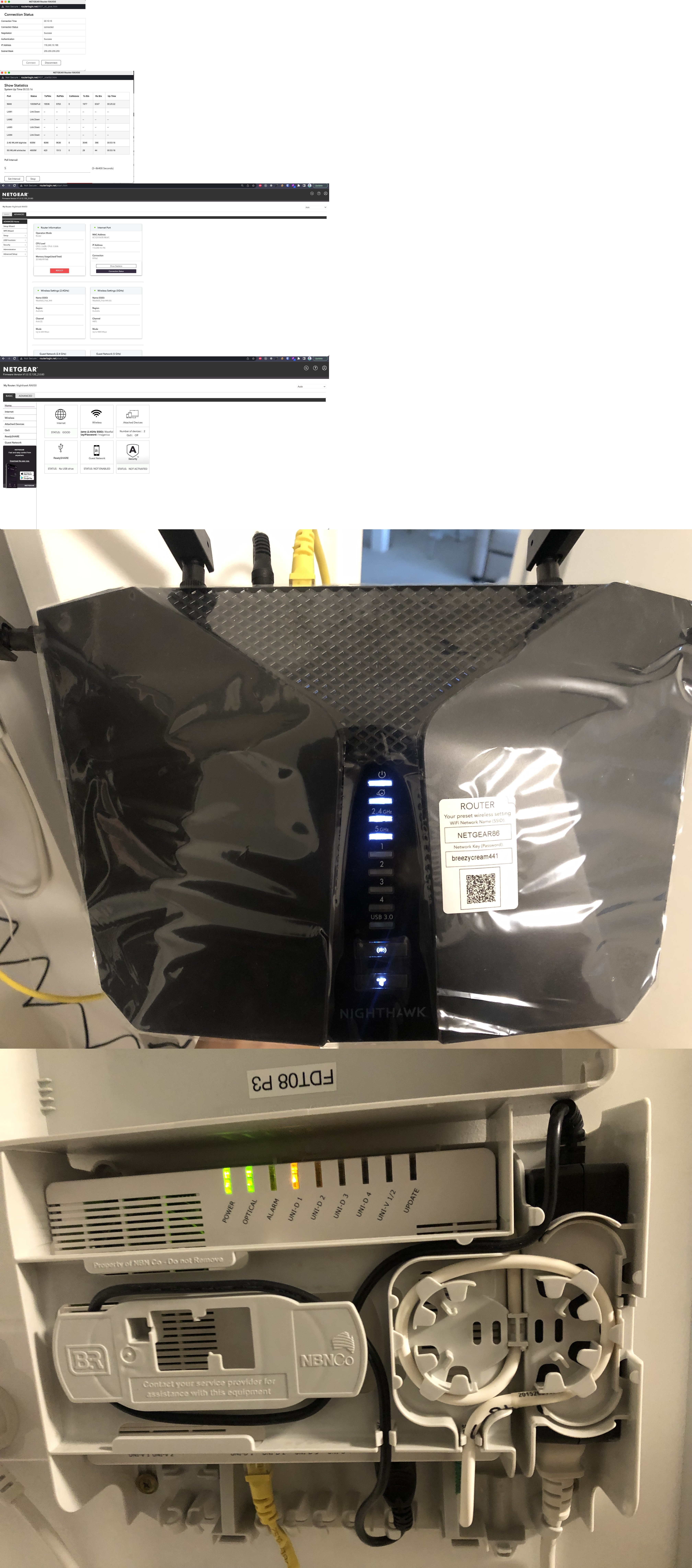
So my device(RAX50) worked fine for the first 3 months or so, but then it failed to work occasionally. Now that after 5 months of using it, it rarely works. All light indicators look fine, routerlogin.net shows it's connected to the internet and the status is GOOD.
What I have tried:
- Unplug the router and modem overnight and plug them back in the next day (This worked before but doesn't seem working now)
- Factory reset the router (It literally only works for the first few minutes - I can load some websites such as Youtube but extremely slowly, then nothing can load later on)
-Update firmware (Nothing changes)
Any suggestions please? I have never expected a router can cause such a headache!
3 Replies
- michaelkenwardGuru - Experienced User
yn_02 wrote:
So my device(RAX50) worked fine for the first 3 months or so, but then it failed to work occasionally. Now that after 5 months of using it, it rarely works.
What symptoms do you see? I'm afraid that "rarely works" tells us not much.
What firmware version do you have on the device?
A number is more useful than "the latest". There can be newer versions, or "hot fixes", that do not show up if you check for new firmware in the browser interface.
It might also help if you told people what the modem is in front of this router, if there is one. The make and model number could be useful. Is it, by any chance, also a router, with a set of LAN ports on the back?
The reason for asking is that a lot of people turn up here trying to put a router behind a modem that is also a router. That can complicate troubleshooting.- yn_02Aspirant
Hi Michael,
Thanks for your reply.
The firmware version is V1.0.12.120
I use an NBN box and it should act as a modem (not too sure but probably it's an Australian thing?)
And yes the router has a set of LAN ports on the back.
Symptoms I see: around half an hour ago I can visit Youtube without a problem, but I can't visit other sites including Netflix and Google. And now I can't even visit Youtube. That happens before but overall I don't have internet most of the time. Since I can't identify a pattern, I called it 'rarely works'.
- michaelkenwardGuru - Experienced User
yn_02 wrote:
I use an NBN box and it should act as a modem (not too sure but probably it's an Australian thing?)
Ah, the dreaded NBN. There is no such thing as NBN technology. It just means Aussie Internet. It comes in different shapes and sizes.
And yes the router has a set of LAN ports on the back.This hints at a modem/router.
What make and model is it?
Symptoms I see: around half an hour ago I can visit Youtube without a problem, but I can't visit other sites including Netflix and Google. And now I can't even visit Youtube. That happens before but overall I don't have internet most of the time. Since I can't identify a pattern, I called it 'rarely works'.The sort of symptoms you see could well be down to this clash of routers, with the pair of them fighting over who directs the traffic on your network.
Two routers on your network can cause headaches. For example, you can end up with local address problems. Among other things, the other router can misdirect addresses that the Netgear router usually handles, such as routerlogin.net or the usual IP address for a router, 192.168.1.1.
This explains some of the other drawbacks.
What is Double NAT? | Answer | NETGEAR Support
Unless you have specific reasons for using two routers – to create two separate networks for example – it is often easier to use just one router and then to set up the second router as a wifi access point. Netgear advises this, as does just about every site you will visit.
It may be possible to put the modem/router into modem only (bridge) mode and then to use the second device as the router. Some Internet service providers supply modem/routers that won't work in bridge mode. There may be ways to get the modem/router to cooperate. Sometimes it is easier to put the second router into AP mode. But that has its own drawbacks:
Disabled Features on the Router when set to AP Mode | Answer | NETGEAR Support