NETGEAR is aware of a growing number of phone and online scams. To learn how to stay safe click here.
Forum Discussion

bcuz_sti
Jul 17, 2023Aspirant
RAX80 Wireless off
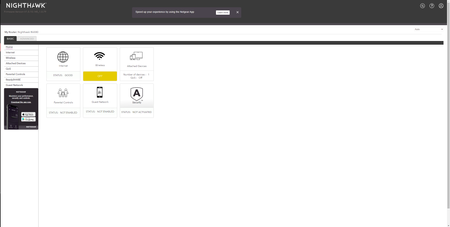
Have had this router for a few years and never have run into any issues until today. While trying to download a game on my Xbox it pause and said lost connection reconnect to Xbox. I noticed that my ...

michaelkenward
Jul 18, 2023Guru - Experienced User
When you restarted the router, did you reboot the network in the required order?
Be sure to restart your network in this sequence:
- Turn off and unplug modem.
- Turn off router and computers.
- Plug in and turn on modem. Wait 2 minutes for it to connect.
- Turn on the router and wait 2 minutes for it to connect.
- Turn on computers and rest of network.
What firmware version do you have on the device?
A number is more useful than "the latest". (It may not be by the time people read this.) There can also be newer versions, or "hot fixes", that do not show up if you check for new firmware in the browser interface.
It might also help if you told people what the modem is in front of this router, if there is one. The make and model number could be useful. Is it, by any chance, also a router, with a set of LAN ports on the back?
The reason for asking is that a lot of people turn up here trying to put a router behind a modem that is also a router. That can complicate troubleshooting.
- bcuz_stiJul 18, 2023AspirantYes everything was started in order. The internet itself is working fine I have a desktop hardwired to the router and if works properly. I just have no wifi like the attenas are disabled but it shows in the config that they are turned on, the lights on the front/top of router show wifi turned on. I tried pushing and holding the WiFi button off and back on. Turned settings in the configuration off and back on.
Router firmware V1.0.10.140_1.0.7
Modem NETGEAR - Nighthawk 32 x 8 DOCSIS 3.1 Cable Modem(CM2000-100NAS)- michaelkenwardJul 18, 2023Guru - Experienced User
You seem to have checked everything. Maybe it just died.
One thing that has been known to rescue ailing routers in the past, albeit rarely, is to reflash them with the latest firmware.
This is a fix for firmware damage that is not severe enough to kill the thing completely.
- bcuz_stiJul 18, 2023AspirantThat's what I'm kind of thinking. Idk what else could be wrong. I was hoping a factory reset would have fixed it. I'll try a reflash and see if that does anything. Any suggestions on a new router haha? Approximately 30 device's connected.