NETGEAR is aware of a growing number of phone and online scams. To learn how to stay safe click here.
Forum Discussion

richworldinc
Sep 22, 2021Initiate
back and forth with netgear and isp. who is to blame
for a week now i have been going back and forth with my isp and netgear. each saying that the other is to blame. i get disconnected just about everyday (often more than once). from what i have been...

plemans
Sep 22, 2021Guru - Experienced User
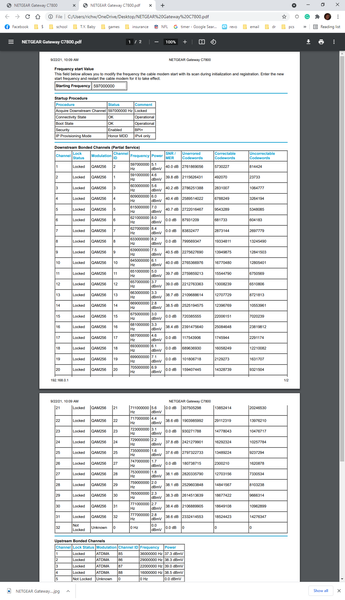
You're right in that your power is off and you have a ton of errors in the line (event logs help too).
1. your power levels should be within 3.5dbmv of each other. You're running from 8.4 to 1.7dbmv. A 6.7dbmv difference. A bit out of spec.
2. you have a ton of errors. A few isn't a big deal. But you have them on every channel.
Again, the event logs help as the cable connection is a screen shot of that exact time. The logs show older events.
I'd check your line first. Remove any splitters, amplifiers, signal attenuators.Check your coax for kinks, damage, old/bad/loose/corroded/cheap connectors. Preferably, move the modem to right where the coax enters the home. If you still have the same errors, the ISP needs to check the line.

Kitsap
Sep 22, 2021Master
As part of your line check, ensure you have a good ground connection where the coax enters you home. Tight connections to a rod driven into the ground. Preferably several feet into the ground depending on soil conditions.