NETGEAR is aware of a growing number of phone and online scams. To learn how to stay safe click here.
Forum Discussion

Drew2
Mar 07, 2016Star
c7000-100nas Internet sync problems
Purchased a C7000 about a month and a half ago. Occasionally the Internet will go out but I can usually reconnect by disconnecting power to the modem and rebooting. However on two occasions the mo...
Datagg
Jul 18, 2016Star
Your unit your returning (as i did) was a mistake cause its a combo unit and your ISP controls the firmware in it. Where as seperate units, your ISP doesnt update the router, only the modem. So taking a shot I bought the seperate pieces that the combo unit consisted of. Look for CM600 (modem) and the Nighthawk AC1900 (Model R7000). Yes it is more expensive than the returned combo unit but you have control of your router, which was the weak link in the combo unit.
Purchase the above 2 items and you will be good to go. I have great speeds here, consistent and as advertised.
Good Luck!
JMS28411
Aug 08, 2016Aspirant
My internet service provider is Time warner, I purchased my C7000 combo unit August 4, 2016, my firmware is version 1.01.15 todays event log listed below.
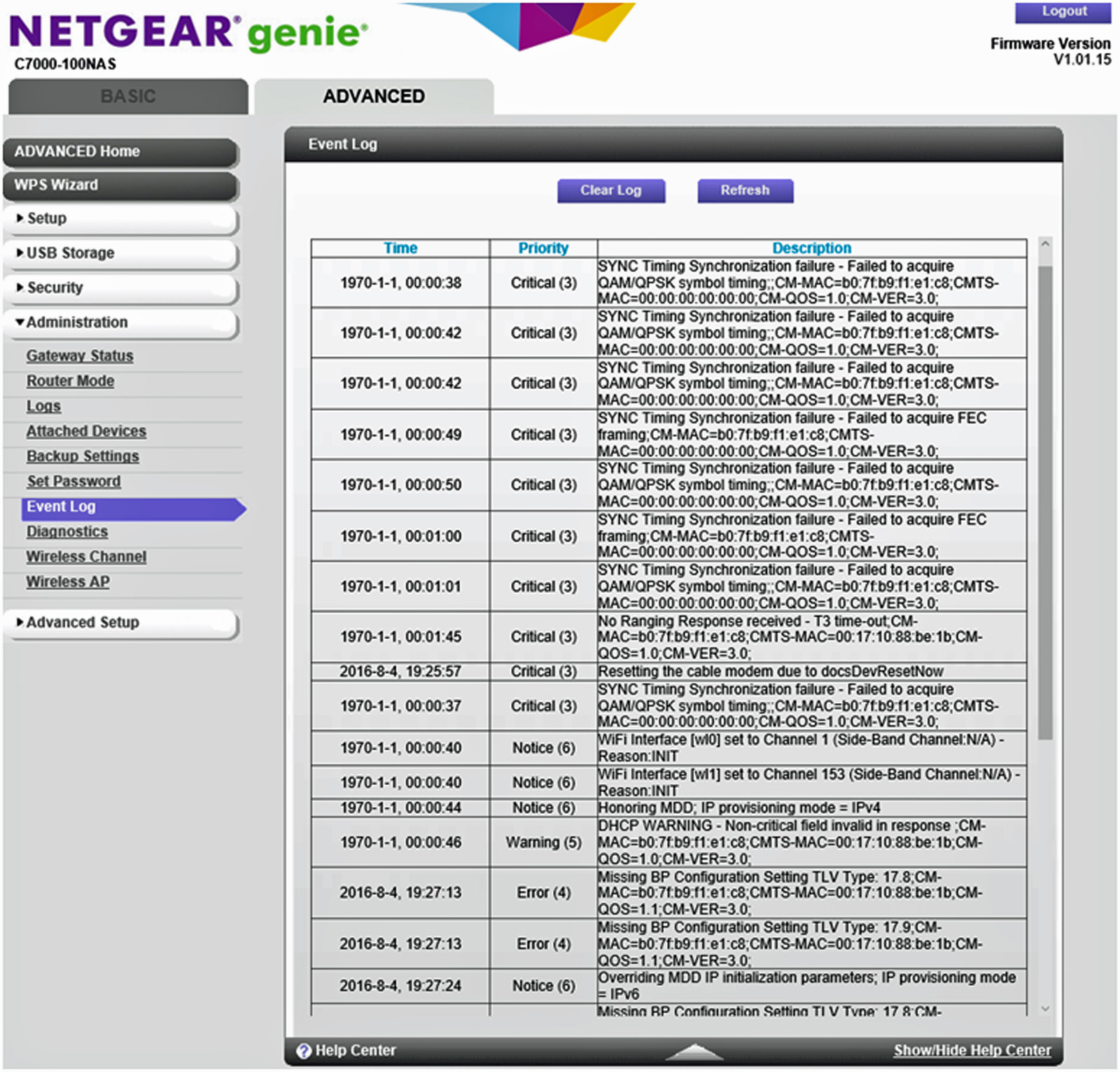
These coversations make me worried about this unit and I don't like being at the mercy of my ISP for router firmware updates.
I am considering sending the unit back and buying a separate modem and router like I had before.
My old modem was a motorola SB6120 and it worked just fine and so did my Netgear WDNR3700 WIFI router, but now I am having doubts about Netgear at least with the combo units.
I will probably go with the latest Motorola/Arris cable modem, not sure about the WIFI router?
- JMS28411Aug 08, 2016Aspirant
Also my 2.4G, 5G & WIFI lights keep blinkin on and off, I thought they are supposed to be steady or solid green
- DataggAug 08, 2016Star
No, they blink when there is activity. With that being said, I had horrible issues with the combo setup, tried 2 of them and sent them both back. Now i have seperate units. CM600 and the Nighthawk AC1900. Now I control the firmware for the Modem and Router and all is great.
- MooseMan347Aug 08, 2016Guide
I agree with datagg, the lights blink. The performance is good on either WIFI band, I use the router software to insure that I am the only person on my Channel on both 2.4 and 5ghz. It's easy to modify and secure.
- MooseMan347Aug 08, 2016Guide
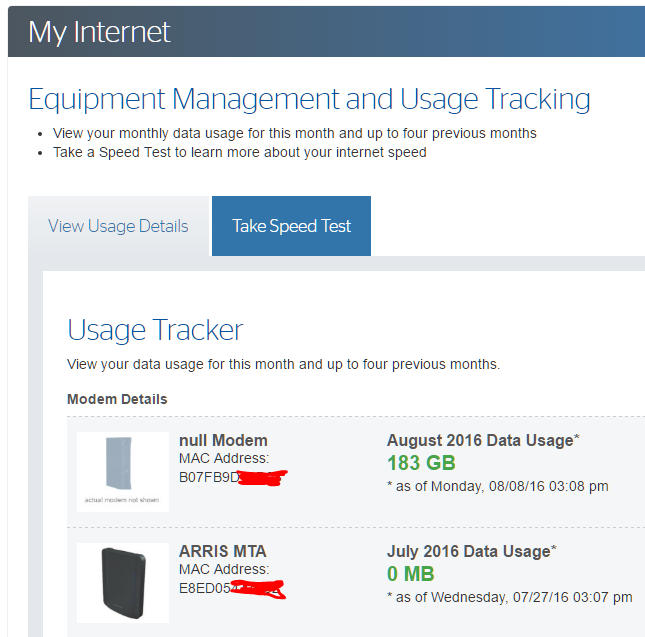
Not to worry JMS28411 These Critical errors are relative to the Time Warner equipment at your location. Check the MAC addresses against those in your Equipment identified on https://myservices.timewarnercable.com/myservices/internet/index (you must be logged in first).
I reboot my Netgear perhaps once per month but it is most often because TWC is jacked-up. There is never an explanation.
I love the Netgear, the jury is still out on TWC though. I love the speed from TWC. I get 235mbps consistently while paying for 200mbps. The modem you use will directly dictate your network/TV performance. The Netgear Nighthawk has 24-bands whereas most others are perhaps 8-bands. Give it some time.
- JMS28411Aug 08, 2016Aspirant
Right now I have three PC's, a laptop two cell phones and netflix running with no noticeable problems :)
I guess I will see what happens over the next 2 or 3 weeks.
I also picked unused channels for my 2.4 & 5 g channels
- JMS28411Aug 12, 2016Aspirant
I seem to be having trouble connecting to some web sites, I have to refresh the website link 2 or 3 times to get it to connect, might be TW cable not the C7000 nighthawk?