NETGEAR is aware of a growing number of phone and online scams. To learn how to stay safe click here.
Forum Discussion

Ashley81
Mar 11, 2023Aspirant
C7000v2 Link Speeds
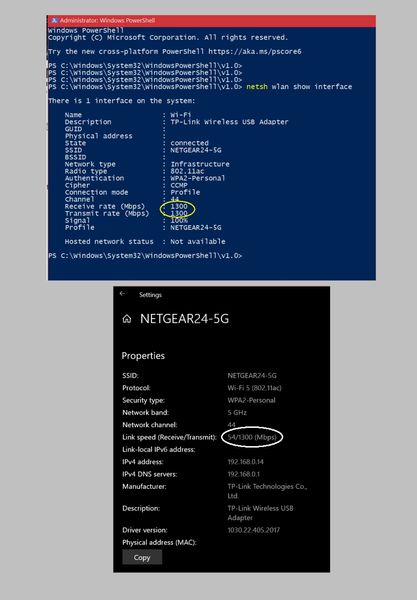
I have a new C7000v2. I am trying to make sure everything is go before the cable people get here (not hooked up yet). I noticed in my Windows settings that my receive link speed at 5Ghz is 54Mbps. Ho...

FURRYe38
Mar 11, 2023Guru - Experienced User
Would be something to inquired about with either MS or the mfr of the wireless adapters support and information site.
- Ashley81Mar 11, 2023Aspirant
Thank you, I have contacted the manufacturer, and so far have only gotten form-type responses along the lines of 'how to reset your cable modem/router.'
What I am really interested in...is the 54Mbps 'right' or 'wrong'...if it's 'wrong', I would rather not mess with it and just get another gateway.
- FURRYe38Mar 11, 2023Guru - Experienced User
Ensure the adatpers wifi drivers are up to date from the Mfr.
Try disabling or enabling Smart Connect on the modem.
Try a reset on the modem and setup from scratch.
Might try a different wifi adapter.
If this doesn't resolve what your seeing, this points to the adapter or something in Windows.
- plemansMar 12, 2023Guru - Experienced User
Easy way to test it is to actually do a speedtest on it.
The 5ghz should saturate 54mpbs without issues. So if you get speeds faster than that, kind points at it not displaying correctly
