NETGEAR is aware of a growing number of phone and online scams. To learn how to stay safe click here.
Forum Discussion

Akiha
May 23, 2022Guide
CAX30-100NAS Intermittent Connection drops/poor upload/error in log
Netgear Nighthawk AX2700 (I can't find this model on the drop down, but it's what amazon says it is) Hello, I've been having an issue with my upload speeds during the night (9pm - 3am). While...

plemans
May 23, 2022Guru - Experienced User
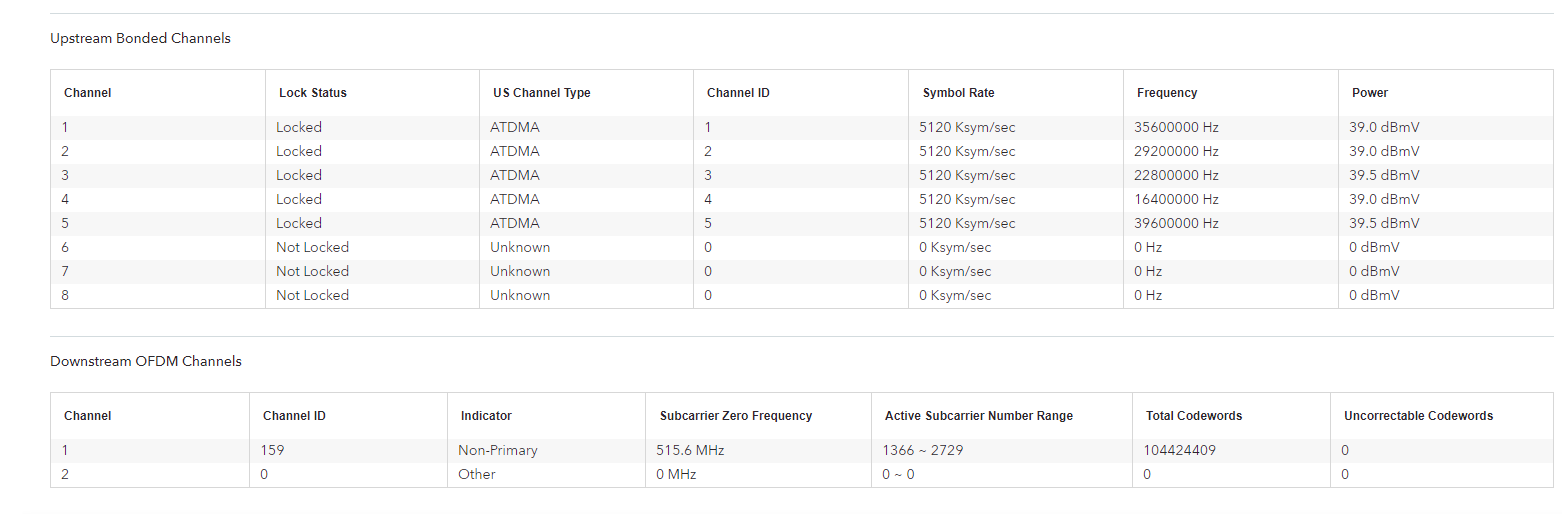
You do have quite a few errors in the line and logs are indicating line issues.
Start with removing any amplifiers, signal attenuators, or splitters from the coax.
From there check the line for kinks, damage, moisture in the line.
Check the connectors for improperly made ends, foil touching the copper coax line, bad/old/cheap connectors, or corroded connections. Replace them if you do.
If you can, simply connect the modem right where the coax comes into the home. This prevents wiring in the home from being the issue. And some ISP’s (xfinity) charge if the wiring issue is in the home. So this helps prevent this.
Akiha
May 23, 2022Guide
Thank you. I'll connect right at the entry and test again. I also have maintenance (eventually, they didn't give an exact date except 1 week-3 weeks) coming to do work to the wire. I will post back if I have any success.
- AkihaMay 24, 2022Guide
After replacing the wire inside the house, I haven't had any errors in the modem's logs. Still a lot of uncorrectables, but oddly enough my issue hasn't shown itself again.