NETGEAR is aware of a growing number of phone and online scams. To learn how to stay safe click here.
Forum Discussion

Felsg106
Feb 25, 2025Follower
CAX30 NTP issues preventing cable connection
...Because the modem is confused about the time and date.
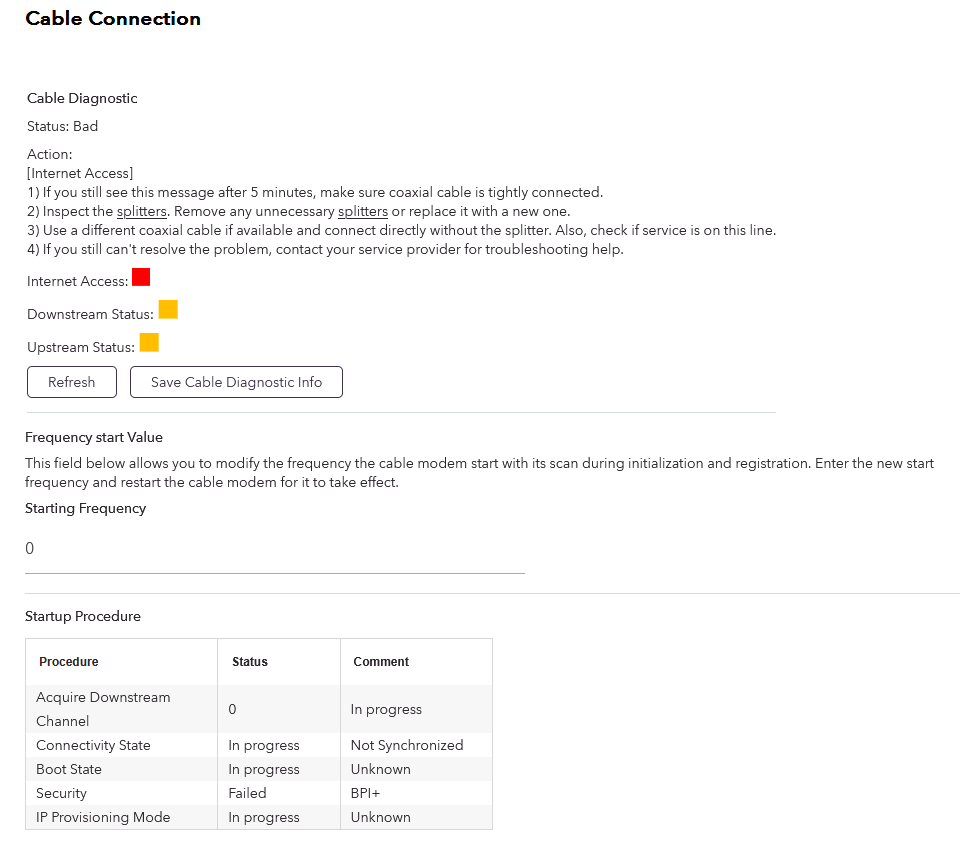
I woke up this morning to no internet. Logged on to the gateway to find it's an issue with the cable connection. Tried all the normal stuff, power cycling, new coax cable to the modem, even factory resetting the modem/router device and trying to start all over. Tried unplugging everything connected via MoCA and hooking the modem straight to the coax line in the cable box. Nothing worked. The router function still works as I can access everything on the LAN and there is still wifi, just with no internet connection.
I've narrowed it down to two possibilities:
1. The modem side of the CAX30 is dead. Not sure what would have caused this, it just stopped working in the middle of the night.
2. The modem has bad date/time data and is unable to connect to any NTP server to correct this because the date/time mismatch prevents it from ever getting on my ISP's network.
Reason I suspect #2 is because the gateway displays a system time of 2024-9-19 at [several hours off from current time of day]. The gateway settings allow me to choose a time zone and a toggle between "Use default Netgear NTP server" and "Set your preferred NTP server". See NTP settings screenshot.
I tried to point the router to my windows 10 PC after enabling it as an NTP server. This resulted in the same red error text on the NTP settings page as when I try to use the automatic NTP server. I tried multiple variations of the IP (the 192.168.1.2 is my PC's LAN IP, 123 being the default UDP port for windows NTP server. I tried it with and without the http:// and the port).
I called my ISP and asked if they could re-initialize my modem onto their network, as I did when I first started service with them. This is where they authorize my modem's MAC address so it can do the handshake with their servers and whatnot. They were unable to do this because my modem doesn't even pop up on their end anymore as it can never establish a cable connection in the first place.
I have the ISP tech coming out tomorrow to check if the cable from the street is broken or something, and a support ticket open with Netgear in case it is a hardware failure and I need an RMA. Is there anything else I should try before just replacing the modem? I have another modem I could maybe try but it's older and doesn't support DOCSIS 3.0 which is a stated requirement by my ISP.
1 Reply
- FURRYe38Guru - Experienced User
Who is the ISP your connected with?
What Firmware version is currently loaded?
https://kb.netgear.com/000036375/What-s-the-latest-firmware-version-of-my-NETGEAR-cable-modem-or-modem-router
Please post a copy and paste of the modems connection status and event log page.
https://kb.netgear.com/30007/How-do-I-obtain-the-cable-connection-information-from-a-NETGEAR-cable-modem-modem-router
https://kb.netgear.com/30008/How-do-I-view-or-clear-the-event-logs-on-my-NETGEAR-cable-modem-or-modem-router