NETGEAR is aware of a growing number of phone and online scams. To learn how to stay safe click here.
Forum Discussion

tamanaco
Nov 05, 2021Apprentice
CAX80 Updated to Firmware 2.1.3.5
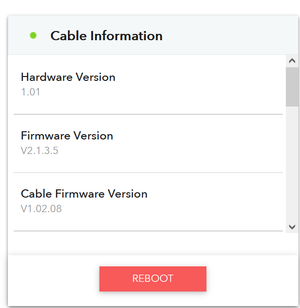
This morning I was presented with Firmware Update 2.1.3.5 for my Netgear CAX80. After thinking it over for a couple minutes I took the plunge and installed it. The Firmware Update installed fine, but...
 Nov 10, 2021
Comcast tech just left. The signal coming into the house was apparently extraordinarily strong. He added some kind of step-down attachment onto the coax connector that balanced the upstream vs. downstream power a little better. CAX80 is now reporting a good signal.
So the new diagsnostics weren't in error. They ID'd a legitimate problem as intended!

FURRYe38
Nov 10, 2021Guru - Experienced User
Glad they got it working.
Be sure to save off a back up configuration to file for safe keeping. Saves time if a reset is needed.
https://kb.netgear.com/24231/How-do-I-back-up-the-router-configuration-settings-on-my-Nighthawk-router
Enjoy.

Lurksalot
Nov 13, 2021Apprentice
Anyone have any ideas why downloading the latest CAX80 firmware 2.1.3.5 and attempting to apply as documented isn't working for my device? The message I recieve states "This firmware file is incorrect! Please get the firmware file again and make sure it is the correct firmware for this product". And yes I downloaded the compressed file and unzipped and pointed to the CAX80-V2.1.3.5.bin file, several times now with the same result. I also tried using the GUI firmware check and get the message, "Unable to download firmware from Netgear server". The only thing I can think of is that Cox is blocking the update at the moment at least for the latter attempt.
Any thoughts?
See screenshots.
Thanks.

- FURRYe38Nov 14, 2021Guru - Experienced User
What browser are you using?
Try MS Edge for Firefox...
Lurksalot wrote:
Anyone have any ideas why downloading the latest CAX80 firmware 2.1.3.5 and attempting to apply as documented isn't working for my device? The message I recieve states "This firmware file is incorrect! Please get the firmware file again and make sure it is the correct firmware for this product". And yes I downloaded the compressed file and unzipped and pointed to the CAX80-V2.1.3.5.bin file, several times now with the same result. I also tried using the GUI firmware check and get the message, "Unable to download firmware from Netgear server". The only thing I can think of is that Cox is blocking the update at the moment at least for the latter attempt.
Any thoughts?
See screenshots.
Thanks.
- LurksalotNov 15, 2021Apprentice
Problem solved not being able to apply the updated firmware. Just needed to reboot the device before-hand.
Thanks.
- FURRYe38Nov 15, 2021Guru - Experienced User
Be sure to save off a back up configuration to file for safe keeping. Saves time if a reset is needed.
https://kb.netgear.com/24231/How-do-I-back-up-the-router-configuration-settings-on-my-Nighthawk-router
Enjoy.
Lurksalot wrote:
Problem solved not being able to apply the updated firmware. Just needed to reboot the device before-hand.
Thanks.