NETGEAR is aware of a growing number of phone and online scams. To learn how to stay safe click here.
Forum Discussion

CHICAGOMIKE2000
Nov 02, 2020Aspirant
CM1000v2 - Interent Periodically Drops - Modem Critical Errors
Hi everyone,
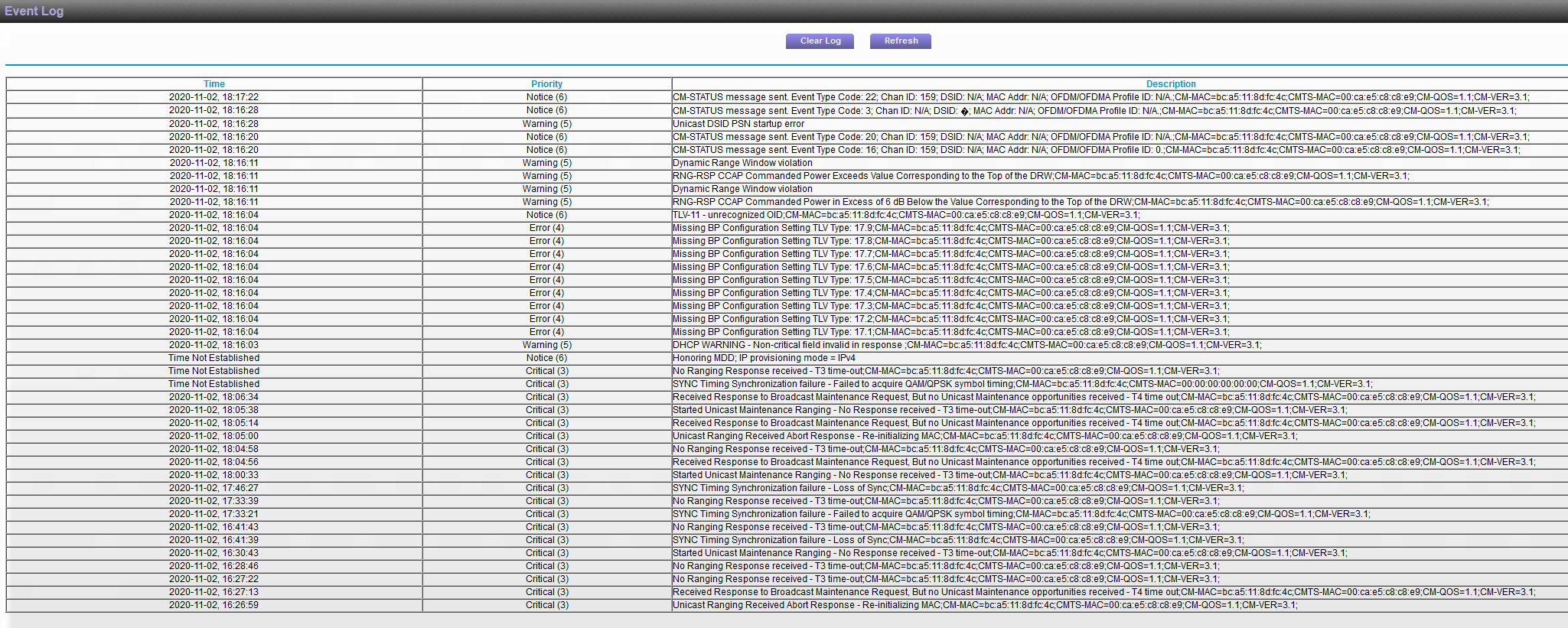
In August, I changed ISP's (to RCN Chicago), bumped up my speed to a gig, and got a new modem CM1000v2. Through these past couple of months though, I have been having intermittment connection issues. It has been painfully slow at times (1-20 Mbps) or connection will drop entirely (although completely dropping is less frequent). I have had a few different techs come out only to be stumped by the results when their own equipment also measures a slower speed than expected. The first 2 techs came and said it was probably a wiring problem to the building and a different department would have to come out and take a look, but the third tech that came out pointed out some errors from my modem and said it was my modem's fault.
We did a factory reset a few weeks ago, and the speeds were better (not what they should be, but closer to like 500 Mbps so I was fine with it), but today my signal dropped again and I noticed the errors were back from my modem (see attached). Anyone know if this is a defect of the modem or could this be something my ISP needs to fix?
Happy to provide any more information that maybe necessary.
Hope to hear from you.
Thanks,
9 Replies
- FURRYe38Guru - Experienced User
Have the ISP check the signal and line quality UP to the modem. Be sure the ISP provisions the modem correctly.
Be sure there are no coax cable line splitters in the between the modem and ISP service box.
Be sure your using good quality RG6 coax cable up to the modem.
https://community.netgear.com/t5/Cable-Modems-Routers/General-info-and-Troubleshooting-for-Cable-Modems/m-p/1530376#M12853I would try a different modem as well to see if the problem continues or not...
- CHICAGOMIKE2000Aspirant
Do you have any knowledge of these errors themselves by chance? Are these usuing due to cords since that is what you are asking me to check?
I am in an apartment building so not much I can control about the cords, but I am assuming there are definitely splitters.
- FURRYe38Guru - Experienced User
Anything is possible. The ISP needs to check the service lines up to the building and up to the modem you use.