NETGEAR is aware of a growing number of phone and online scams. To learn how to stay safe click here.
Forum Discussion

Slimeknight
Jan 15, 2021Aspirant
CM1200 problems?
I've had this modem and router setup going for a while now. Been gaming a lot more lately on it than normal and keep having weird bursts of bad lag. In game MS appears to be fine most of the time b...

plemans
Jan 16, 2021Guru - Experienced User
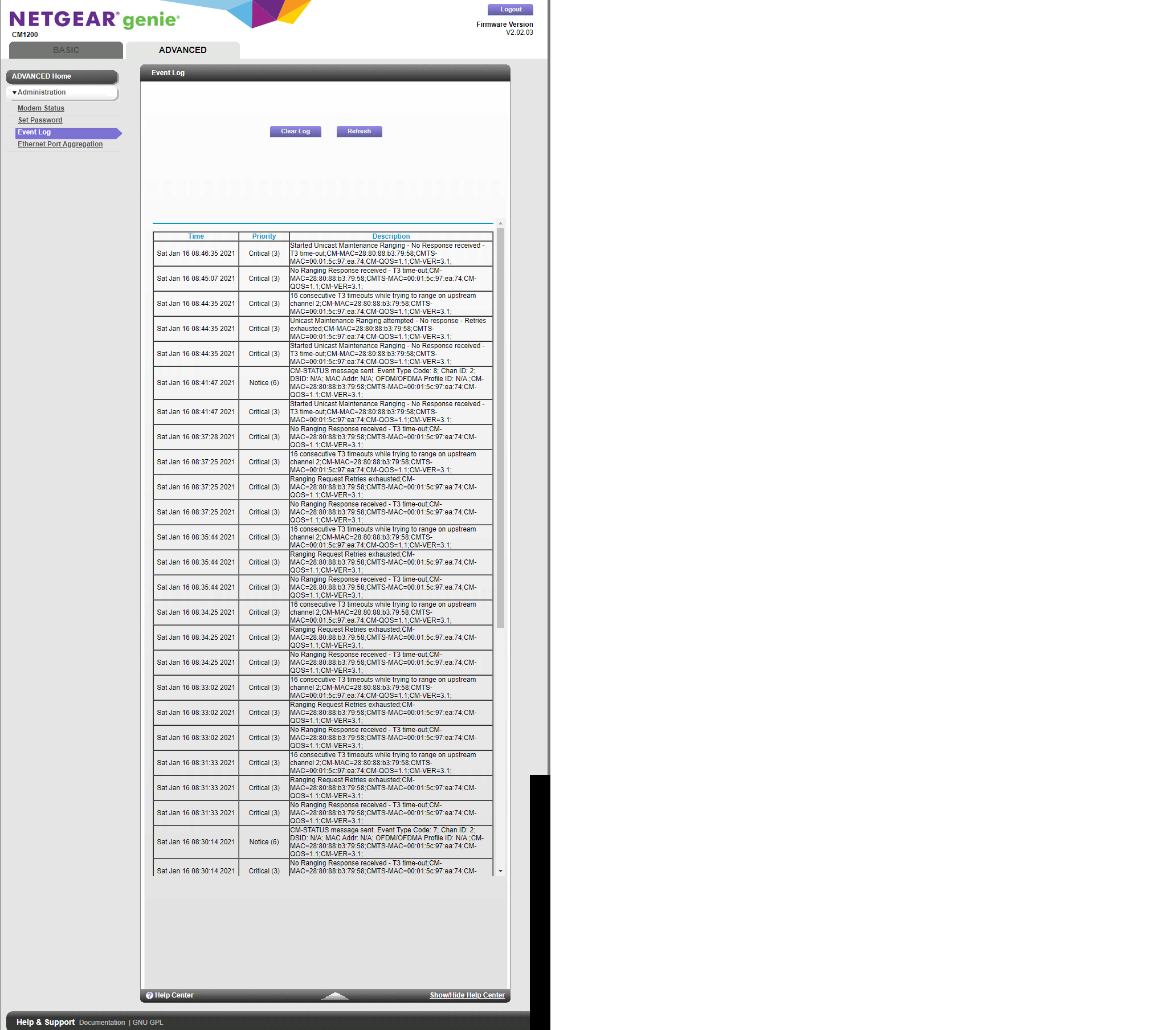
A screen snip is easier to read.
You'd also want to include your cable connections page info to go with the log.
I'd also test directly connected to the modem without using a router. Because the router can cause lag as well.
- SlimeknightJan 16, 2021Aspirant
- SlimeknightJan 16, 2021Aspirant
- plemansJan 16, 2021Guru - Experienced User
both the logs and cable connections page show errors/problems with the line.
I'd remove any spliters, amplifiers, or attenuators from the line. Also check the line for any damange, kinks, extended runs, loose/cheap/bad/old connectors.
If none of that helps, contact your isp to check the line.